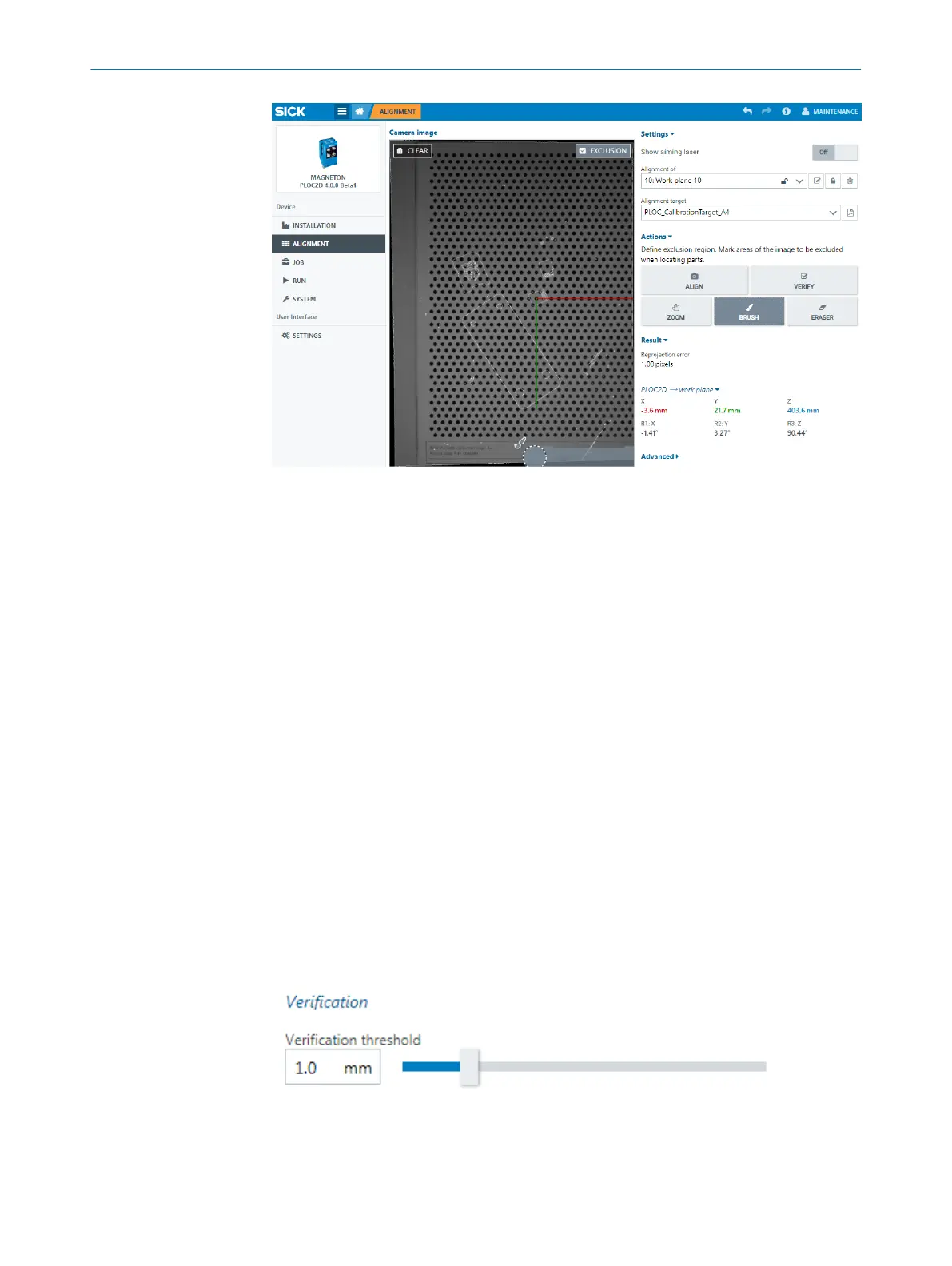
Figure 19: Work plane exclusion region
7.2.3.5 Pixel size
The pixel size is by default automatically calculated per alignment of the current work
plane.
The pixel size can be adjusted with the Pixel size slider after alignment. User level Service
is required. The setting will be applied to all jobs connected to the current work plane
that was aligned.
Preserve pixel size can be enabled to avoid the automatic re-calculation of all connected
jobs when re-aligning the current work plane. User level Service is required. When
enabled, it will lock in the Pixel size and its slider.
7.2.3.6 Verify alignment
Verify alignment to confirm that the PLOC2D sensor has not moved after the sensor has
been aligned to a work plane or its position on the robot arm has been calculated. The
alignment target must also be in the same position.
Click Verify to capture an image and confirm that the alignment target is found in the
expected position.
Verification threshold
Use the Verification threshold slider to set the tolerance for how much the sensor and
the alignment target are allowed to move in relation to each other. User level Service is
required.
Figure 20: Verification threshold slider
7 OPERATION
46
O P E R A T I N G I N S T R U C T I O N S | PLOC2D 4.1 8020736/1K3Z/2023-06 | SICK
Subject to change without notice



 To Next Page