Setting Description
Max rotation Set tolerance for part rotation in relation to the
reference position.
Z-offset If the pick position is offset from the alignment
plane, or if there are jobs with different part
heights, set a Z-offset.
7.2.5 Run jobs
When the sensor is installed and configured, use this workflow step to confirm that the
PLOC2D sensor system locates the parts of interest.
NOTE
Robot mounted sensor: Move the robot to the work plane robot pose for the selected
job/jobs before running one of the locate commands.
1. In the user interface, go to the Run tab.
2. In the list in the Settings section, select which jobs to run:
°
Hover over a job to view the job details.
°
Click on a job to select or clear it.
°
Multiple jobs must be configured on the same work plane.
3. Collapse the list by clicking the arrow in the upper right corner, or somewhere
outside the list.
4. Click Locate to acquire an image and search for the parts of interest.
✓
When the system has located the parts for all selected jobs, the results are added
to the Result log.
If locate fails, see "Troubleshooting", page 69.
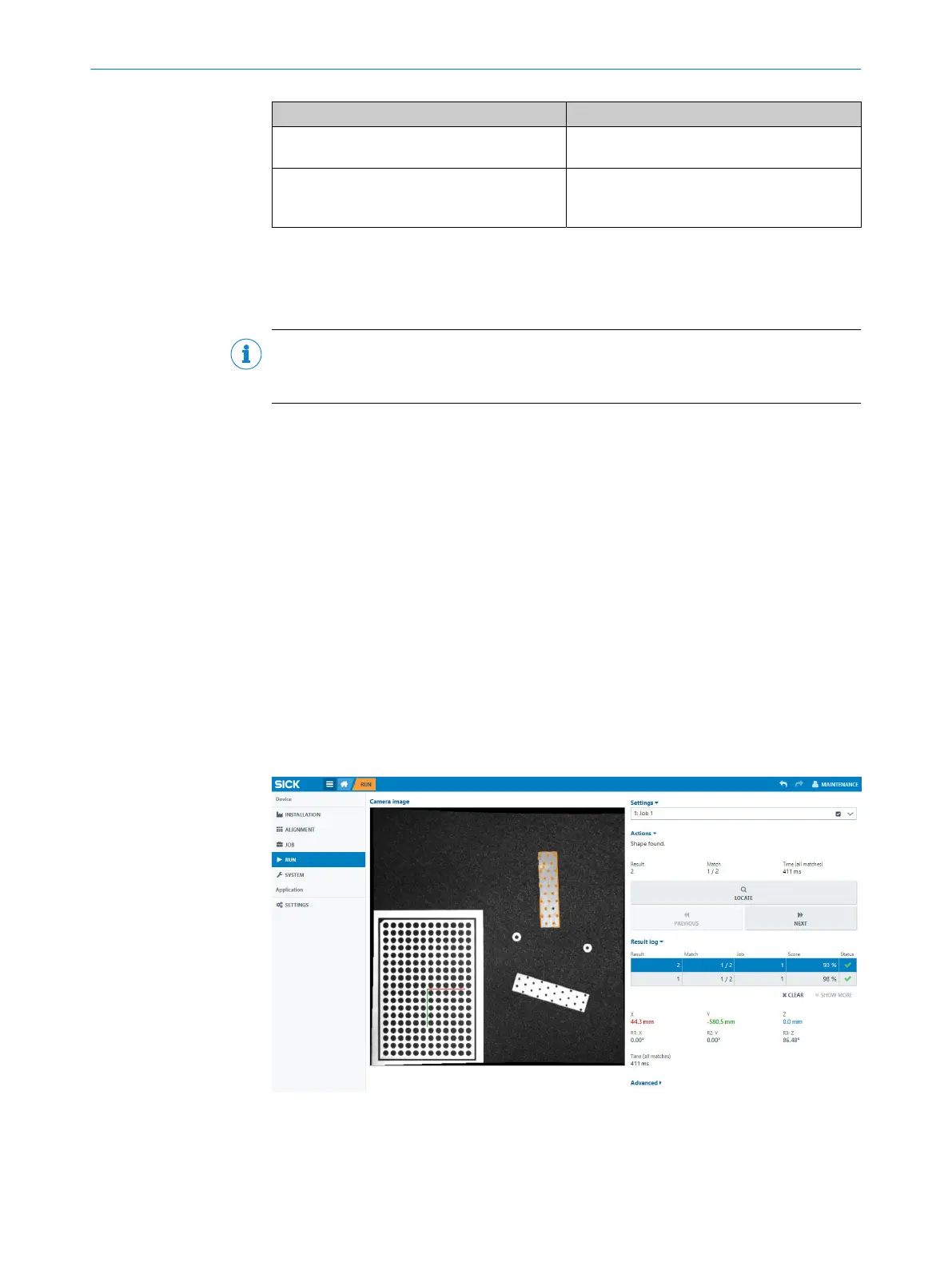
Click Previous and Next to display the result information for each located part. If the
buttons are disabled, it means that no part or only one part has been located. Each
result that is displayed is also added to the Result log.
Each result is represented in the image window by a shape contour and a blue circle.
The circle represents the movement and rotation of the part relative to the reference
part. See figure 24.
Figure 24: Result information for a located part
OPERATION
7
8020736/1K3Z/2023-06 | SICK O P E R A T I N G I N S T R U C T I O N S | PLOC2D 4.1
51
Subject to change without notice



 To Next Page