Result log
Results received either in the PLOC2D user interface or by the robot via the
Run.Locate command are added to the Result log. The log stores information about
the 20 most recent results. New results are added to the top of the list.
•
Click on a row in the list to get the result information.
•
Click Clear to clear the log.
•
Click Show more or Show less to show all 20 results or the 5 latest results.
NOTE
The Previous and Next buttons are connected to the latest locate command and are used
to browse the latest results.
Gripper clearance
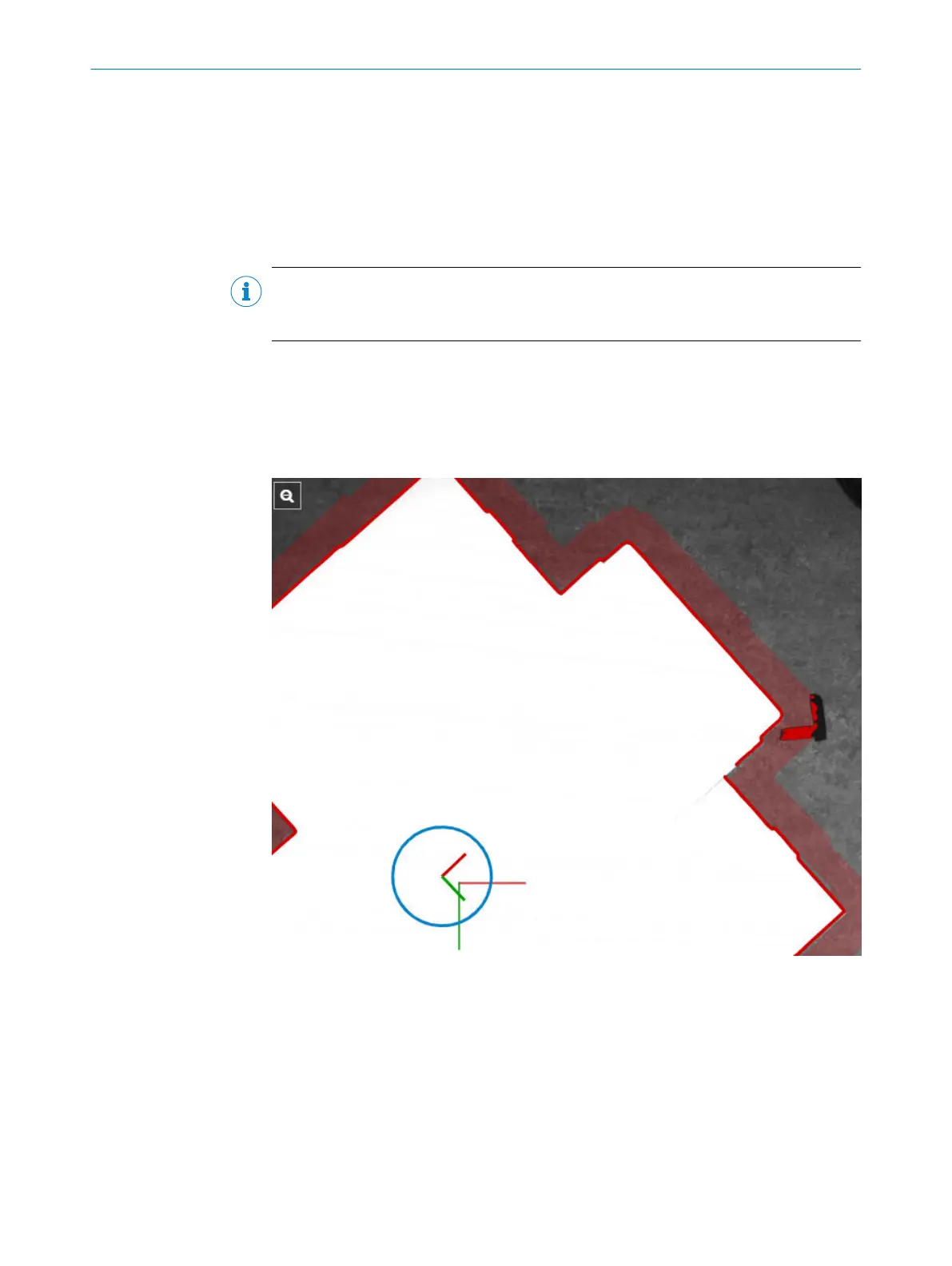
To reject results where the gripper clearance region is blocked, enable Reject colliding
matches.
For a colliding match, the Camera image view shows the gripper clearance region as
transparent red and the colliding edges as opaque red.
Figure 25: A colliding match
Exclusion regions
Both work plane exclusion regions and job exclusion regions are shown with a grey
overlay in the camera image view. The overlay is red if a part is located partially in an
exclusion region.
To accept results partially in an exclusion region, disable Reject matches on image border.
User level Service required.
7 OPERATION
52
O P E R A T I N G I N S T R U C T I O N S | PLOC2D 4.1 8020736/1K3Z/2023-06 | SICK
Subject to change without notice



 To Next Page