Operating Instructions Chapter 8
UE403
8010854/WP71/2012-11-28 © SICK AG • Industrial Safety Systems • Germany • All rights reserved 27
Subject to change without notice
Configuration
8 Configuration
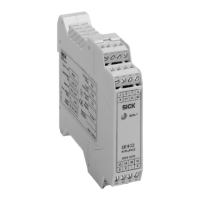
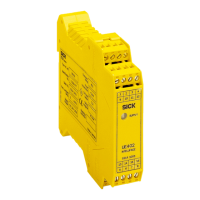
The UE403 switching amplifier and the M4000 Advanced are being configured using the
CDS (Configuration & Diagnostic Software). Access to the configuration is via the
M4000 Advanced multiple light beam safety device.
• Direct access to the configuration is also possible via the configuration connection on
the UE403 switching amplifier.
• The UE403 switching amplifier cannot be configured independently (without correctly
f
unctioning connection to the M4000 Advanced).
8.1 Preparing the configuration
How to prepare the configuration:
Ensure the following points are met:
– The UE403 switching amplifier has been correctly mounted.
– The UE403 switching amplifier has been connected to the extension connection for
UE403 on the M4000 Advanced.
– The status LED for the system connection is illuminated on the UE403 switching
amplifier.
Plan all necessary settings (placement of the sensors, monitoring of the muting cycle,
etc.) and document them.
To configure the UE403 switching amplifier, you need:
• CDS (Configuration & Diagnostic Software) on CD>ROM
• user manual for CDS on CD>ROM
• PC/Notebook with Windows NT/2000/XP/Vista and a serial interface (RS>232).
PC/Notebook not included
• connecting cable for connecting PC and UE403 or M4000 (SICK part number.
6021195)
To configure the device, please read the user manual for the CDS (Configuration &
Diagnostic Software) and use the online help function of the programme.
Notes


 To Next Page