Chapter 8 Operating Instructions
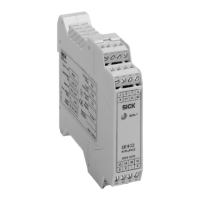
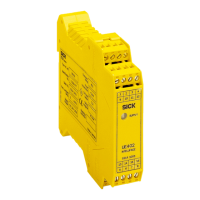
UE403
28 © SICK AG • Industrial Safety Systems • Germany • All rights reserved 8010854/WP71/2012-11-28
Subject to change without notice
Configuration
8.2 Configuration memory
T
he UE403 switching amplifier has a configuration memory in which it saves the
configuration of the M4000 Advanced receiver or the M4000 Advanced A/P connected.
• The configuration data for the M4000 Advanced receiver or the M4000 Advanced A/P
and the UE403 switching amplifier are saved both in the multiple light beam safety
device and also in the switching amplifier.
• The configuration data for the M4000 Advanced sender are only saved in the sender.
After a device replacement, the M4000 Advanced sender must be re-configured using
CDS.
Device replacement
On the replacement of the M4000 Advanced receiver or the M4000 Advanced A/P, the
configuration is automatically restored if the receiver or the A/P device is in the delivery
status (new device or reset device).
On the replacement of the UE403 switching amplifier, the configuration is automatically
saved in the switching amplifier if the UE403 switching amplifier is in the status as
delivered (new device or reset device).
• If, on a device replacement, the configuration of the M4000 Advanced receiver or the
M4000 Advanced A/P and the UE403 switching amplifier are 100% identical, the
system automatically changes to normal operation.
• If the replacement device is not in the status as delivered (new device or reset device),
then the error message (configuration incomplete, see “Error displays of the
7>segment display” in the operating instructions for the M4000 Advanced multiple light
beam safety device) appears on the 7>segment display on the M4000 Advanced
receiver or the M4000 Advanced A/P. The replaced device must be reset with the aid of
the CDS, or both devices must be re-configured together.
How to reset the M4000 Advanced:
Connect the voltage supply to the M4000 Advanced receiver or the M4000
Advanced A/P.
Connect the device without connected switching amplifier UE403 to the CDS.
Leave the CDS to detect the device, but do not receive the current configuration draft.
The CDS generates the configuration for the status as delivered.
Transfer the configuration for the status as delivered to the device.
How to reset the UE403:
Connect a voltage supply to pin 1 and pin 3 on the UE403 switching amplifier (see
Tab. 3 “Pin assignment system connection M12× 5” on page 18).
Connect the UE403 switching amplifier without connected M4000 Advanced to the
CDS.
Reset the switching amplifier UE403 using the CDS.
Device symbol UE403, context menu Open device window, parameter node Reset.
Notes
Notes


 To Next Page