18
The user interface
Gigaset WLAN Repeater 108 / englisch / A31008-M1030-B101-3x-7619 / basic_config.fm / 06.11.2008
Template 2005_05_02
Launching the user interface
As described in the "First Steps" on page 11 chapter, you have connected your
Gigaset WLAN Repeater 108 and made any changes necessary to the Ethernet card's
network configuration (see the chapter "Integration in the network" on page 84).
Your Gigaset WLAN Repeater 108 is connected to the mains power supply, the
Power LED lights up, as does the WLAN LED. The LED for the local network lights up
if you have connected a device directly using an Ethernet cable.
To access the Gigaset WLAN Repeater 108's user interface:
ì Launch your Web browser.
ì Enter the IP address of the Gigaset WLAN Repeater 108 in the browser's address
field.
http://192.168.2.254
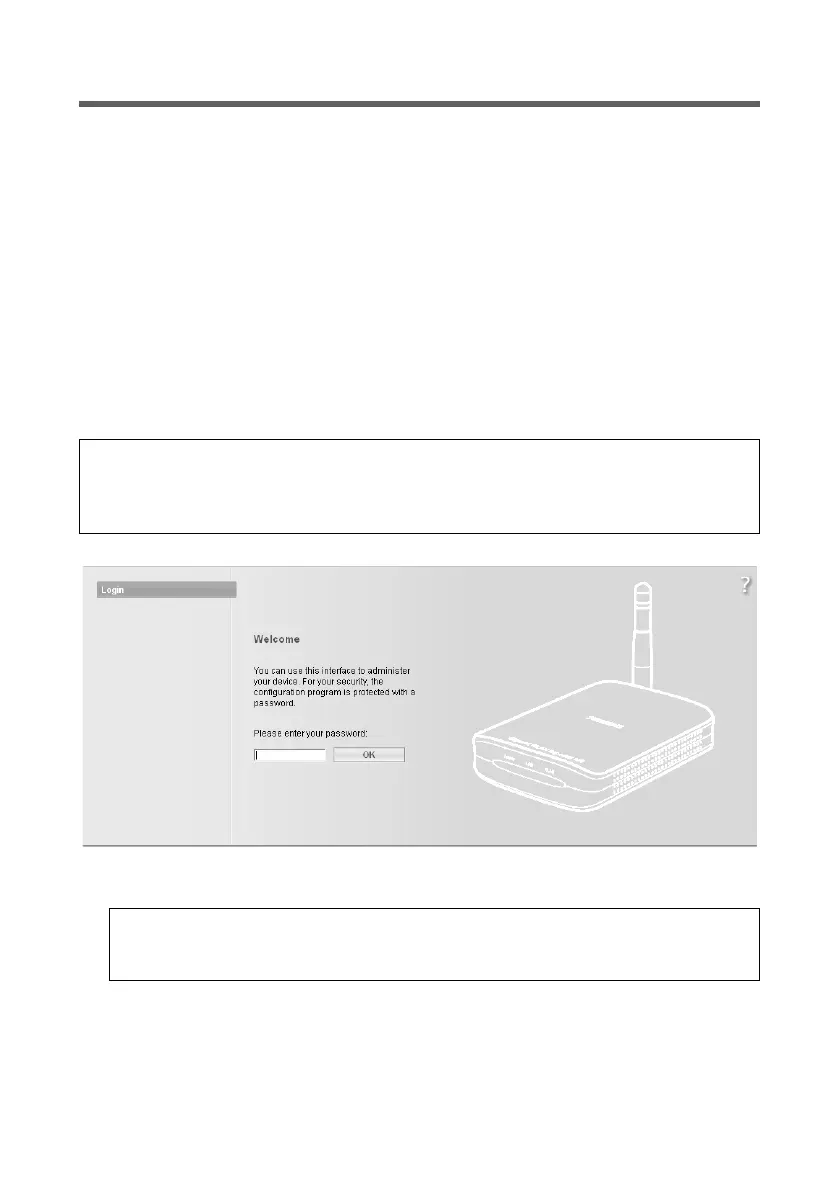
The login screen appears.
ì The factory settings password is admin. Enter the password and click OK.
Please note:
If the DHCP server in your Gigaset WLAN Repeater 108 has been activated (factory set-
ting), it may take a while after connecting to your PC until your PC is automatically
assigned an IP address and you can access the configuration program.
Please note:
For security reasons you should change the password at a later stage (see
page 38).














 To Next Page