73
Administration
Gigaset WLAN Repeater 108 / englisch / A31008-M1030-B101-3x-7619 / admin.fm / 06.11.2008
Template 2005_05_02
System Log
The System Log is displayed in the Status – Device menu. It can give you important
information about the functioning of your device and possible problems. You can also
have this information transmitted automatically on a system log server.
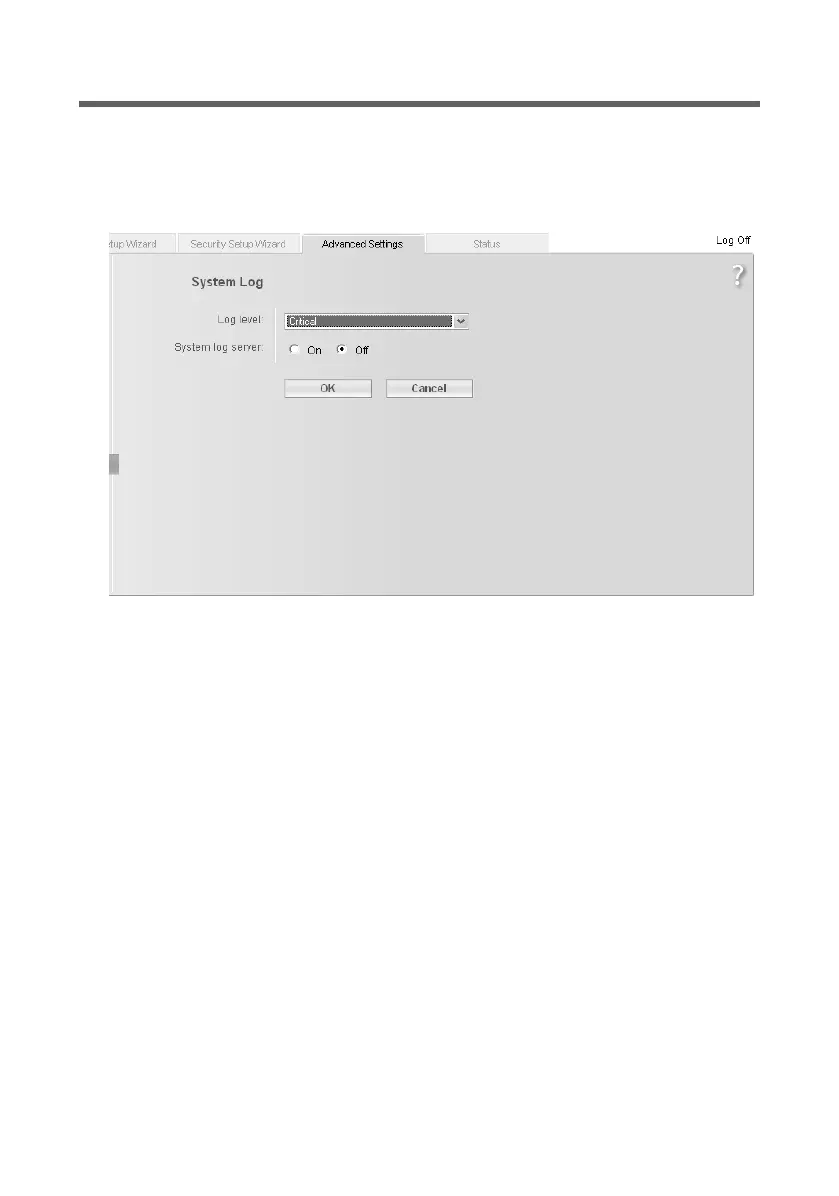
ì In the Administration menu, select System Log to make the settings for the log.
ì Log level: Select how much information is to be contained in the system log. You
can choose between four levels:
– Critical: logs the most important information concerning possible problems in
the functioning of your device
– Debugging: complete and detailed information about all your device's functions
– Warning and Informational are intermediate levels.
ì System log server
– Activate this function if you require automatic transmission of your device's sys-
tem log to a system log server in your local network.
– Server address:
Enter the IP address for the system log server.
– Server port:
Enter the port of the system log server that is to be used to transmit the system
log.
ì Click on OK to save and apply the changes. If you have activated the System log
server function, the data will be transmitted to the specified server.














 To Next Page