41
Security Setup Wizard
Gigaset WLAN Repeater 108 / englisch / A31008-M1030-B101-3x-7619 / security_config.fm / 06.11.2008
Template 2005_05_02
WPA2/WPA with pre-shared key (PSK)
WPA is a more advanced procedure than WEP for protecting wireless networks.
Dynamic keys based on TKIP (Temporal Key Integration Protocol) offer increased
security. The new standard WPA2 uses AES (Advanced Encryption Standard) for encryp-
tion.
WPA-PSK is a special WPA mode for users at home and in small companies without a
company authentication server. Encryption keys are automatically generated with the
pre-shared key, automatically changed ("rekeying") and authenticated between the
devices after a certain period of time (Rekey Interval).
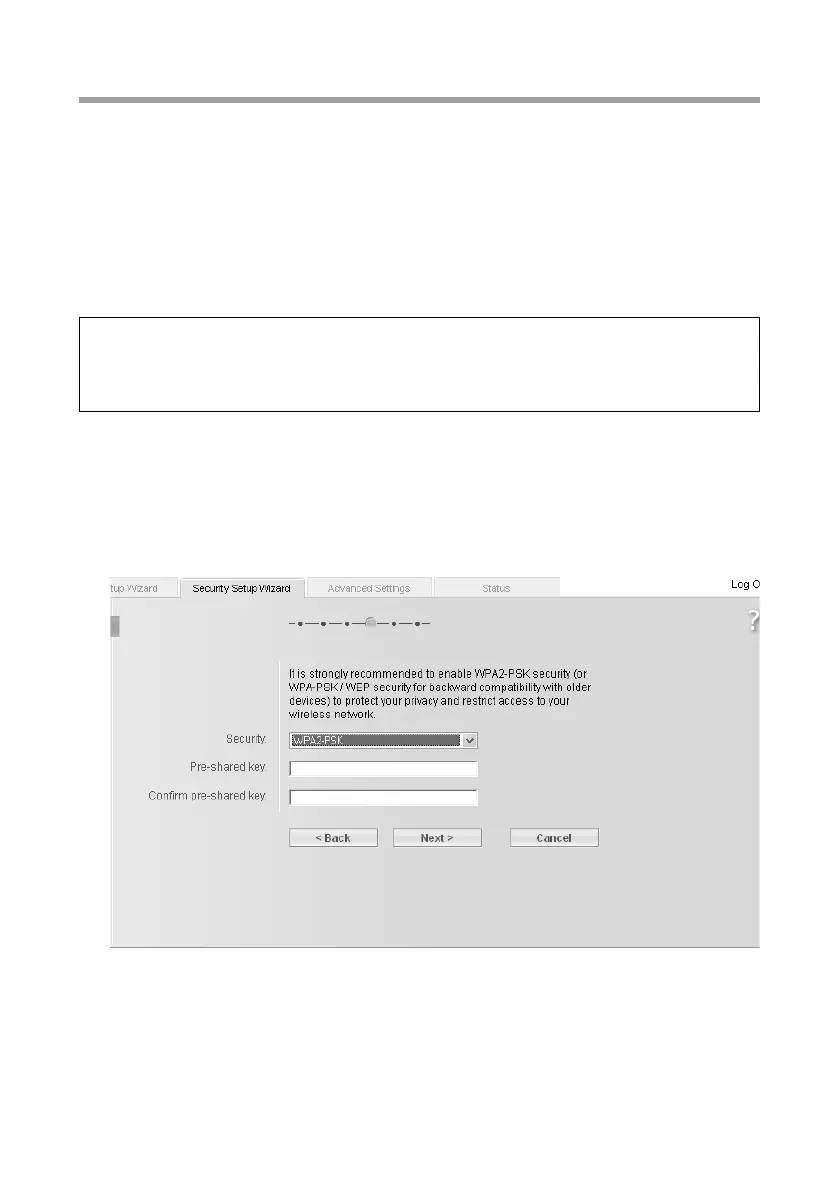
ì Select the option WPA2-PSK if it is supported by all components in your wireless net-
work.
or
ì Select the option WPA2-PSK / WPA-PSK if some or all components in your wireless
network support WPA with the TKIP protocol.
ì Enter a key of your choice in the Pre-shared key field (min. 8 to max. 63 characters)
and confirm it by repeating the entry.
You must also set the same pre-shared key for all wirelessly connected PCs.
ì To go to the next step, click on Next >.
Please remember:
Every PC (network adapter) that requires access to a wireless network protected by
WPA must also support WPA. To find out whether and how you can use WPA on your
PC, read your network adapter's user guide.














 To Next Page