9
Introduction
Gigaset WLAN Repeater 108 / englisch / A31008-M1030-B101-3x-7619 / introduction.fm / 06.11.2008
Template 2005_05_02
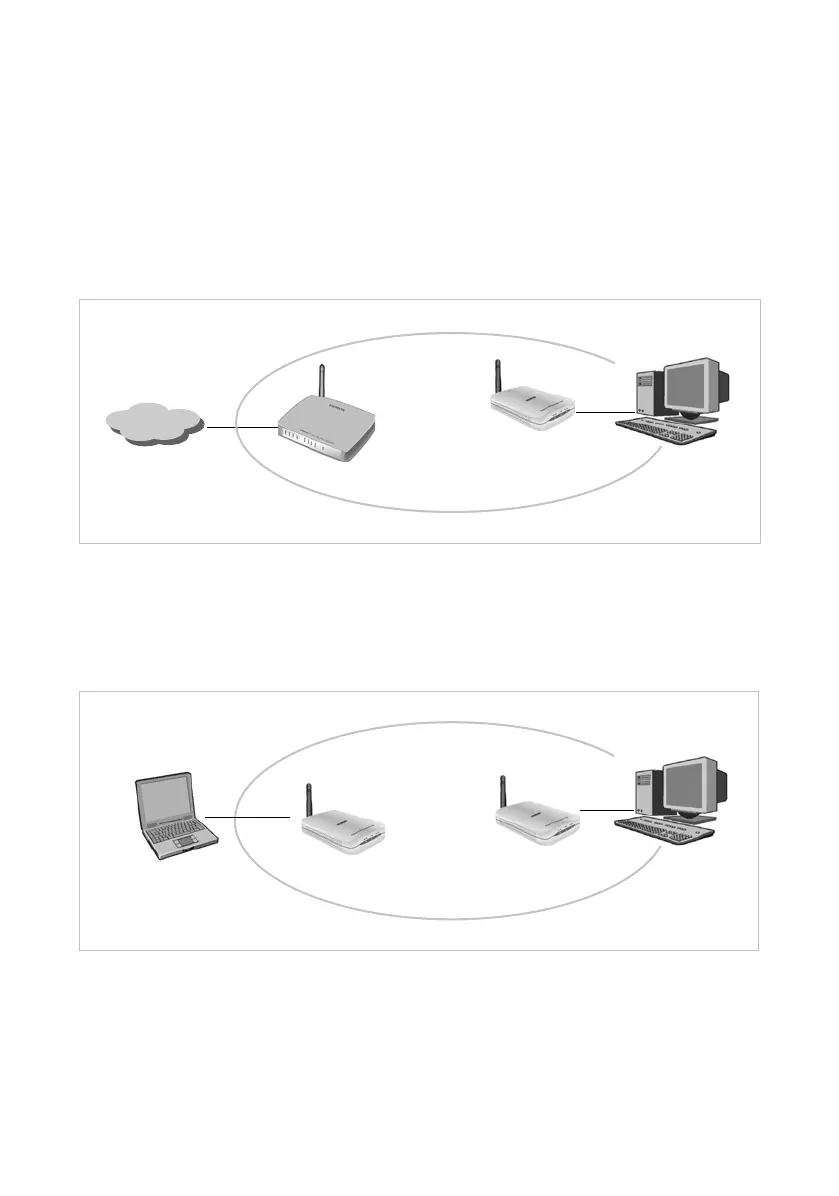
Use as wireless network adapter
The Gigaset WLAN Repeater 108 can be connected directly to the Ethernet port of a PC
or other device (e.g. a games console, set-top box). It then functions as a wireless
network adapter, but uses the device's wired Ethernet port. You do not need to install
any additional driver software on the device. This ensures that access to the wireless
network is independent of the operating system.
When you set up a connection from a computer or other device to an access point using
the Gigaset WLAN Repeater 108, you operate the Gigaset WLAN Repeater 108 in
Ethernet adapter Operating Mode.
If you want to set up a wireless connection between two PCs or other devices using
the Gigaset WLAN Repeater 108, you have to use one Gigaset WLAN Repeater 108 in
Access point Operating Mode, and all others in Ethernet adapter Operating Mode.
An example of this configuration, a wireless connection between two games consoles,
can be found on page 82.
Gigaset WLAN Repeater 108
Internet
)))
(((
Gigaset WLAN Repeater 108
)))
)))














 To Next Page