EasyManua.ls Logo

Siemens SICLOCK TC 400 - User Manual

Siemens SICLOCK TC 400
134 pages
Print Icon
To Next Page IconTo Next Page
Loading...
SICLOCK
s
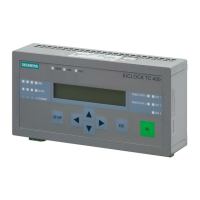
SICLOCK TC 400
Plant Central Clock
Operating Instructions 09/2007

Table of Contents

Questions and Answers

  • J
    James SaundersJul 31, 2025
    Why can't I edit a parameter on my Siemens SICLOCK TC 400 Clock?
    • G
      gcopelandAug 1, 2025
      There are a few reasons why you might not be able to edit a parameter: * The parameter might be a display parameter. * Your current authorization level might be too low. * The parameter might not have a parameter value; in this case, you should read the parameter from the device again.
  • L
    leemarkAug 7, 2025
    What to do if a connection cannot be established to the Siemens SICLOCK TC 400?
    • K
      Kimberly JonesAug 7, 2025
      If you're having trouble establishing a connection to the device: * Make sure the IP address is correctly set in the configuration tool. * Verify that you have a network connection. * Check that the TCP:2155 port is open for the connection and not already in use by another application.
  • B
    benjamin84Aug 15, 2025
    What to do if there is no interaction with the Siemens SICLOCK TC 400 in online mode (hourglass)?
    • K
      Kevin GarciaAug 15, 2025
      If you experience no interaction with the device in online mode (hourglass), the connection to the device has likely been lost and needs to be re-established.
  • A
    Amanda SchmidtAug 23, 2025
    What to do if parameter is not written during the upload on Siemens SICLOCK TC 400?
    • E
      Erik ClarkeAug 23, 2025
      If a parameter isn't written during the upload, it might be a critical operating parameter specifically excluded from uploads. These parameters must be written individually.

Summary

Description

Configuration of SICLOCK TC 400 Hardware

Details the hardware setup, connections, and configuration for the SICLOCK TC 400.

External Synchronization

Explains how to synchronize the SICLOCK TC 400 with external time sources like GPS or NTP.

Redundancy

Explains redundancy options for external synchronization and output signals for reliable operation.

Hardware Description

Operation Planning

Mounting Position and Fixing Method

Specifies requirements for installing and mounting the SICLOCK TC 400 in a control cabinet.

Installation

Installation Overview

Provides an overview of the installation process and key considerations for the SICLOCK TC 400.

Connecting

Connecting the Power Supply

Details how to correctly connect the 24 VDC power supply to the SICLOCK TC 400.

Connecting External Synchronization

Explains how to connect various external synchronization sources like GPS and DCF77.

Connecting Time Receivers

Describes how to connect time receivers via Ethernet or point-to-point connections (OUTPUTs).

Configuration Tool

Parameters

Explains how to view, edit, and manage device parameters using the configuration tool's interface.

Parameterization and Operation on the Device

Operation and Parameterization

Describes the device's operating sequence, authorization, and basic parameter adjustment.

Parameterization

Linking External Synchronization

How to link external synchronization sources like NTP servers and radio clocks to the SICLOCK TC 400.

Parameter Table

Service and Maintenance

Messages

Technical Data

Circuit Diagrams

ESD Guidelines

Siemens SICLOCK TC 400 Specifications

General IconGeneral
Power Supply24 V DC
Weight0.8 kg
MountingDIN rail
Operating Temperature-20 °C to +60 °C
InterfacesRS485
ProtocolsDCF77
Input SignalDCF77, GPS