EasyManua.ls Logo

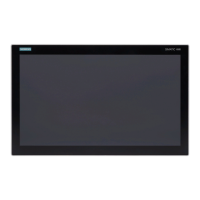
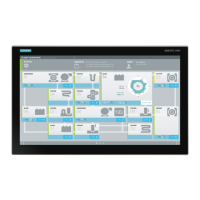
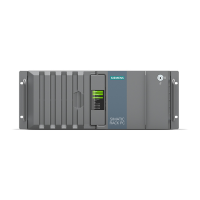
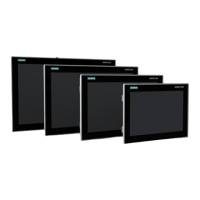
Siemens SIMATIC IPC377G - User Manual

Siemens SIMATIC IPC377G
113 pages
Print Icon
To Next Page IconTo Next Page
Loading...
SIMATIC IPC377G
SIMATIC
Industrial PC
SIMATIC IPC377G
Operating Instructions
07/2022
A5E51366314
-AB
Preface
Overview
1
Safety instructions
2
Installing and connecting
the device
3
Commissioning the device
and device functions
4
Operating the device
5
Expanding and assigning
parameters to the device
6
Maintaining and repairing
the device
7
Technical specifications
8
Technical support
A
Markings and symbols
B
List of abbreviations
C

Table of Contents

Questions and Answers

  • J
    John FranklinSep 12, 2025
    What to do if my Siemens SIMATIC IPC377G shows error when booting from M.2 NVMe/SATA SSD?
    • P
      petersonrobertSep 12, 2025
      If you see this error when installing the operating system on your Siemens Industrial PC, it means that the M.2 NVMe/SATA SSD card lost the boot image or is broken. Reinstall the operating system or change to another M.2 NVMe/SATA SSD card.
  • N
    Nicholas SimpsonSep 13, 2025
    What does 'Windows boot manager failed' mean on my Siemens SIMATIC IPC377G Industrial PC?
    • M
      Maria WilliamsSep 13, 2025
      If you see the message 'Windows boot manager failed' on your Siemens Industrial PC, it indicates that the M.2 NVMe/SATA SSD card has been changed to another boot device. Press Enter to continue the boot.
  • P
    pritterSep 15, 2025
    How to fix 1000M full duplex mode not running at full speed on Siemens SIMATIC IPC377G Industrial PC?
    • R
      Rhonda LyonsSep 15, 2025
      If the 1000M full duplex mode cannot run at full speed on all onboard LAN ports of your Siemens Industrial PC, Time Coordinated Computing can result in Giga Band Ethernet workloads. Open the firmware selection menu, select 'Setup Utility' > 'Power' > 'Advanced CPU Control' > 'C-States', and change its value from 'Enabled' to 'Disable'.

Siemens SIMATIC IPC377G Specifications

General IconGeneral
TypeIndustrial PC
Ethernet2 x Gigabit Ethernet
USB Ports4 x USB 3.0
Power Supply24 V DC
CoolingFanless
Protection ClassIP20
ProcessorIntel Core i7 / i5 / i3
StorageSSD or HDD options
Operating SystemWindows 10
Serial Ports2 x RS232/RS485/RS422
Video Output1 x DisplayPort
Operating Temperature0 °C to 50 °C
DisplayOptional TFT display

Related product manuals