Detailed descriptions
16.5 BIOS Setup
SIMATIC Rack PC 840 V2
16-30 Operating Instructions, Edition 05/2006, A5E00248055-04
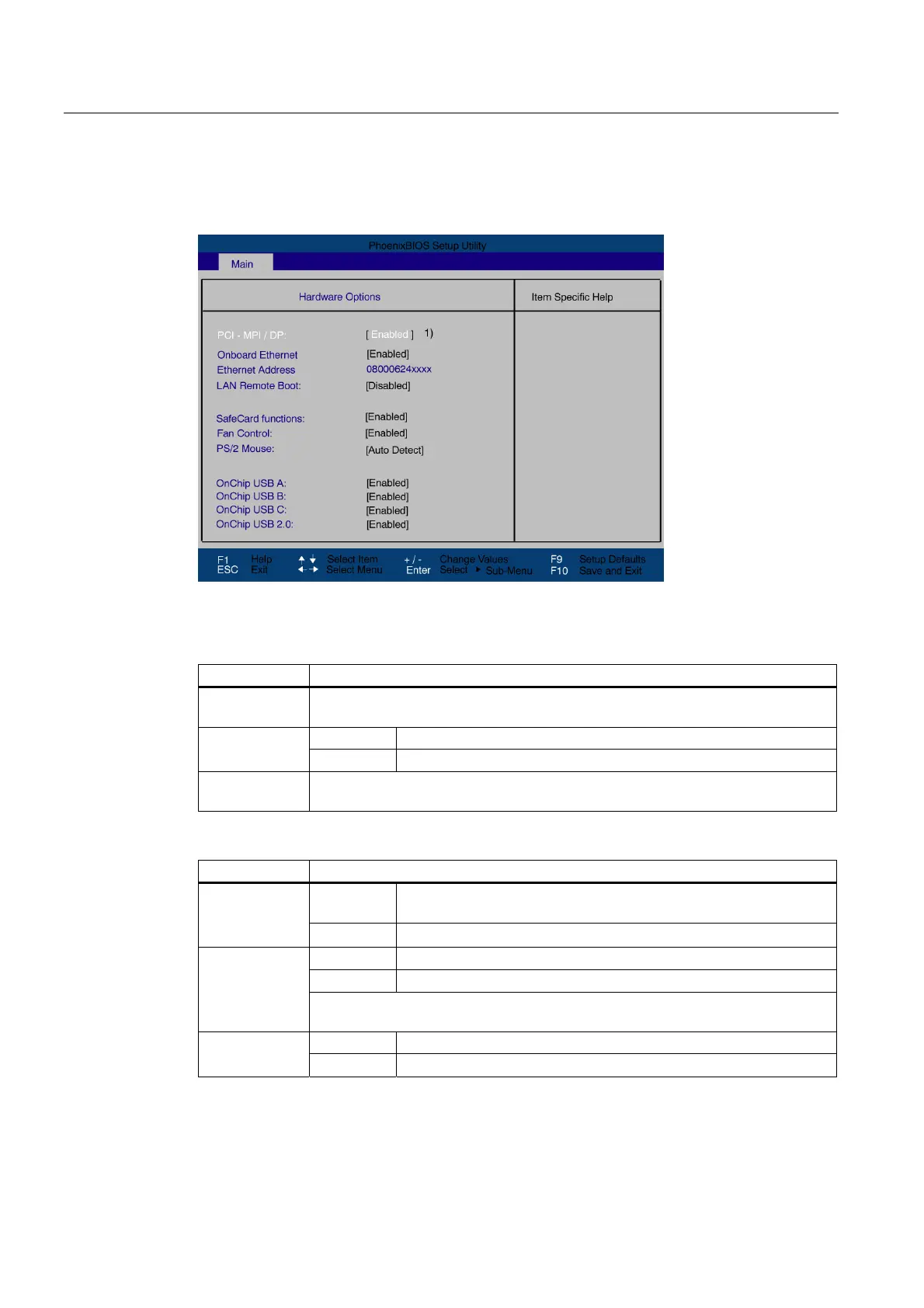
"Hardware Options" field
If the "Hardware Options" field is selected in the main menu, the following submenu appears:
Figure 16-11 "Hardware options" submenu (example)
The parameters of the interfaces present on the motherboard are set here.
Entry Meaning
PCI–MPI/DP
1
Enables the CP5611-compatible MPI/DP interface. The resources are managed by
the BIOS PCI Plug and Play mechanism.
[Enabled] The Ethernet interface on the motherboard is enabled. On-board
Ethernet
[Disabled] The Ethernet interface on the motherboard is disabled.
Ethernet
Address
Shows the individual Ethernet address.
1)
Optional product feature
Entry Meaning
[Enabled] Booting via a connected LAN is possible. The respective boot source
is displayed as Intel® Boot-Agent in the boot sequence menu.
LAN Remote
Boot
[Disabled] Booting via LAN is not possible.
[Enabled] On-board monitoring functions are enabled.
[Disabled] No monitoring functions
SafeCard
functions
The relevant driver and the application must be started for operation of the
monitoring functions.
[Enabled] The fan speed is controlled based on the temperature. Fan control
[Disabled] The fan always runs at full speed.














 To Next Page