6 Commissioning the Router Kit WLAN / LAN
6.5 Configuring the SCALANCE W774-1
Application example for SIMOTICS CONNECT 400 - Router KitInbetriebnahme- und Montagehandbuch 84
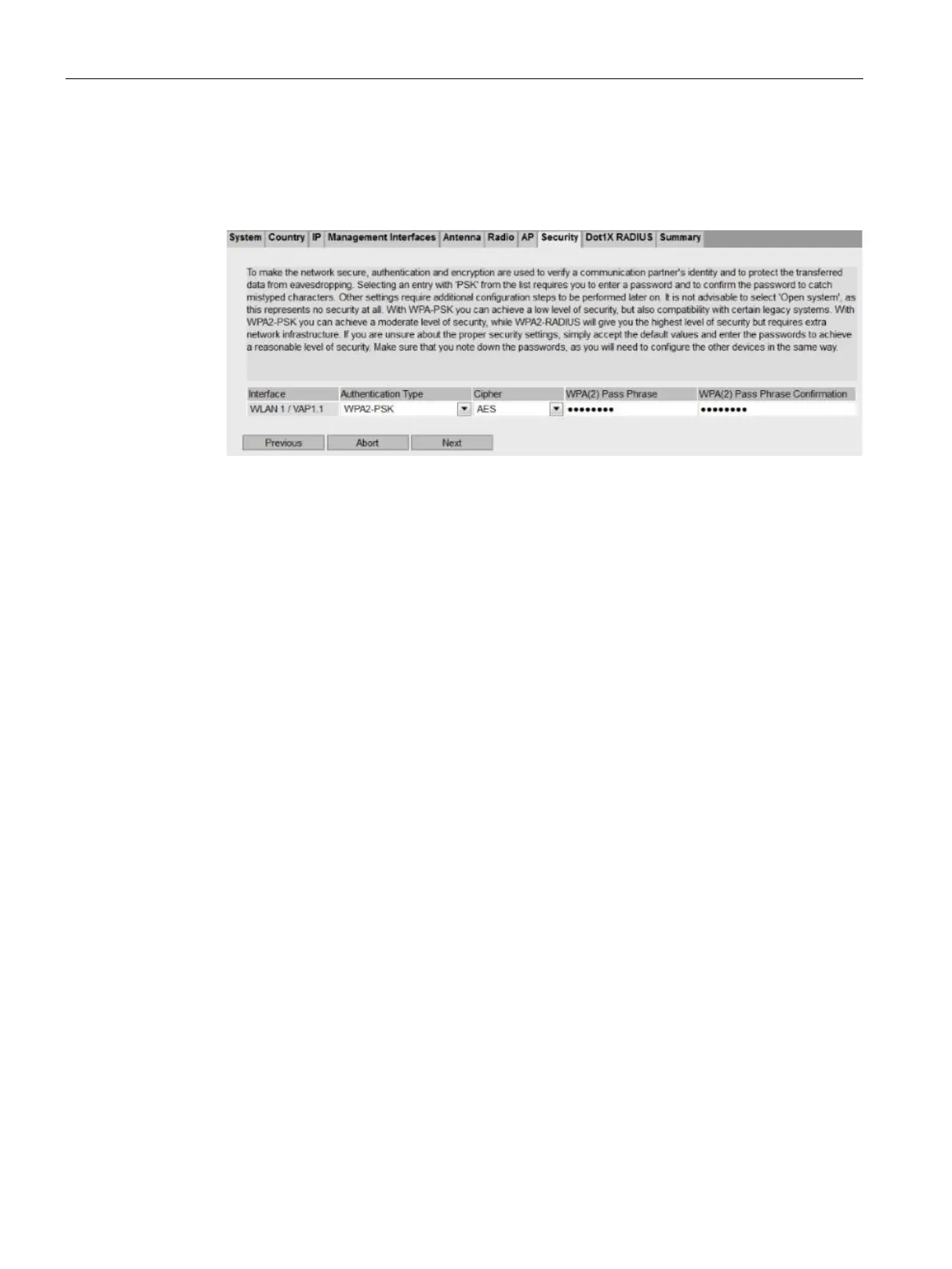
130. In the "Security" tab, select the "Authentication Type" "WPA2-PSK". Assign a
password under "WPA(2) Pass Phrase" and repeat the entry under
"WPA(2) Pass Phrase Confirmation".
The password is the network key for WLAN access.
Figure 6-30 Password/network key assignment






 To Next Page