7 Commissioning the Router Kit LAN / LTE
7.3 Configuring SCALANCE M876-4
Application example for SIMOTICS CONNECT 400 - Router KitInbetriebnahme- und Montagehandbuch 94
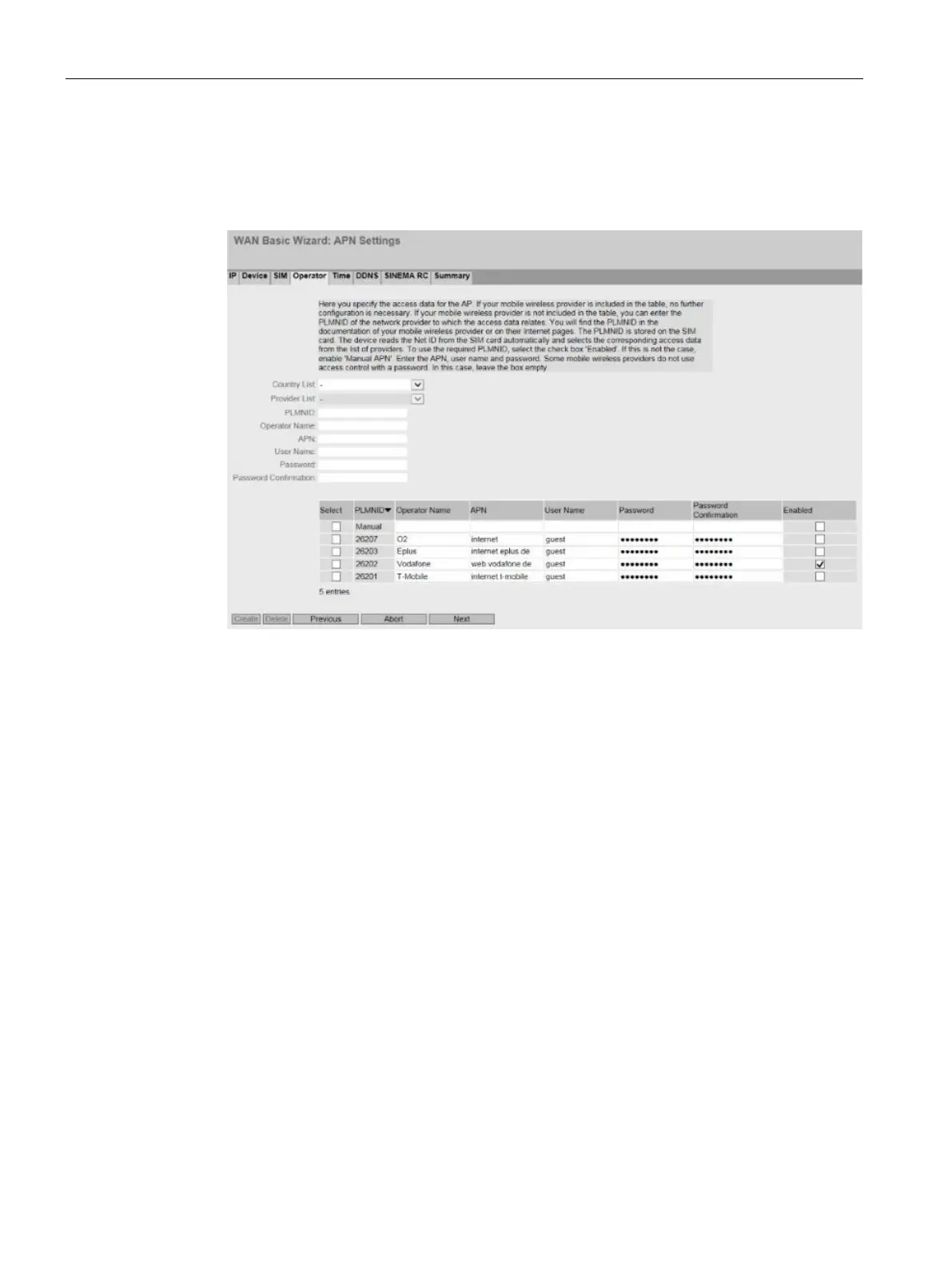
24. In the "Operator" tab, select the network provider with a check mark in the "Enabled"
column.
If the desired network provider is not in the table, select the network provider via
the "Country List" and "Provider List".
Figure 7-11 Selecting the network provider






 To Next Page