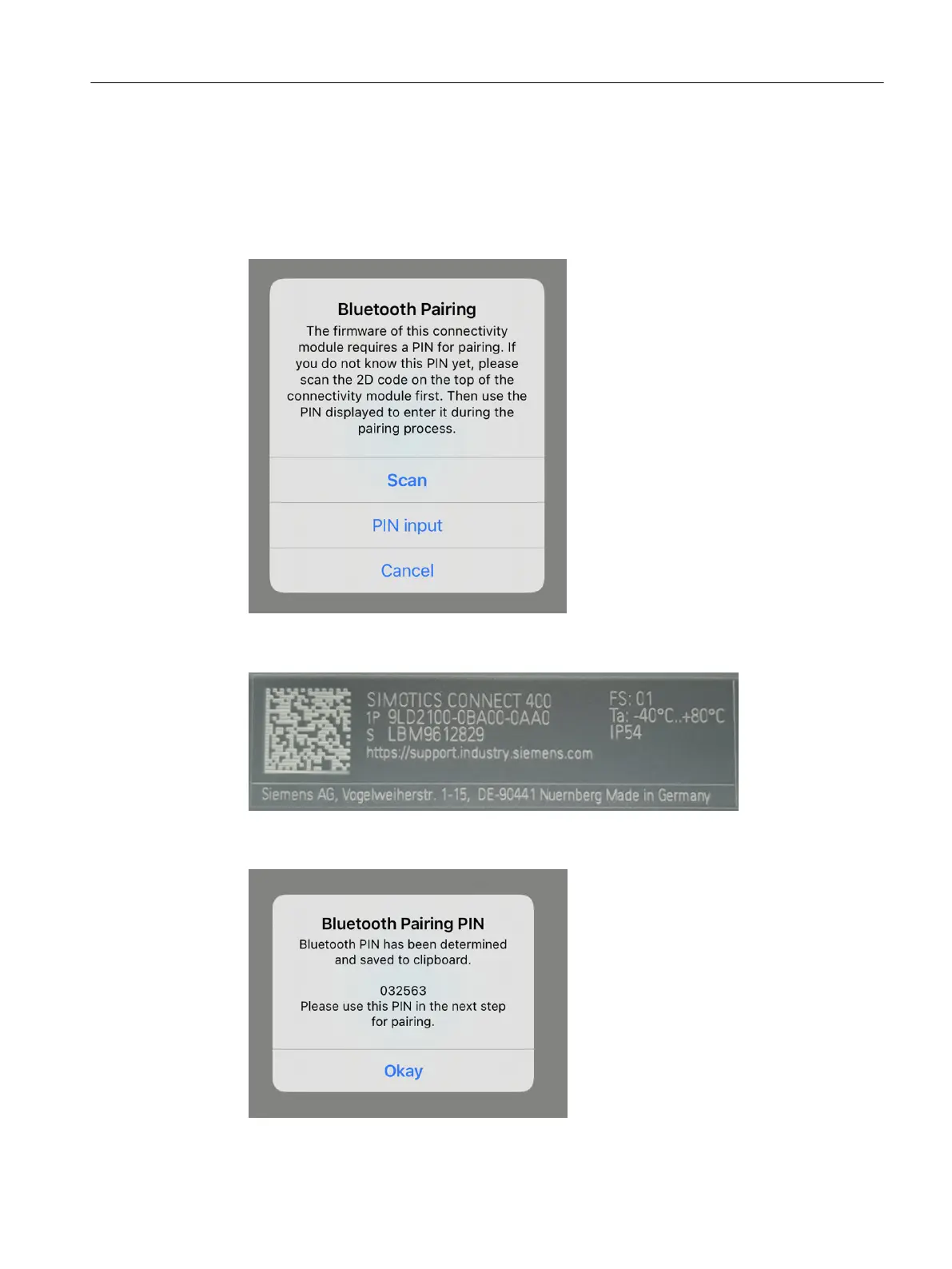
Bluetooth pairing with PIN input- Procedure
Proceed as follows for Bluetooth pairing with PIN input:
1. With the "Scan" button, you nd out the required PIN.
If you already have the PIN, you can skip the "Scan" step. Tap on the "PIN input" button. In this
case, you go directly to4.
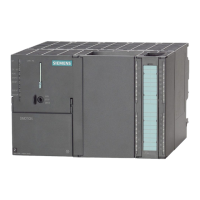
2. To scan, hold the camera of your mobile device over the 2D code on the left at the top of the
connectivity module.
3. If scanning was successful, "SIDRIVE IQ Cong" displays the Bluetooth pairing PIN and copies
it to the clipboard.
Commissioning
6.3Commissioning with iOS
SIMOTICS CONNECT 400
Operating Instructions, 04/2023, A5E50161952B AL 77






 To Next Page