EasyManua.ls Logo

Siemens SITRANS SCM IQ - User Manual

Siemens SITRANS SCM IQ
80 pages
Print Icon
To Next Page IconTo Next Page
Loading...
SITRANS SCM IQ
Digitalization
Smart Condition Monitoring with
IIoT Sensors
Operating Instructions
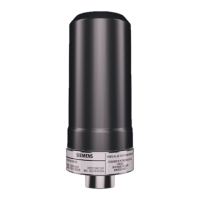
7MP2200-1CB05-2AA1 (SITRANS CC220)
7MP2210-2AB21-2AB1 (SITRANS MS200)
MindSphere application SITRANS SCM IQ
08/2021
A5E50573389-AA
Getting started
1
Introduction
2
Safety notes
3
Description
4
Installing/mounting
5
Connecting SITRANS CC220
6
Commissioning
7
Operating
8
Service and maintenance
9
Diagnostics and
troubleshooting
10
Technical speci󹪝cations
11
Dimension drawings
12
Product documentation and
support
A
Ordering data
B

Table of Contents

Other manuals for Siemens SITRANS SCM IQ

Questions and Answers

  • A
    Anthony TownsendAug 10, 2025
    What to do if I can't connect Siemens SITRANS CC220 to SITRANS SCM IQ?
    • M
      Melanie BenitezAug 10, 2025
      If you cannot establish a connection between your Siemens SITRANS CC220 and SITRANS SCM IQ during onboarding, there are a couple of potential reasons: * The SITRANS CC220 might still be trying to connect to another system. If this is the case, cancel the connection of SITRANS CC220 to the other system. * The "ConBox_Commands.json" file might still be stored on the USB stick. Remove the "ConBox_Commands.json" file from the USB stick.
  • K
    katrinaleeAug 26, 2025
    What to do if Siemens SITRANS MS200 data not received after onboarding?
    • C
      Carolyn NixonAug 26, 2025
      If you don't receive data from your Siemens SITRANS MS200 within 15 minutes after onboarding, it might be because the PIN was changed before onboarding. To resolve this, perform a factory reset on the SITRANS MS200.

Siemens SITRANS SCM IQ Specifications

General IconGeneral
BrandSiemens
ModelSITRANS SCM IQ
CategoryMeasuring Instruments
LanguageEnglish

Related product manuals