EasyManua.ls Logo

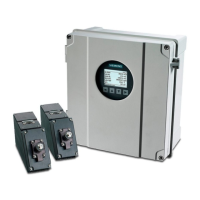
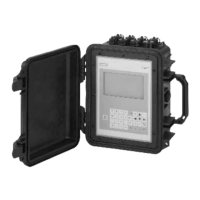
Siemens SITRANS FUP1010 - User Manual

Siemens SITRANS FUP1010
208 pages
Print Icon
To Next Page IconTo Next Page
Loading...
Ultrasonic flowmeters
SITRANS FUP1010 IP67
7ME3510 Portable Flowmeter
Operating Instructions - February 2010
SITRANS F

Table of Contents

Other manuals for Siemens SITRANS FUP1010

Questions and Answers

  • K
    Kayla EatonAug 19, 2025
    What to do if Siemens Measuring Instruments says 'Memory Full!'?
    • K
      Kimberly CohenAug 19, 2025
      If the Siemens Measuring Instruments displays 'Memory Full!' when saving site data, it means the data memory is full. To resolve this, delete an obsolete site or clear the Datalogger memory to create space for the new data.
  • D
    Dylan AdamsAug 21, 2025
    What to do if Siemens SITRANS FUP1010 Measuring Instruments memory is full?
    • A
      Allison HollandAug 22, 2025
      If the memory of your Siemens Measuring Instruments is full, delete an obsolete site or clear the Datalogger memory to create space for new data.
  • J
    James HinesAug 25, 2025
    What to do if Siemens SITRANS FUP1010 Measuring Instruments shows an invalid setup?
    • T
      trujilloanthonyAug 25, 2025
      If your Siemens Measuring Instruments displays an invalid setup message, try selecting Direct Mode. If the issue persists, carefully review all site setup configurations and transducer installation choices, especially the data entered for the pipe and liquid.
  • E
    ericyoungAug 27, 2025
    How to fix detection fault on Siemens SITRANS FUP1010?
    • Q
      qwilliamsAug 27, 2025
      To fix a detection fault on your Siemens Measuring Instruments, try improving operating conditions by reinstalling the transducers at a different spacing offset or a different location on the pipe. Switching from Reflect to Direct Mount may also solve the problem.
  • M
    marvinwalkerAug 28, 2025
    Why does Siemens SITRANS FUP1010 Measuring Instruments recommend re-space index?
    • B
      Brenda JonesAug 28, 2025
      The Siemens Measuring Instruments recommends re-spacing the transducers to improve performance after measuring the liquid sonic velocity (Vs).
  • E
    Elizabeth DennisAug 30, 2025
    What to do after filling pipe on Siemens SITRANS FUP1010 Measuring Instruments?
    • K
      krystal89Aug 30, 2025
      After filling the pipe on your Siemens Measuring Instruments, press .
  • G
    Gregory SmithSep 1, 2025
    What to do after emptying pipe on Siemens SITRANS FUP1010 Measuring Instruments?
    • R
      Richard JohnsonSep 1, 2025
      After emptying the pipe on your Siemens Measuring Instruments, press .
  • J
    John MunozSep 3, 2025
    Why does my Siemens Measuring Instruments say 'Security'?
    • D
      Douglas JosephSep 3, 2025
      If the Siemens Measuring Instruments displays 'Security' message when changing previously entered data, it means that the security switch is in the [Disable] position or a security code has been entered. To solve it, change the switch position to [Enable] or enter the previously set security code.
  • B
    Bradley FowlerSep 5, 2025
    What to do if Siemens Measuring Instruments shows 'Chan Not Setup'?
    • J
      Jessica JacksonSep 5, 2025
      If the Siemens Measuring Instruments displays 'Chan Not Setup', it means you're trying to start an operation that requires a channel to be enabled. To fix this, enable the channel via [Channel Setup - Channel Enable - Yes]. Remember that a channel can't be enabled until an 'Install' operation is completed.
  • T
    Thomas MorrisonSep 7, 2025
    What does '- - -F- - - Fault Alarm' mean on Siemens SITRANS FUP1010 Measuring Instruments?
    • T
      Todd HenrySep 8, 2025
      The Siemens Measuring Instruments showing '- - -F- - - Fault Alarm' indicates a loss of signal strength (ALC) or a change of Rx signal location (Beam Blowing). You can try to recouple sensors with fresh couplant, or install sensors in Direct mount mode.

Siemens SITRANS FUP1010 Specifications

General IconGeneral
BrandSiemens
ModelSITRANS FUP1010
CategoryMeasuring Instruments
LanguageEnglish

Related product manuals