Mobility, Intelligent Traffic Systems
Sopers Lane, Poole, Dorset, BH17 7ER
7.4.5 Network Connection
The configuration required depends upon the network in which the controller
resides. Two straightforward cases are described below each corresponding to the
controller being connected to a single system: Stratos (section 7.4.6) & a non-
Stratos system e.g. UTC (section 7.4.7). Where the controller is to be connected to
more than one system, the network will have to be designed and the controller
configured accordingly using a combination of the two methods as appropriate.
7.4.6 Connection to Stratos
CPU Hardware
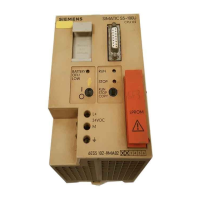
CPU card 667/1/46010/101 is required to support Stratos profile (see below) and so
connect to Stratos. CPU card 667/1/46010/001 does not support Stratos profile.
Network Configuration
In order to connect to Stratos, the following internet services must be accessible to
the equipment:
• DHCP (UDP 67 & 68)
• DNS (UDP 53)
• NTP (UDP 123)
o pool.ntp.org
• HTTPS (TCP 443)
o www.stratostraffic.com (TLS trusted time)
o www.stratosemerge.com (CRLs)
o ovpn1.stratostraffic.com (OpenVPN)
• HTTP or HTTPS (TCP 80 or 443)
o OCSP authenticator for stratosemerge HTTPS certificate (OCSP)
Other applications and features of the equipment may require access to additional
services either on the internet or on a local network. The documentation for these
applications and features record these requirements.
Licence Card
A Licence Smartcard version 2 is required to support connections to Stratos. The
version of the Licence Smartcard fitted can be checked on the System – Settings –
Comms – Stratos configuration web page.







 To Next Page