SigTEL Compact Installation and Configuration Manual
SigTEL Approved Document No. DAU0000091 Rev 5 Page 14 of 36
Emergency Voice
Communication System
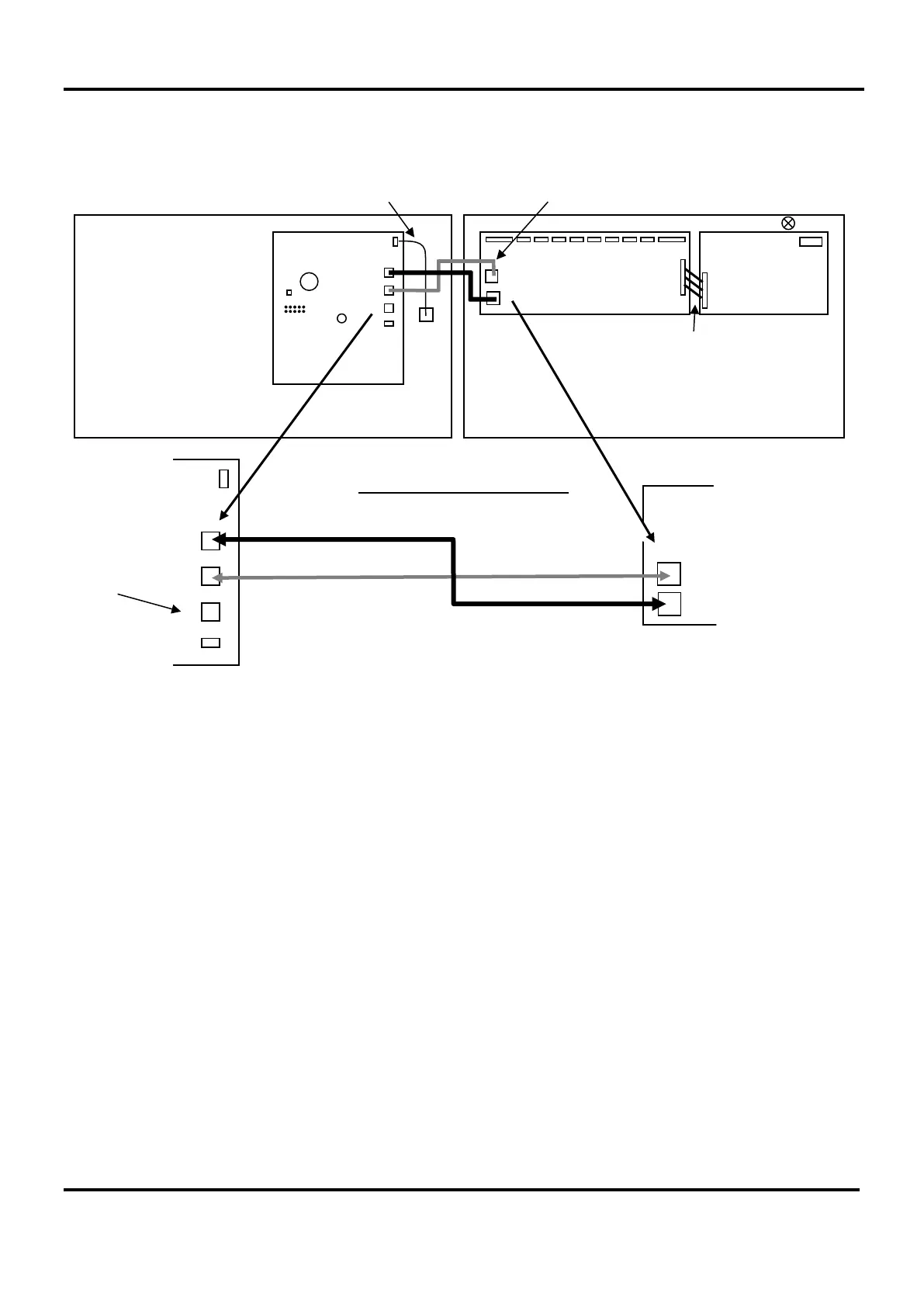
Re-install the base PCBs and refit the lid. Ensure the fixing screws and all interconnection cables are refitted
correctly, as shown below.
Engineer Mode
Reset
C
B
G
Conn 2
Conn 1
+ -
C
Power Supply lead
CAUTION: If re-connecting the
Power Supply lead, check that
the pins are not mis-aligned!
MCU internal connections
C
B
CAUTION: Double check all looms
are plugged into the correct ports!
C
B
G
Master Exchange PCB
MCU Lid MCU Back Box
G connects to
ECU722
(see Section 8).
Control PCB
Control
PCB
Master Exchange PCB
Power
Supply PCB
B


 To Next Page