SigTEL Compact Installation and Configuration Manual
SigTEL Approved Document No. DAU0000091 Rev 5 Page 19 of 36
Emergency Voice
Communication System
12 Testing Extensions
Insulation resistance testing
Insulation resistance testing should be carried out with no electronic devices
connected. Any devices connected to the extensions will be destroyed and will not
be covered by factory warranty.
Note: See Specification (section 19) for component details.
Each extension should be tested prior to termination and connection to the Master
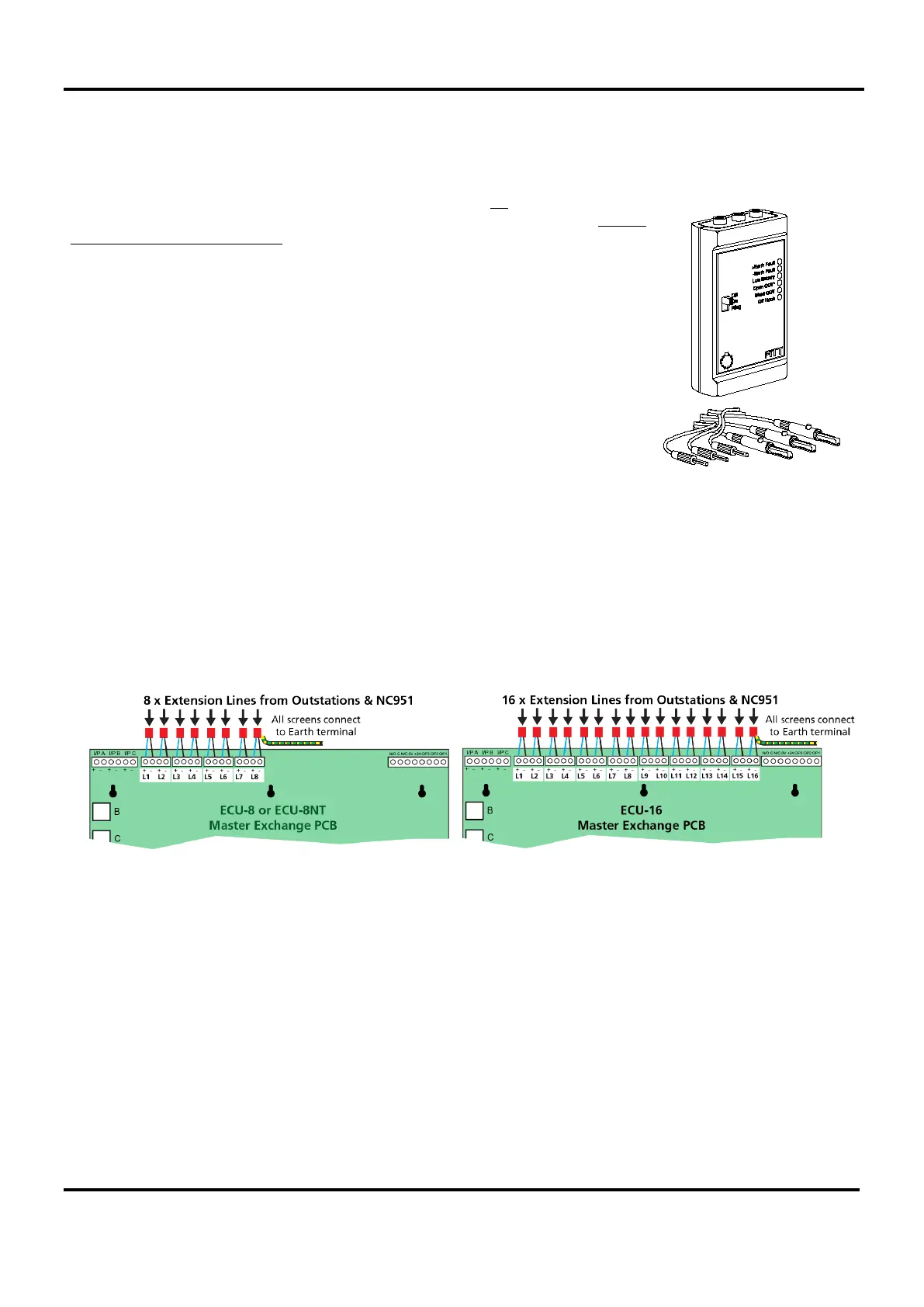
Exchange PCBs. We recommend that a SigTEL FiTT line tester is used to save time
proving the cables and outstations are working correctly.
It also avoids the need for Mains power testing.
If a FiTT line tester is not available, use a multimeter to check wiring for continuity
and correct polarity.
13 Second Fix Installation
Connecting extension s to t he MCU/LCU
Do not connect the extensions until they have been tested and are fault-free.
Bring each extension into the case via a suitable cable gland and connect to the terminals on the Master Exchange
PCB, as shown below. Master Exchange PCBs are fitted in the MCU/LCU.
Connect the screens to the earth terminal in the back of the case.
Once configured, the line fault monitoring system monitors for open and short circuits (absence of an outstation
constitutes open-circuit).
The MCU will also detect (and report a fault) if its handset is missing, e.g. the handset cord has been cut.


 To Next Page