SigTEL Compact Installation and Configuration Manual
SigTEL Approved Document No. DAU0000091 Rev 5 Page 30 of 36
Emergency Voice
Communication System
Note: For a networked system, this option can only be accessed at the master MCU.
Latch Faults option is not normally enabled but is available, if required for fault diagnosis purposes, e.g. identifying
intermittent faults.
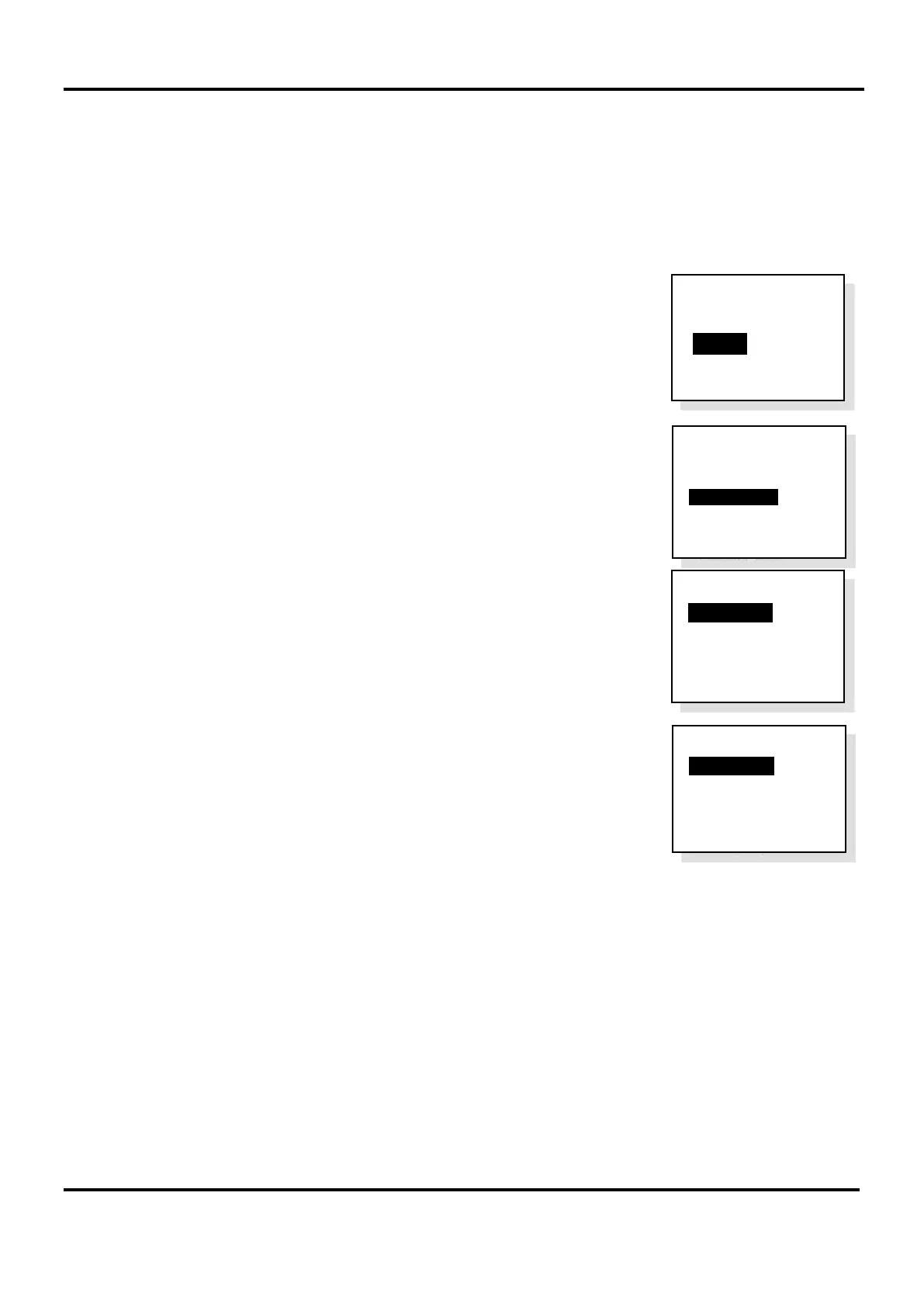
1. Open the lid of the MCU and press the Engineer Mode button. The ‘Eng. Opts’ menu is displayed.
2. Press ▼ to highlight the ‘Config’ option and press CALL/ACCEPT button.
3. The ‘Config’ menu is displayed.
Press ▼ to highlight the ‘System Opts’ option and press CALL/ACCEPT button.
4. The ‘System Opts’ menu is displayed and the ‘Latch Faults’ option is
highlighted.
5. Press CALL/ACCEPT button to select the ‘Latch Faults’ option.
Press END button multiple times to exit to the system healthy display.
Config
System Cfg
Change PIN
>System Opts
Harmonise Names
Reset Names
Factory Dfts
System Opts
>Latch Faults O
Auto-Answer
Compatibility
O
Clr Rcnt calls
after (hrs) : 24
System Opts
>Latch Faults
Auto-Answer
Compatibility
O
Clr Rcnt calls
after (hrs) : 24
Eng. Opts
Edit Phonebook
> C onfig
About...


 To Next Page