Operating Manual Matrix
Copyright Silca 2012 13
7.6 STARTING THE KEY-CUTTING MACHINE
1) Connect the power lead.
2) Turn on the key-cutting machine with the master switch (P). A beep sounds and for a second all the warning
lights (leds) on the key pad/control board (K) light up simultaneously on the machine front (blue vertical bar –
green vertical bar -2 red arrows) (Fig. 5).
3) When the beep stops only the blue warning light stays on to indicate that the machine is live.
Note: if the conditions described above do not occur, see chap. 10.7.
7.6.1 STARTING THE MOTOR
With the machine connected and on:
1) press the luminous switch (Q) to power the motor.(Fig. 12).
2) Press the push button (D1) on the vertical axis lever (D) and lower the lever.
ATTENTION: if the motor does not start and the lever (D) will not move, check that the
lever is fully tightened.
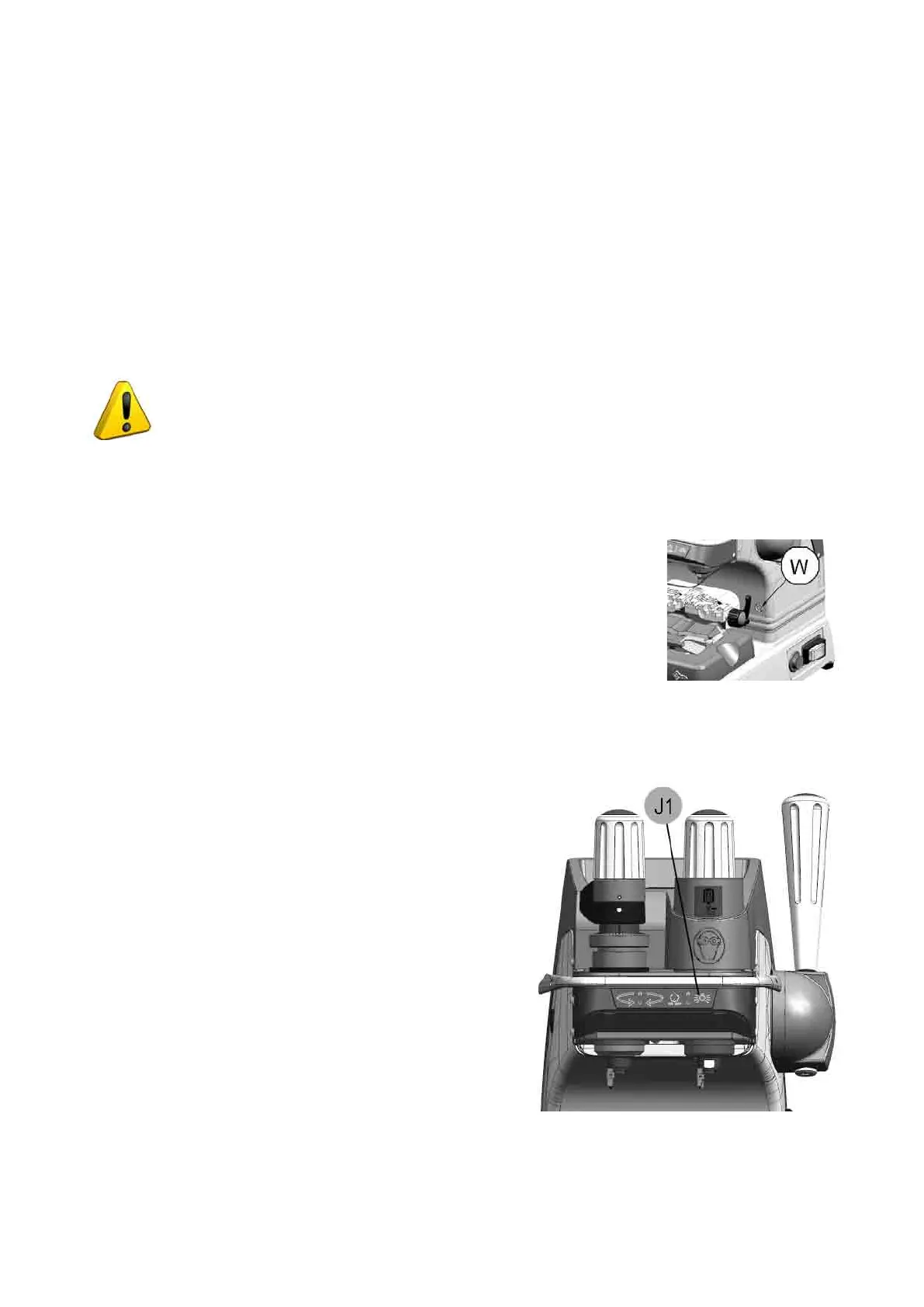
Aashingwarninglight(W)signalsthatthemotorison(Ch.7.6.2).Attention:cutterinmotion!
3) To turn off the motor release the lever (D) or turn off one of the 2 switches (P) or (Q).
7.6.2 CUTTER MOTOR ON WARNING LIGHT
There is a warning light (W) on the right-hand part of the machine front (behind the
clamps unit) (Fig. 14). When the cutter motor is on the warning light ashes.
Fig. 14
7.6.3 LED LAMP (MATRIX PRO VERSION)
When the key-cutting machine is turned on the lamp is off.
To turn on the lamp simply take a hand up to the clamp or
spindle area.
The light goes on atuomatically due to a proximity sensor
inside the front part..
This function can be disabled by the operator:
Turning on:
-
lightly touch the lamp button (J1) to keep the light on.
Turning off:
-
lightly touch the lamp button (J1) again; after a few seconds
initial conditions are automatically reset.
Note: every time the machine is turned on the initial
illumination function is reset (turning on by proximity
sensor).
7.6.4 LED LAMP (MATRIX EVO VERSION)
When the key-cutting machine is turned on the lamp is off.
Lightly touch the button (J1) to turn the lamp on or off.
Fig. 15



 To Next Page