StreamCaster MIMO Radio User Manual 3/17/15
10017C000 Silvus Technologies Confidential Page
5. Web Interface
5.1 Getting Started
Connect a laptop to the StreamCaster radio using the supplied Ethernet cable and turn on the
radio. Users can type “ping <IPaddress>” in order to determine whether the radio is fully booted.
A web configuration will then be available by typing the radio IP address in a web browser.
Please ensure that your laptop is on the same subnet as the radio (172.20.xx.xx by default). Users
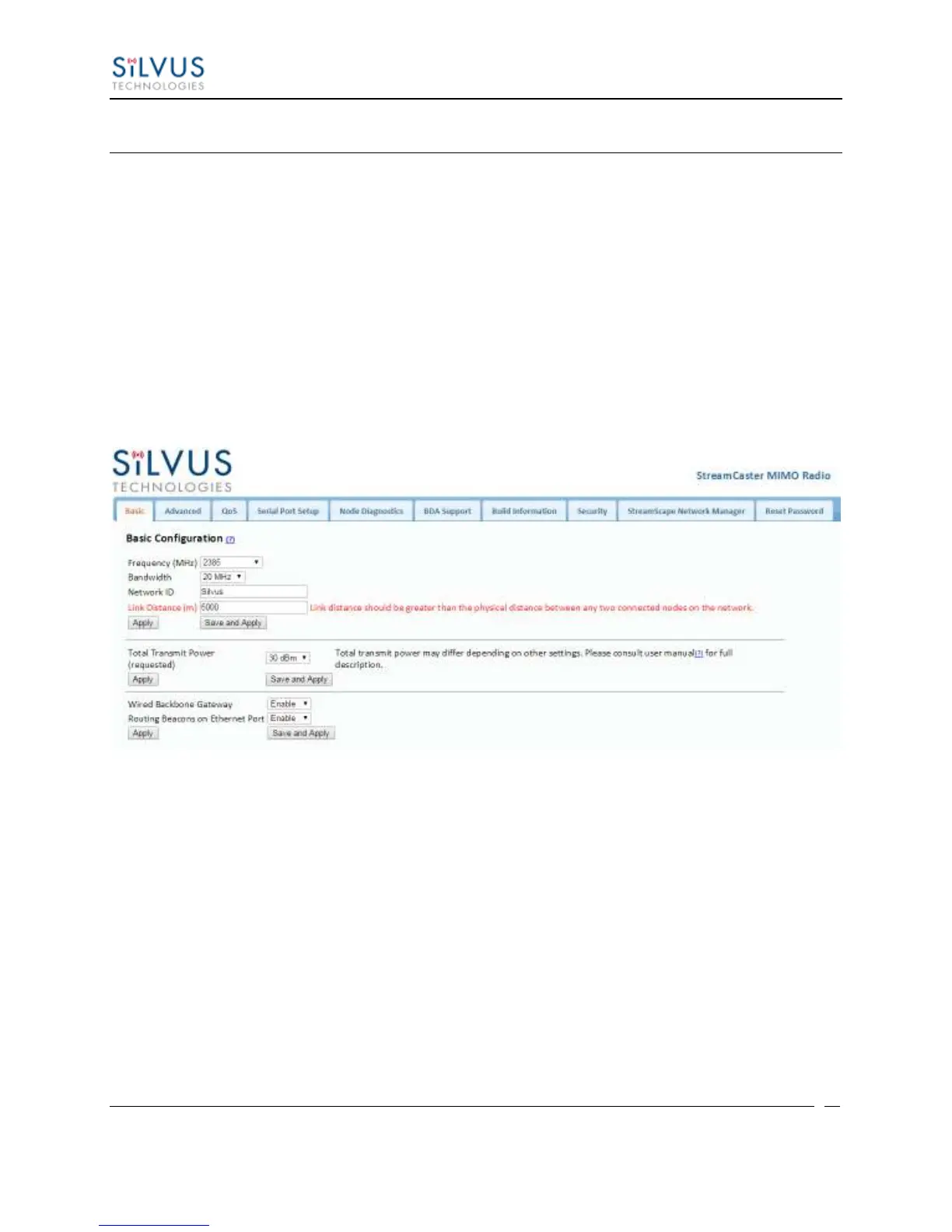
will be directed to the Basic Configuration page. (See Figure 11)
5.1.1 Basic Configuration
Figure 11 Basic Configuration Page
This page is used to set basic configurations. A brief description of each parameter is given
below.
Frequency: This defines the frequency of the signal. There is a drop-down menu for
frequency selection. The frequency choices will vary depending on the StreamCaster
variant you are using (SC3500 or SC3800).
Bandwidth: This defines the RF bandwidth of the signal.
Network ID: Network ID allows for clusters of radios to operate in the same channel,
but remain independent. A radio with a given Network ID will only communicate
with other radios with the same Network ID.



 To Next Page