StreamCaster MIMO Radio User Manual 3/17/15
10017C000 Silvus Technologies Confidential Page
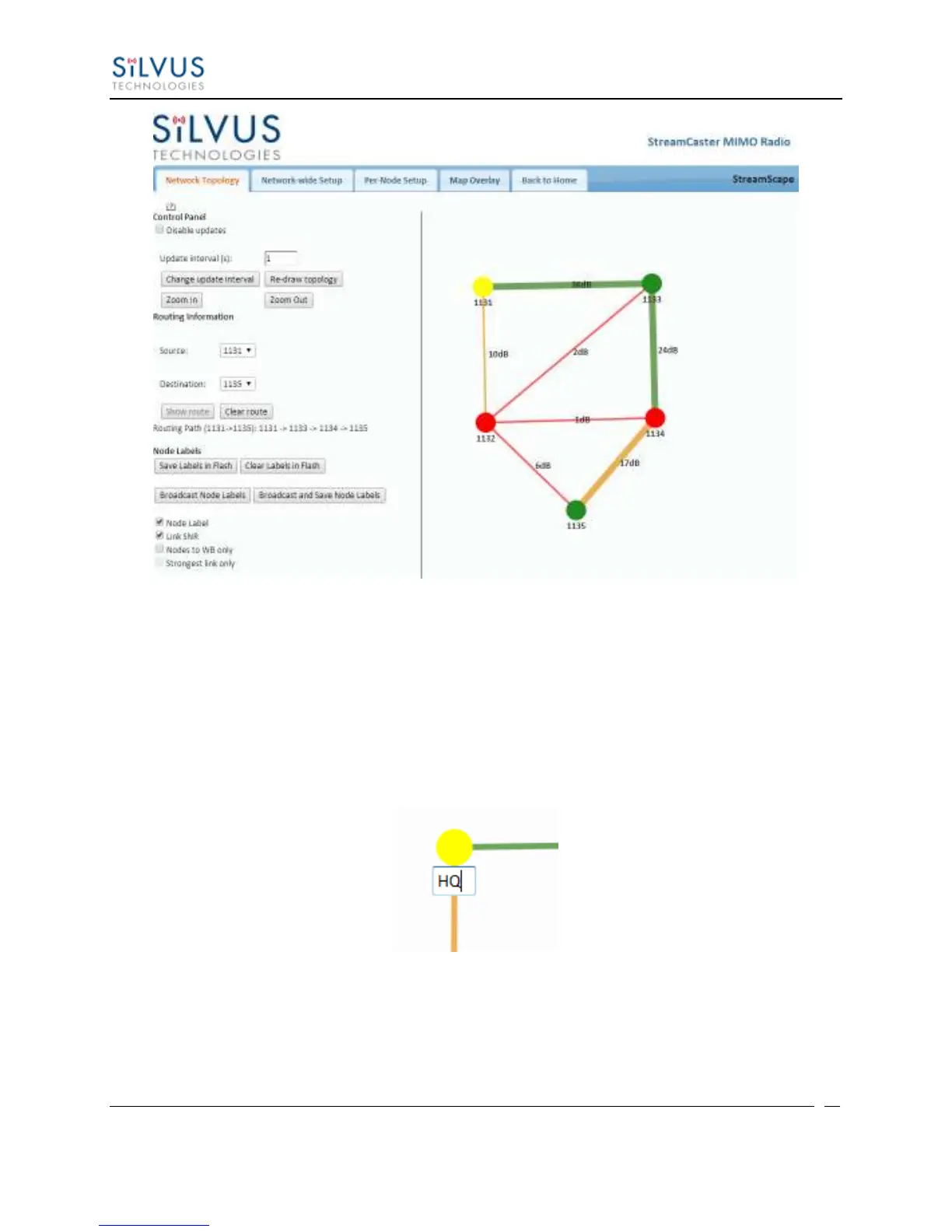
Figure 26 Routing Path
Custom Node Naming – Naming each node in the network is as simple as double-
clicking on the node name and typing in a new name as shown in Figure 27. This feature
enables quick identification of nodes in the field and is especially useful in mission
critical situations with many mobile assets. The user can click on the ‘Save Labels in
Flash’ button in the left pane to store the node names to the radio’s flash memory. This
will store the names on the radio even after the radio is powered off. The saved labels can
also be cleared back to the defaults by clicking ‘Clear Labels in Flash’.
Figure 27 Custom Node Naming
Individual Node Characteristics – By simply rolling the mouse over any node in the
network, users can view key operating characteristics of the node. Figure 28 shows an
example of this for node ‘1131’. The characteristics shown are:



 To Next Page