StreamCaster MIMO Radio User Manual 3/17/15
10017C000 Silvus Technologies Confidential Page
5.1.3 Quality of Service (QoS)
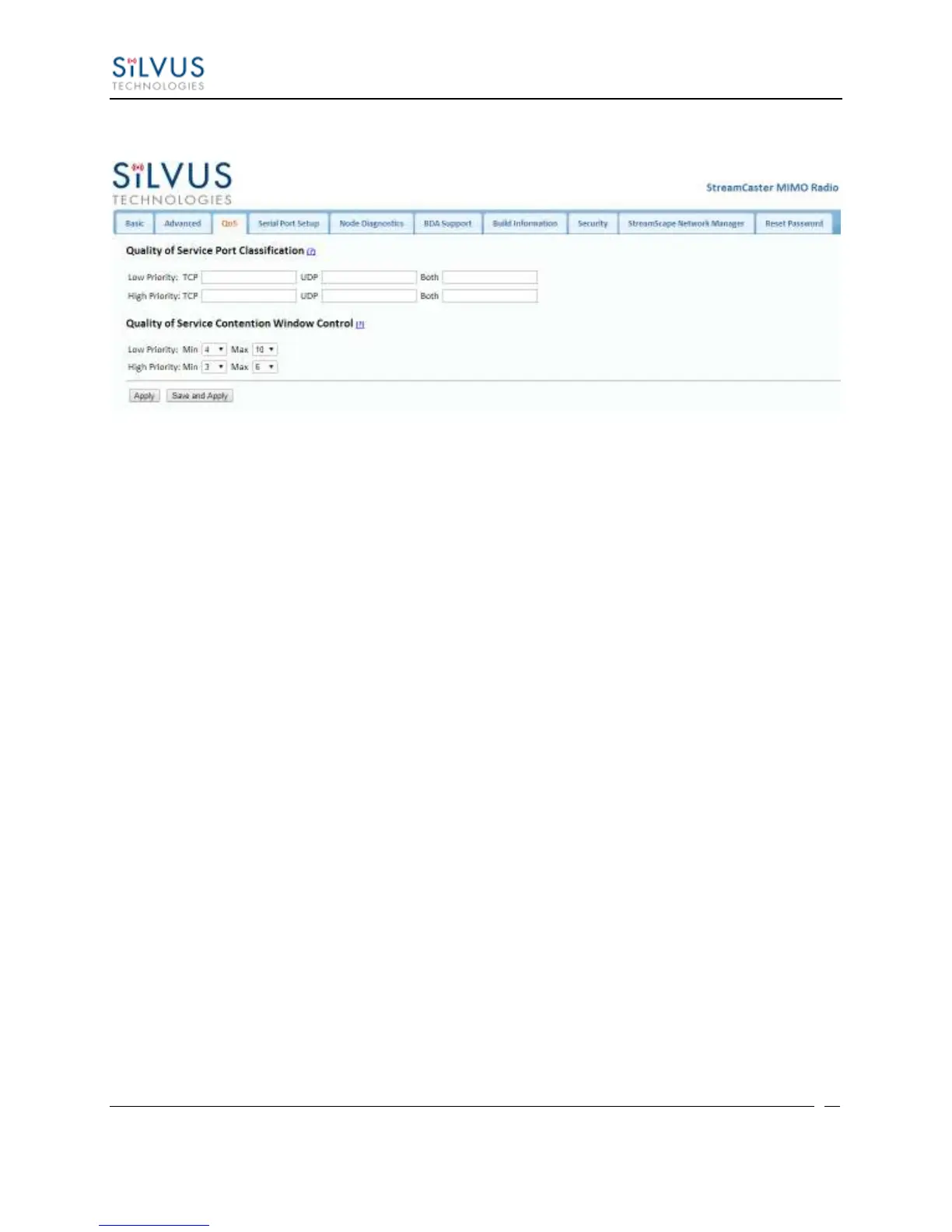
Figure 13 Quality of Service (QoS) Configuration Page
Quality of Service Port Classification:
The Quality of Service configuration page allows the user to make a distinction between low and
high priority traffic transmitted through each radio. High priority traffic will always jump to the
front of the queue and bypass any awaiting low priority traffic. In instances where the link
cannot support the amount of data trying to be transmitted, low priority traffic may be
completely shelved in order to ensure that the high priority traffic gets through.
To specify Low/High priority traffic, the user needs to simply input the port number that the
traffic will be arriving on. Multiple ports of the same priority can be separated by a comma (i.e.
5001, 6001, 6002). Alternatively, the user can specify a range of ports using a dash (i.e. 5001-
5006). Any combination of commas and dashes will work as well (i.e. 5001, 6001-6007, 8000).
Any field can be cleared by removing the text and clicking ‘Apply’ or ‘Save and Apply’. If
unspecified, traffic is treated as Low Priority.
Quality of Service Contention Window Control:
The Quality of Service Contention Window Control tunes the aggressiveness of CSMA backoffs
when collisions occur. The MAC takes random backoffs in the range [0, 2^cw_min]. Every time
there is a collision/noise it will increase this cw_min by 1, until it is capped by cw_max.
E.g. 4,10 translates to random backoffs in the range [0,16] in the beginning for a packet. If the
first try results in a collision, it will pick another backoff in the range [0,32], then [0,64], until
[0,1024]. After successful transmission, backoff is reset to [0,16]. The default is 4,10 for low
priority, and 3,6 for high priority. For larger networks, it is recommended to increase the Low
Priority minimum to reduce the chance of collisions occurring.



 To Next Page