StreamCaster MIMO Radio User Manual 3/17/15
10017C000 Silvus Technologies Confidential Page
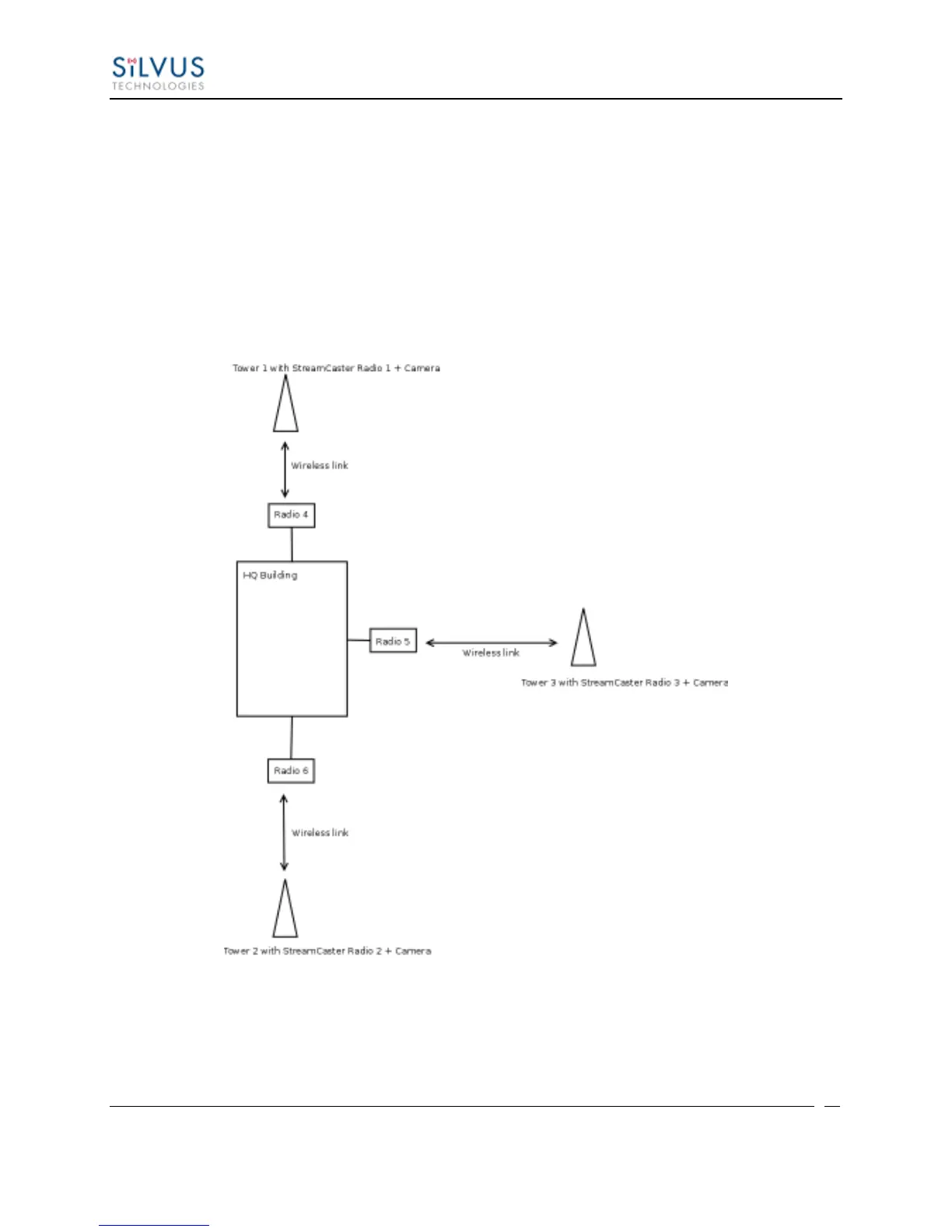
video data to go through the high speed LAN backbone as much as possible. The below diagram
shows the scenario.
Towers 1-3 are equipped with IP cameras attached to StreamCaster radios 1-3. Radios 4-6 are
mounted on three sides of the HQ building with their Ethernet interfaces connected to the high
speed LAN. Tower 1 can only communicate wirelessly with radio 4, Tower 3 with radio 5 and
Tower 2 with radio 6. Video from Tower 1 will flow wirelessly to radio 4, then via the LAN
backbone to the HQ viewer which is also attached to the LAN backbone. Even though the radios
4-6 may communicate wirelessly, they will choose to do so via the LAN backbone.
Figure 35 LAN Backbone Example



 To Next Page