StreamCaster MIMO Radio User Manual 3/17/15
10017C000 Silvus Technologies Confidential Page
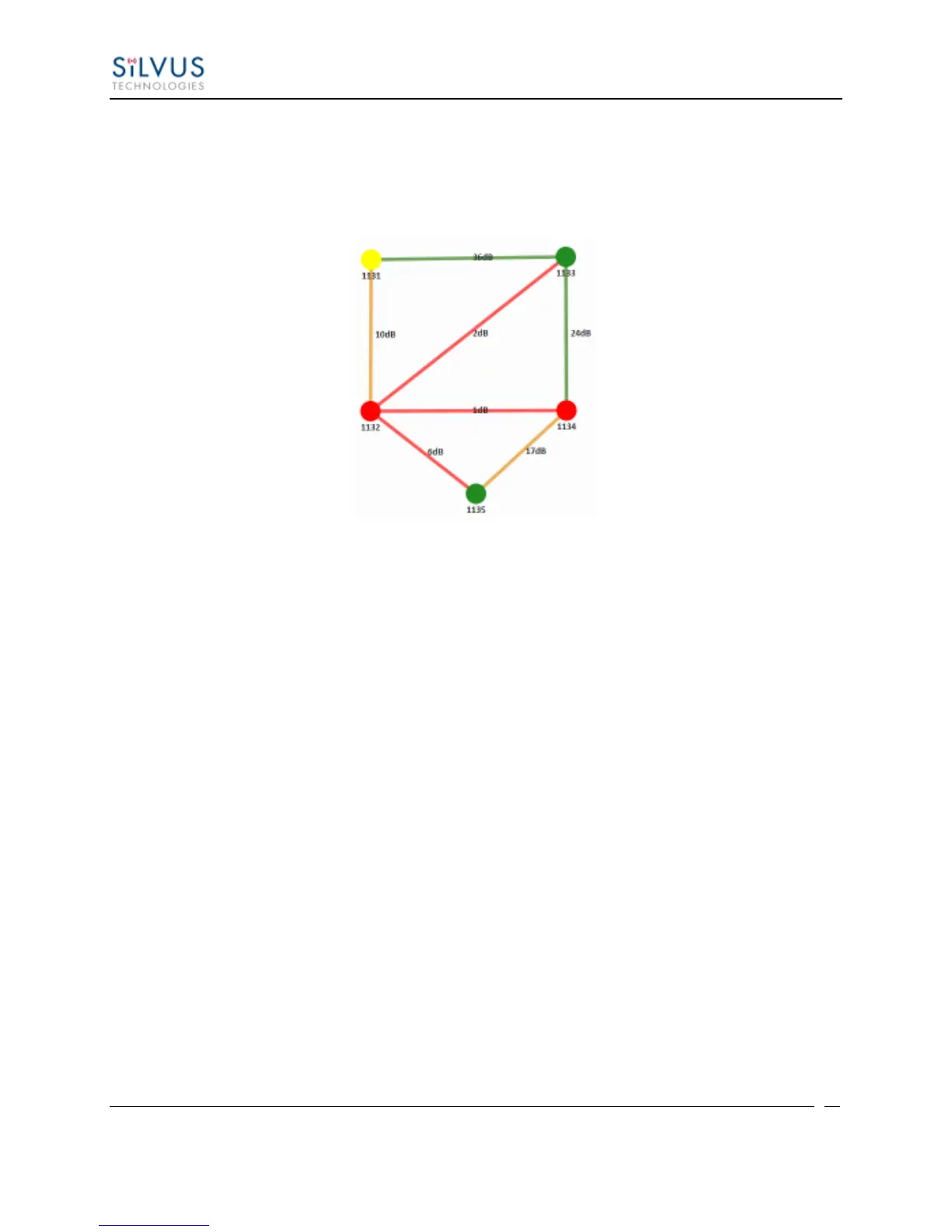
Route Health – The Silvus StreamScape Utility will alert the user when too many
packets are being routed through a single node. In such cases, a node will change from
green to yellow to red as the packet queue increases (see ‘1131’ and ‘1132’ in Figure
25). This will allow the user to recognize the issue and rearrange the network
accordingly.
Figure 25 Example Network Topology
Routing Information – The user can determine the routing path between any 2 nodes
within a network by simply specifying the source and destination node in the Control
Panel on the left hand side. The path will turn bold as shown in Figure 26 for the path
from ‘1131’ to ‘1135’.



 To Next Page