StreamCaster MIMO Radio User Manual 3/17/15
10017C000 Silvus Technologies Confidential Page
5.1.4 Serial Port Setup
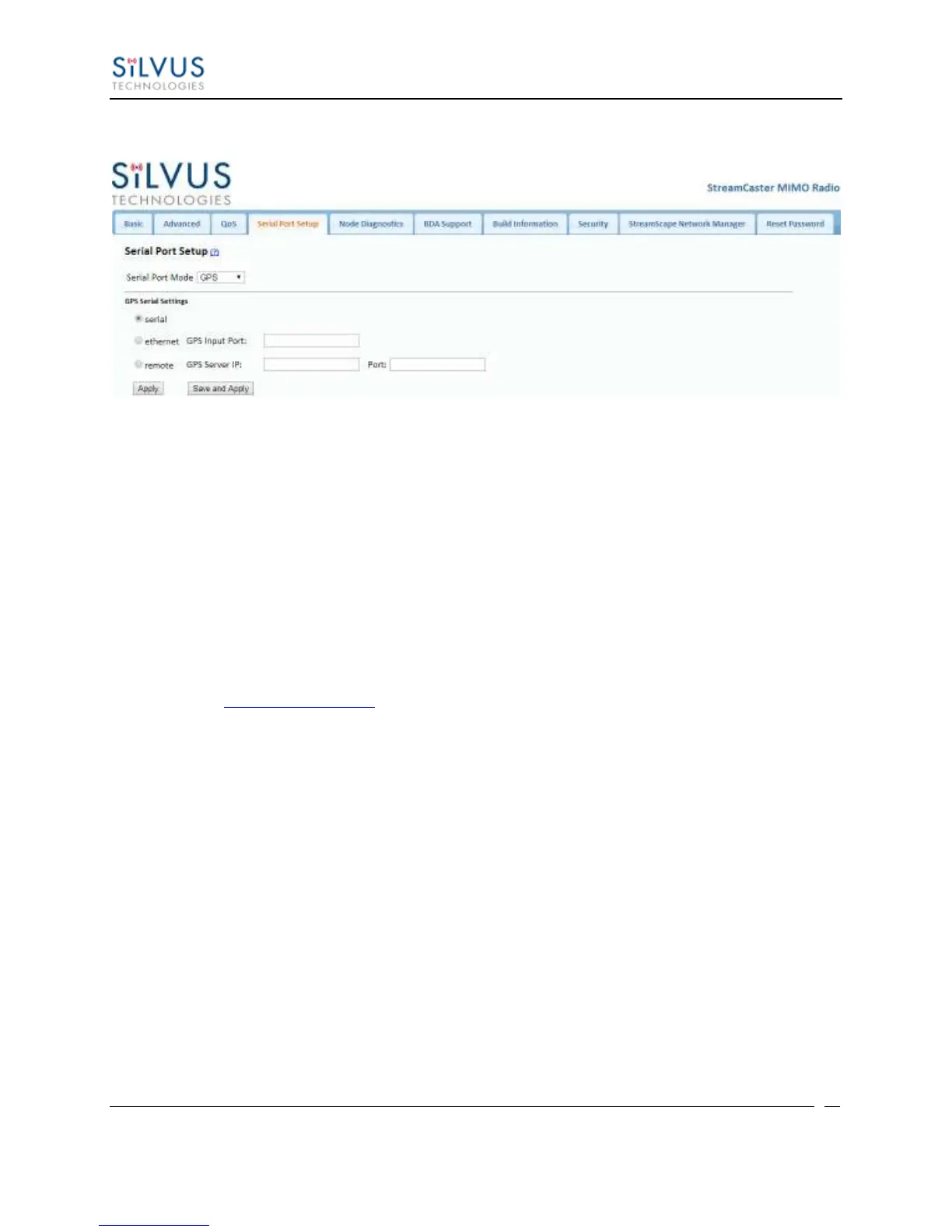
Figure 14 Serial Port Setup Configuration Page (GPS Configuration)
Each StreamCaster is equipped with one user configurable serial port. A special power cable and
null modem cable are required for access to the radio’s serial port. A brief description of each
parameter is given below.
Serial Port Mode: The user can select one of four available modes for the serial port:
GPS, RS232, Console, and Disabled.
o GPS: In GPS mode, an external GPS module (MR-350 GPS Receiver) can be
connected to and powered from the serial port of the radio. A gpsd service
daemon running on the node will make the GPS information available to any user
on the network from TCP/IP port 2947. For more information on gpsd please see:
http://catb.org/gpsd/
In addition, GPS information can be fed in via the Ethernet port or pulled from a
remote device.
o RS-232: The RS-232 mode provides a wireless serial connection between any two
serial devices connected to StreamCaster nodes on the network. In this mode, the
user must configure the RS-232 protocol parameters shown in Figure 14 above.
The transport protocol for the serial data can be set as either TCP or UDP. For
data that is sensitive to latency such as command and control data, UDP is
recommended. For data that cannot tolerate any data loss, such as telemetry data,
TCP is recommended.
o Disabled: This mode completely disables the serial terminal of the radio.
Apply: Apply the new values but does not save them to flash.
Save and Apply: Save the new values to flash and apply.



 To Next Page