StreamCaster MIMO Radio User Manual 3/17/15
10017C000 Silvus Technologies Confidential Page
5.2.2 Network-wide Setup and Multicast
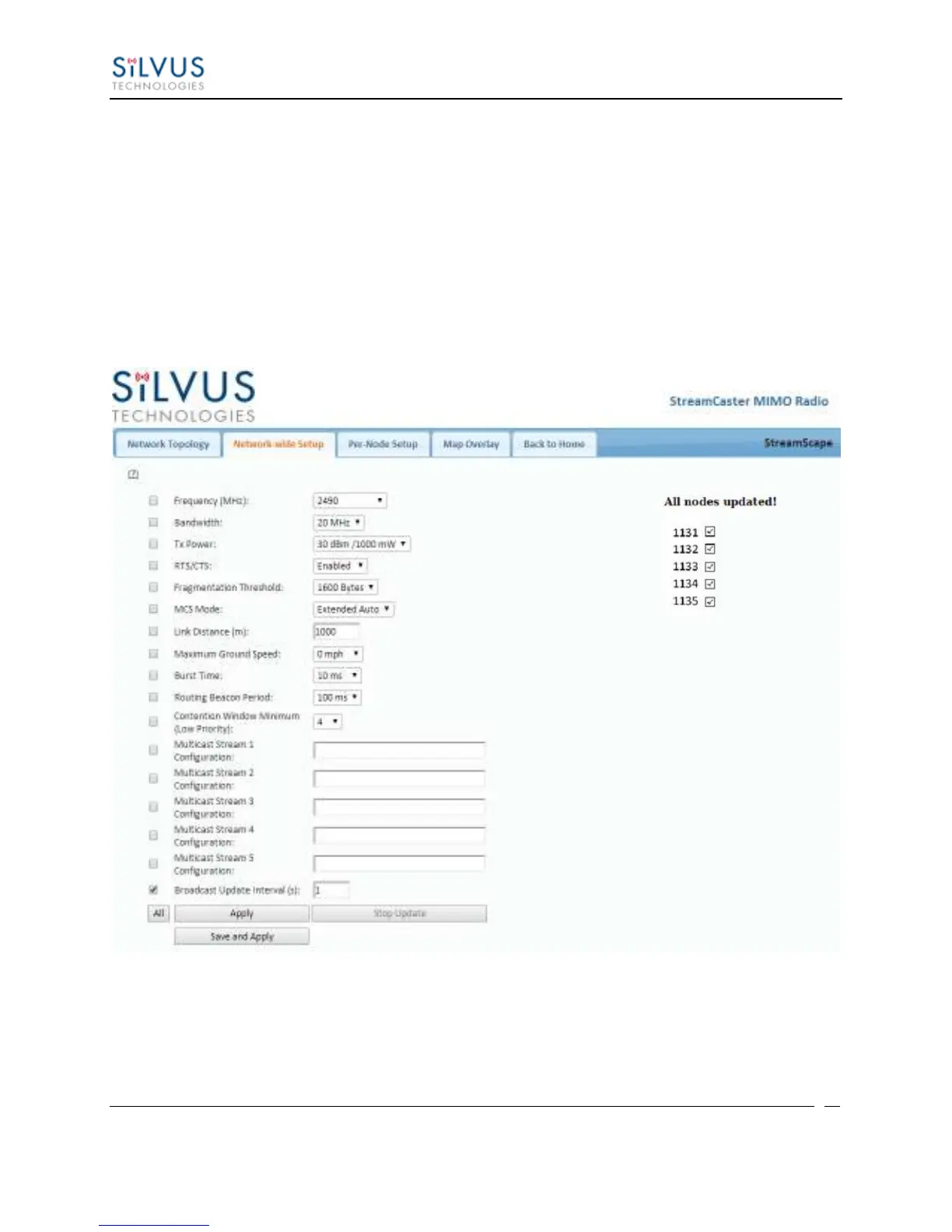
Using the network-wide setup users can configure key parameters of every node in the network
with just one click. Users simply need to check off the parameters they wish to be updated across
the network and click on Apply to apply but not write new values to flash or Save and Apply to
apply and save values to flash. The Broadcast Update Interval field determines how often, in
seconds, the new parameters will be broadcast to the entire network. A list of all nodes will
appear on the right with a check box next to each node. This box will be checked off as each
node receives the update. Once all nodes have been updated, the broadcast should be stopped by
clicking on Stop Update.
Figure 29 Network-wide Setup



 To Next Page