9 WaveNet Manager closes.
9 WaveNet topology is imported and RouterNode is listed in the list of
ports for the communication node.
Transfer to com-
munication nodes
ü LSM open.
1. Via |Network| slect the entry Communication nodes .
2. Use the buttons or to select the communication node you just
used.
3. Click the button Config files .
9 The window "LockSysMgr" opens.
4. Click on the button No .
9 The "LockSysMgr" window closes.
5. Click on the button Transmit .
9 The window "LockSysMgr" opens.
6. Click on the OK button.
9 The "LockSysMgr" window closes.
9 Data is transferred to the communication node.
5.4.3.6 Assigning LockNodes to the locking devices
ü LSM is open.
ü Locks to be networked have already been initially programmed (with
local programming device).
ü WaveNet created (see
Add RouterNode to WaveNet [}53]
and
Adding
Lock Nodes to WaveNet [}59]
).
ü WaveNet topology imported (see
LSM import [}64]
).You will see a list
of WaveNet-relevant components.
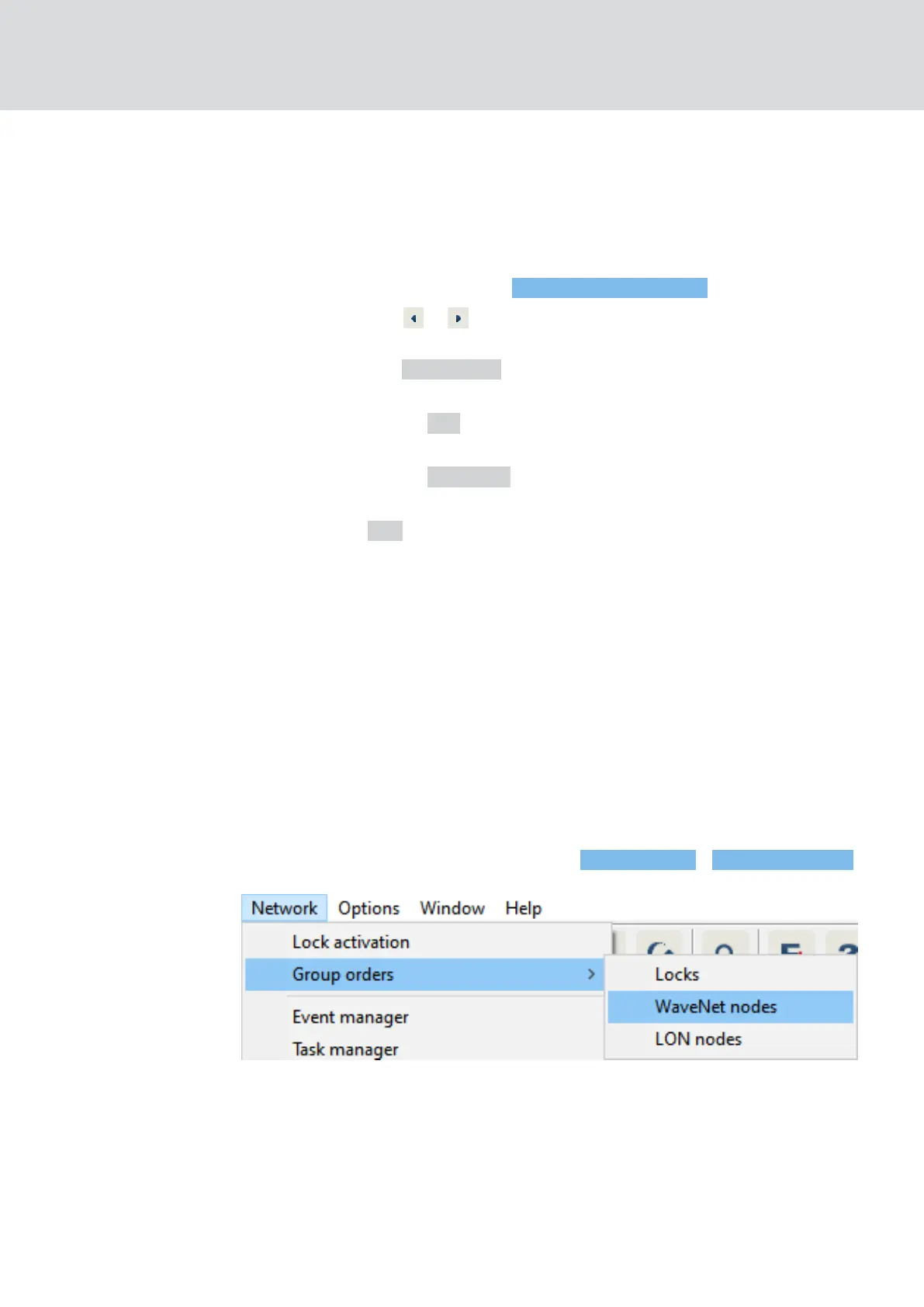
1. Open the assignment via |Network| - Group orders - WaveNet nodes .
9 The window "Group order for WaveNet nodes" opens.
WaveNet (Manual)
5. WaveNet Manager
66 / 210



 To Next Page