StorageSync User’s Guide 39
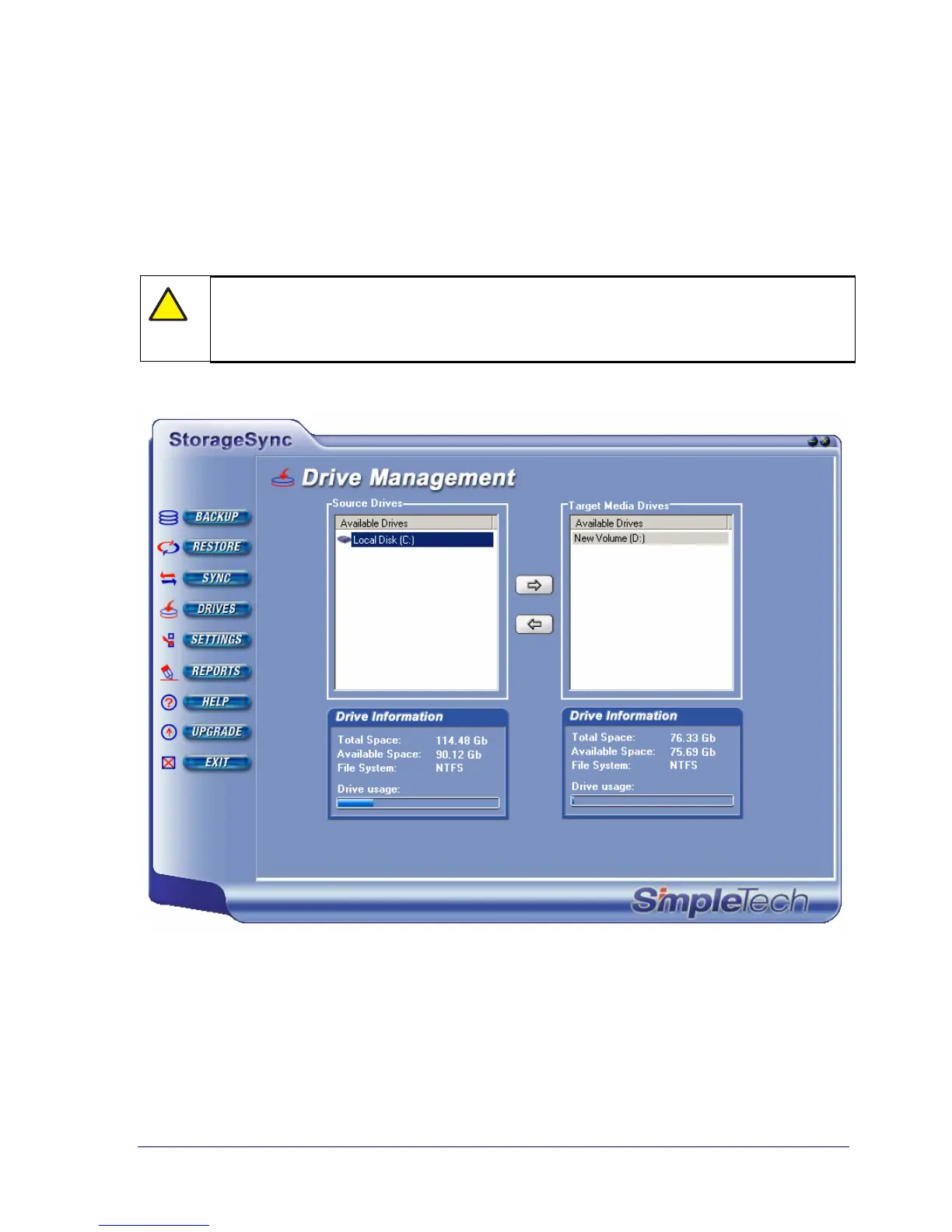
Initially, all available drives appear below Source Drives. You select at least one of these
source drives to be a target drive by clicking the drive under Source Drives, then clicking the
right arrow to move the drive below Target Media Drives (see Figure 18). If you have more
than one target drive, you can specify more than one target drive. To remove a target drive,
click the drive under Target Media Drives and click the left arrow to move the drive back
under Source Drives. There must always be at least one source drive and one target media
drive to back up files.
!
The source and target drives you select remain in effect for all other tasks (for
example, restore and synchronization) until you change the source and target
drives.
Figure 18. Example of Selecting a Target Media Drive



 To Next Page