StorageSync User’s Guide 73
Displaying the Settings Window
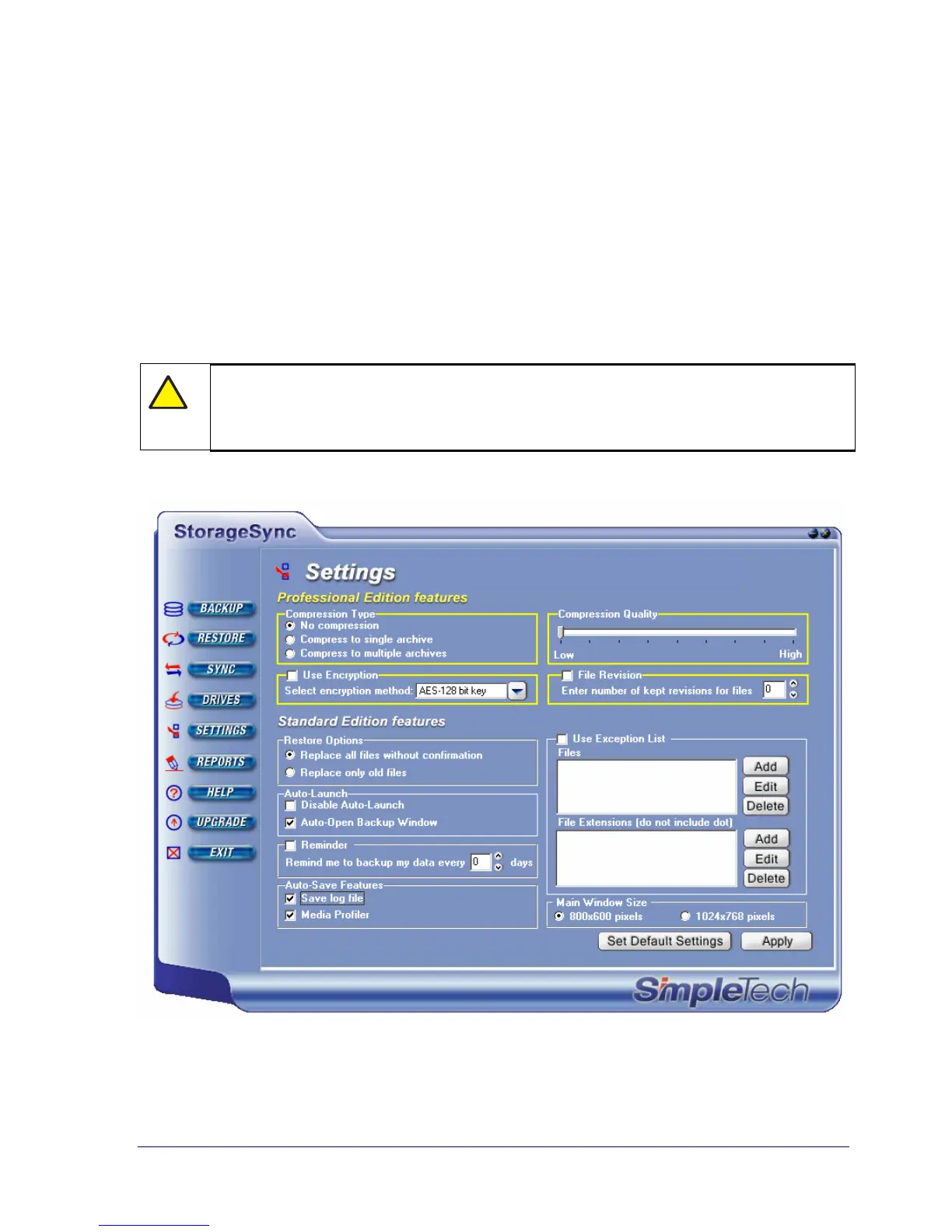
Most StorageSync parameters can be viewed and changed from the Settings window. To
display the Settings window, click the SETTINGS button on the Welcome window or a
secondary window. Figure 37 shows the Settings window.
With the Settings window displayed, you can select the StorageSync parameters that suit your
requirements. When you finish, click the Apply button to activate your selections.
Alternatively, you can return StorageSync to its default parameters at any time, even after you
click the Apply button and exit the Settings window, by clicking the Set Default Settings
button.
!
If you change settings in the Settings window and try to exit without clicking
Apply, a message asks whether you want to apply the settings. Click Yes to apply
the new settings or No to discard them and keep your previous settings.
Figure 37. Settings Window



 To Next Page