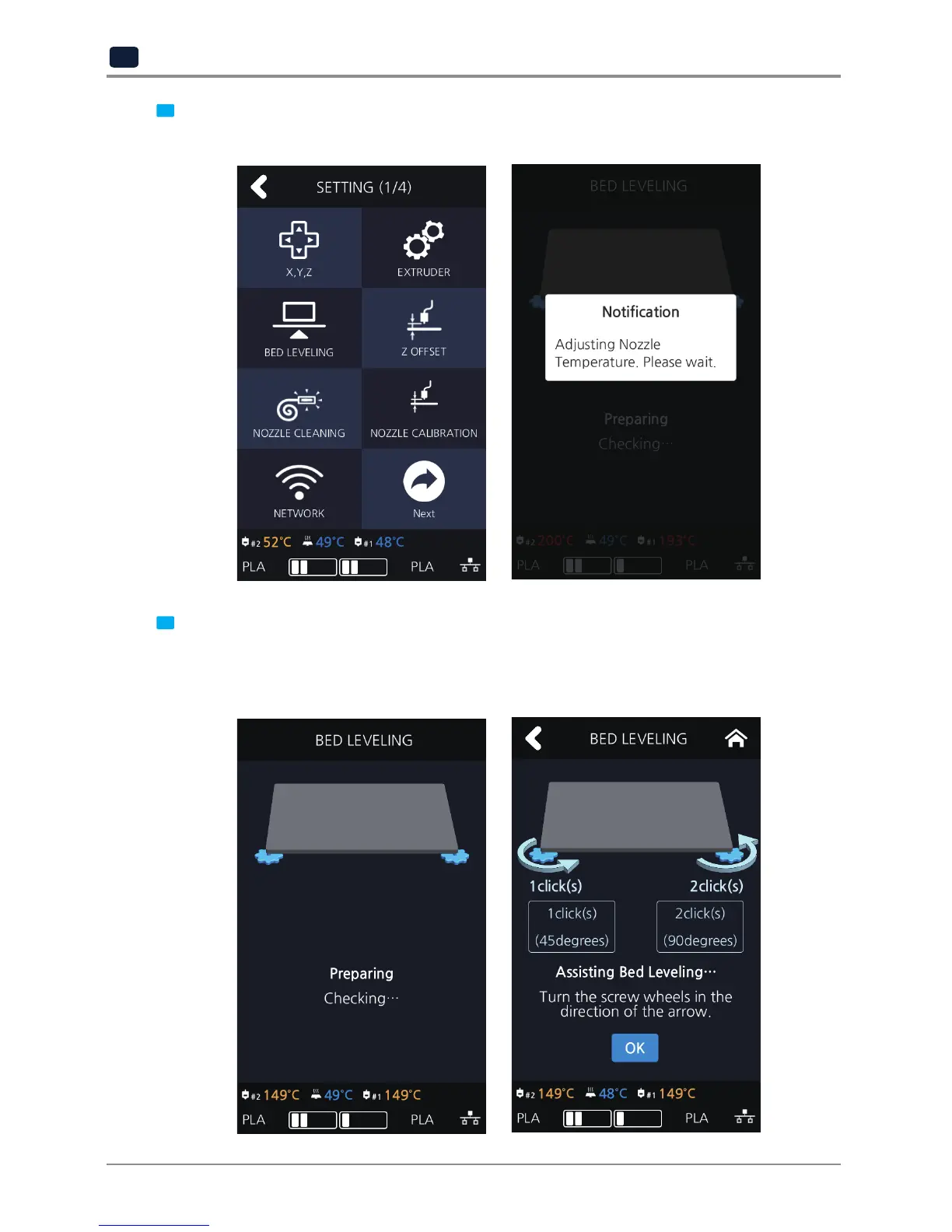
2 Press the [BED LEVELING] button to enter BED LEVELING settings.
If the current Nozzle temperature is too high, process for cooling down the Nozzle temperature is added.
3 On the SETTING page, user is able to perform bed leveling. The bed leveling process consists of 3 steps.
From the center, the top side is measured first, and then both sides of the bottom level are measured.
If the height of the bed is perfect then levelling process will be finished but if the height of the bed and
nozzle does not match, screws will appear informing user the direction and the number of screw rotation.



 To Next Page