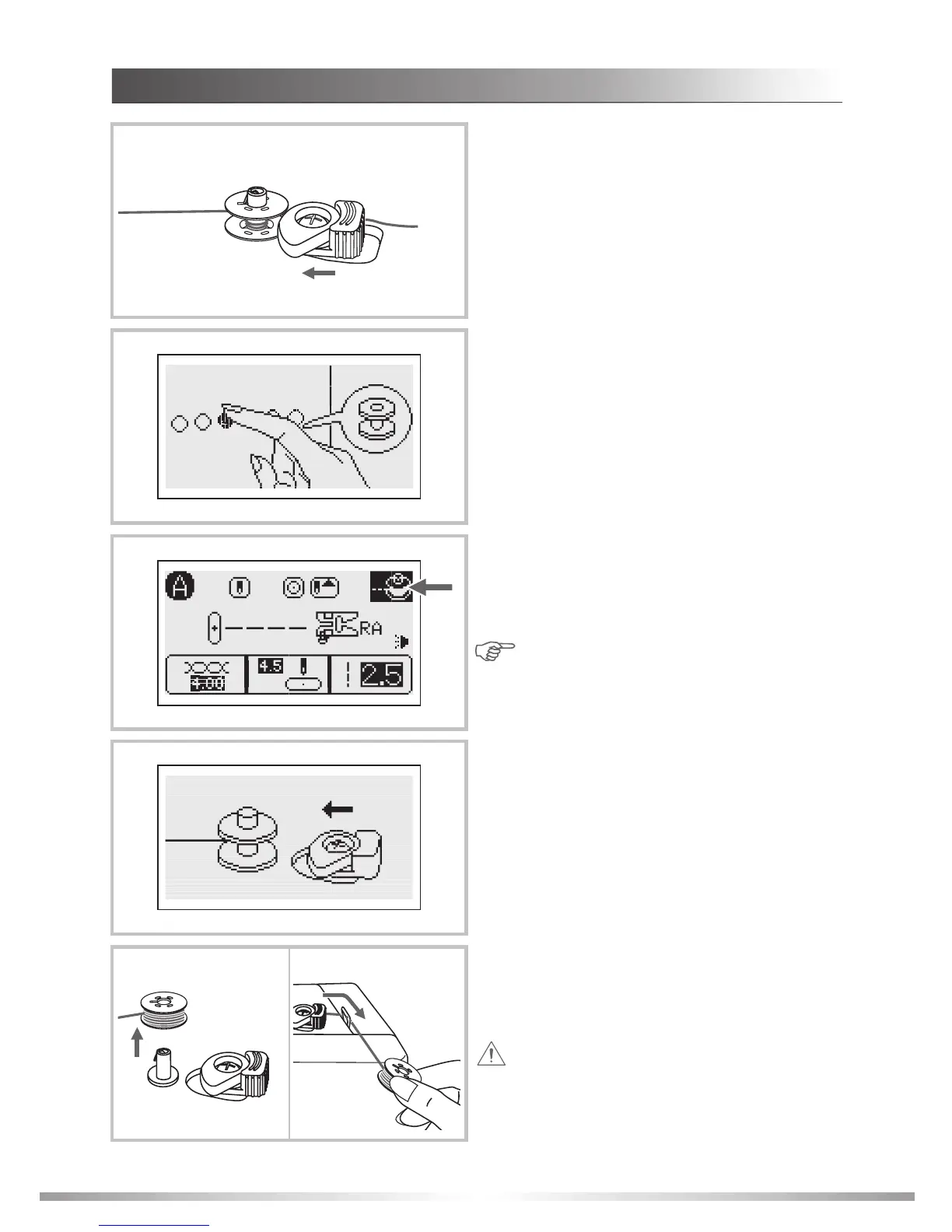
Note: When the bobbin winder button is
pushed without pushing the bobbin winder
switch to the left, the following screen is
displayed for a few seconds.
24
11
11.The bobbin stops spinning automatically when
it is full, and the bobbin winder switch returns
to the orginal position.
Remove the bobbin then cut the thread on
the thread cutter.
9. Press the bobbin winding button.
10.When the bobbin winder switch is pushed to
the left and bobbin winder button is pressed,
the LCD screen will display the animation of
the bobbin winding.
8
Attention: Since this machine is equipped
with an independent bobbin winder the sewing
speed controller does not effect the winding
speed. Keep fingers clear of the needle area
while winding the bobbin.
GETTING READY
WINDING THE BOBBIN
8. Push the bobbin winder switch to the left.
9
10








 To Next Page