16
i
ii
1
2
3
5
4
6
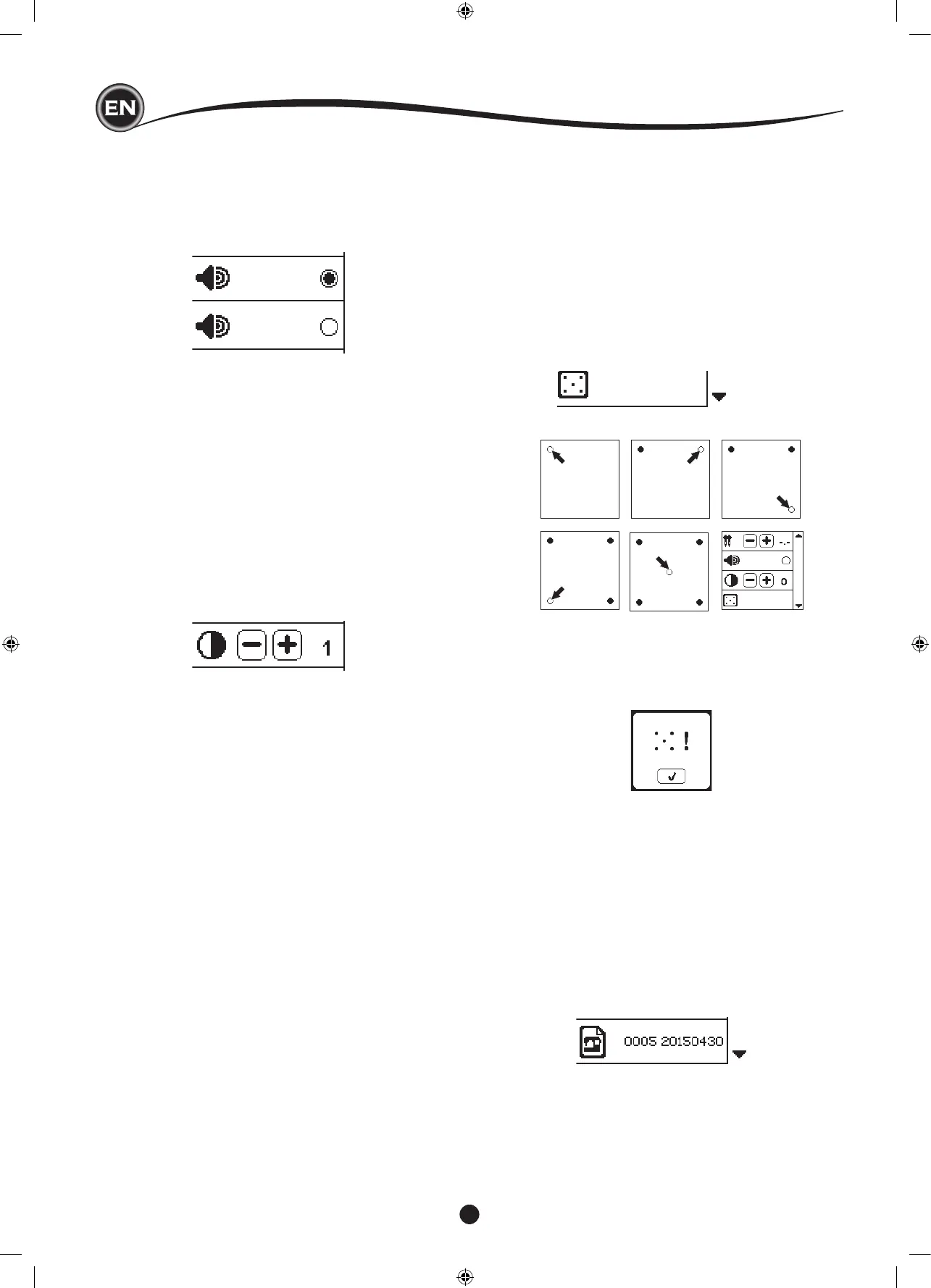
You can turn off the audible beep by pressing this button.
i. Audible Beep is on.
ii. Audible Beep is off.
You can adjust the contrast of screen.
By pressing “+” or “–” button, contrast will increase or
decrease.
If the icons on the screen, in relationship to where you touch
the screen, seem misaligned, the screen may need calibrating,
as follows:
1. Scroll down the Settings Menu, then press the Calibration
Screen button.
2. Press the each “O” mark indicated on the screen 5
positions. (4 corners and center)
When calibration is completed, setting screen will appear
again.
Software version of this sewing machine will be indicated at
the bottom of this screen.
You can update the software by using the USB embroidery
stick. (See page 47)
(example)
NOTE:
If calibration has not completed correctly, pop-up message will
appear. Press the “
✓
” button and retry the calibration.










 To Next Page