55
pop-up meSSageS
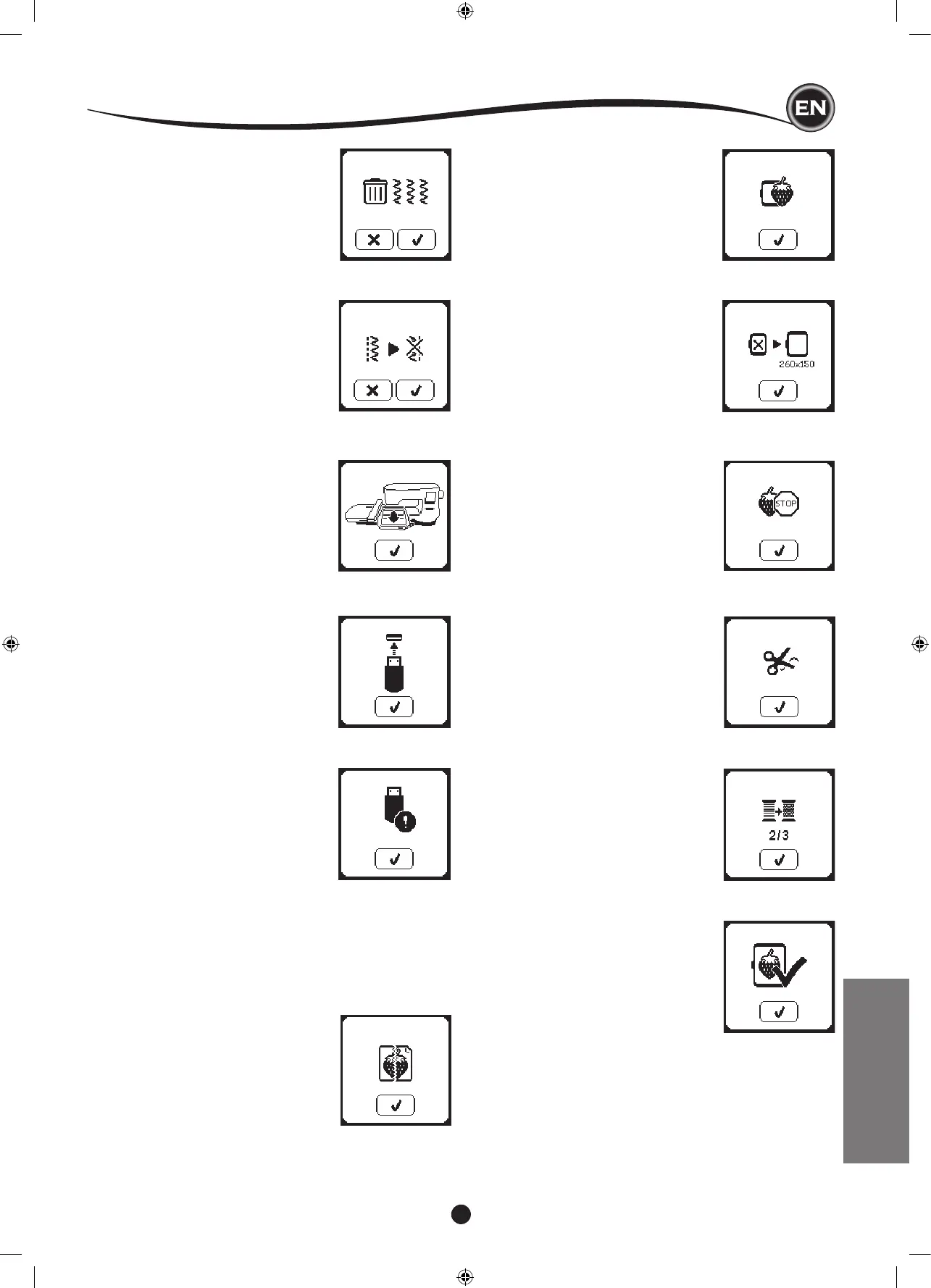
delete program
When deleting all patterns, a pop up will
appear, press the “
✓
” button. Machine will
delete all selected patterns and letters. To
cancel, press the “X” button.
If the selected folder has a memorized
sequence in it previously, a message will
appear asking to rewrite over the previous
sequence or not. To rewrite (deleting
previous sequence), press the “
✓”
. To
cancel (exit), press the “X”. The message
will disappear.
When starting to embroider or after
changing the thread, the machine will sew
a few stitches and then stop so you can
cut the thread end.
Note: This function is cancelled if ”Stop
For Cut” iss disabled in the SET Menu,
see page 44.
When embroidering a color block
is completed, machine will stop
automatically and cut both threads.
A pop up will appears asking you to
change color. Re-thread with the next
color and press “
✓
” button.
When the entire embroidery is completed,
your machine cuts both threads and stops.
A pop-up informs you that your embroidery
is nished. Then press “
✓
button.
This pop-up will appear if a design is too
large for this machine to read from USB
stick.
This pop-up will appear when there is
a programmed stop in the design. The
machine will stop. Press “
✓
” button to
continue embroidering.
This pop-up will appear when the content
of the USB memory is corrupted and
cannot be read correctly.
This pop-up will appear if the USB
button is pressed without any USB stick
connected or if the USB stick is removed
during browsing of the stick or removed
when embroidering.
Connect USB stick and press the “
✓
”
button.
This pop-up will appear when the selected
hoop in the hoop selection list is not
the same as the hoop attached to the
embroidery unit. Attach the correct hoop
type and press the “
✓
” button.
the data on the uSb StIck
cannot be read
This pop-up will appear when your
embroidery machine cannot access the
information on the USB stick. This can be
caused by wrong le formats on the USB
stick, the USB stick could be damaged
or you might be using a USB stick that is
non-compatible with this machine.
This pop-up will appear when a function
has been chosen that the forces the
embroidery unit to move outside the limits
for the attached hoop. In order for the
carriage to move freely, remove the hoop
and then press the “
✓
” button.
MAINTENANCE










 To Next Page