50
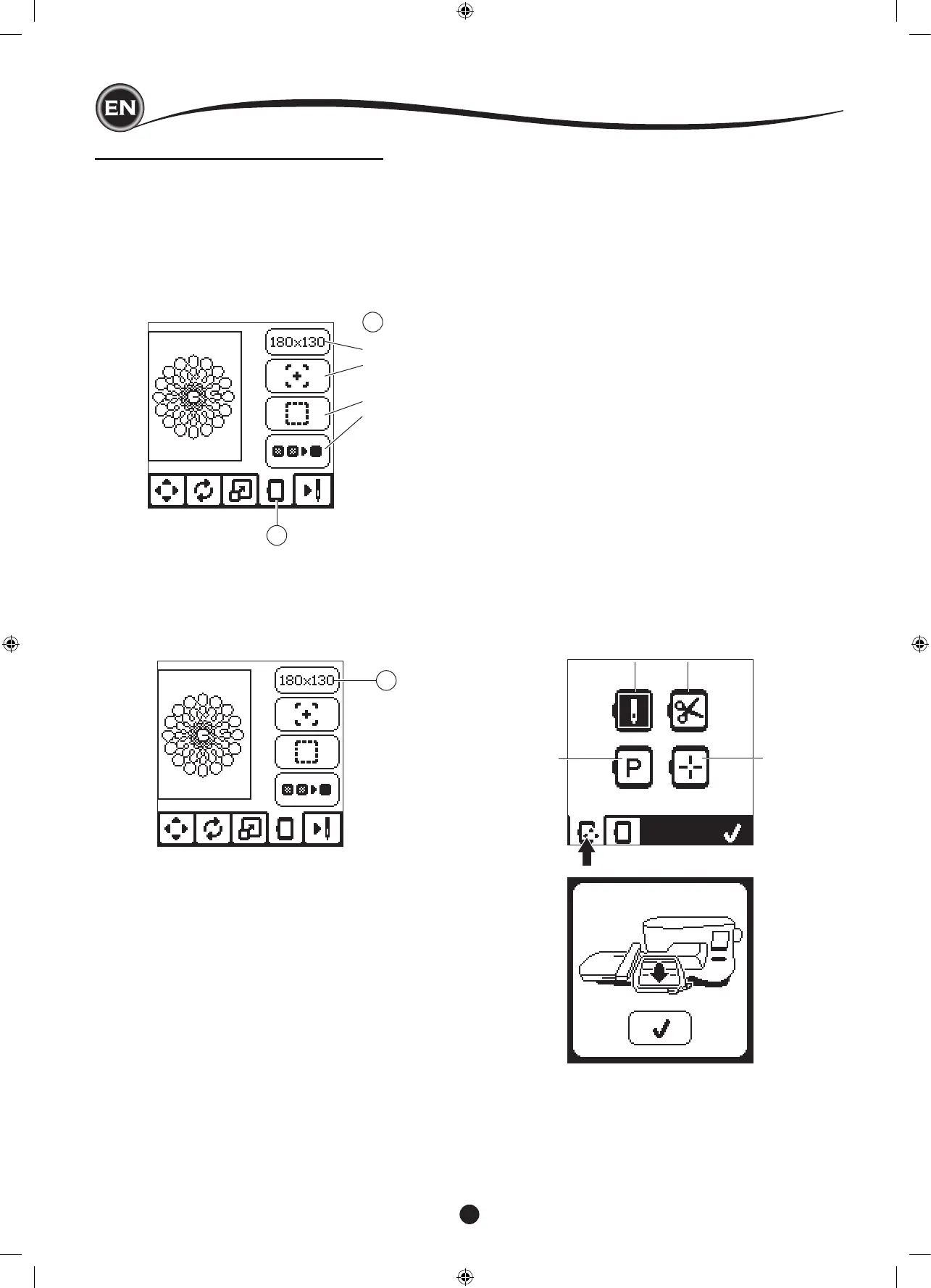
EMBROIDERY OPTION SCREEN
1. Press the Embroidery Option tab.
2. You can access embroidery options by pressing the
buttons, as shown below:
A. Hoop Option and Selection
B. Tracing
C. Basting
D. Monochrome
A
B
C
D
1
2
i
ii
iii
iv
A
v
hoop optIon and SelectIon (a)
The top right button shows the hoop size selected. Press this
button to select a hoop position or to change the hoop size.
HOOP OPTION - SELECT HOOP POSITION
When you press the Hoop Option and Selection button, the
Hoop Option screen will appear rst.
You can move the hoop to the following positions.:
i. Current Position:
When you want to return to the current stitch and start
embroidering again where the embroidery was interrupted,
press this button.
Hoop will move to current positon and return to embroidery
option screen.
NOTE:
You can also press the “
✓
” button to return to current
positon and Embroidery Option screen.
ii. Cut Position:
By pressing this button, move the hoop towards you,
making it easier to trim fabric when embroidering an
appliqué.
iii. Park Position:
When your embroidery is nished and you want to store
your machine, it will be necessary to move the hoop
carriage to Park position. Press the Park position button.
When the pop-up message (v) appears, remove the hoop
and press the “
✓
” button. The carriage will then move to
the correct position for storage.
Then, turn off the power switch and remove the unit.
NOTE:
It is very important that the hoop is removed, otherwise it
may be damaged.
iv. Center Position:
If you want to check where the center position of the hoop
will be placed on the fabric, press this button.
NOTE:
When hoop is not attached, buttons “ ii, iv “ will be disabled.










 To Next Page