43
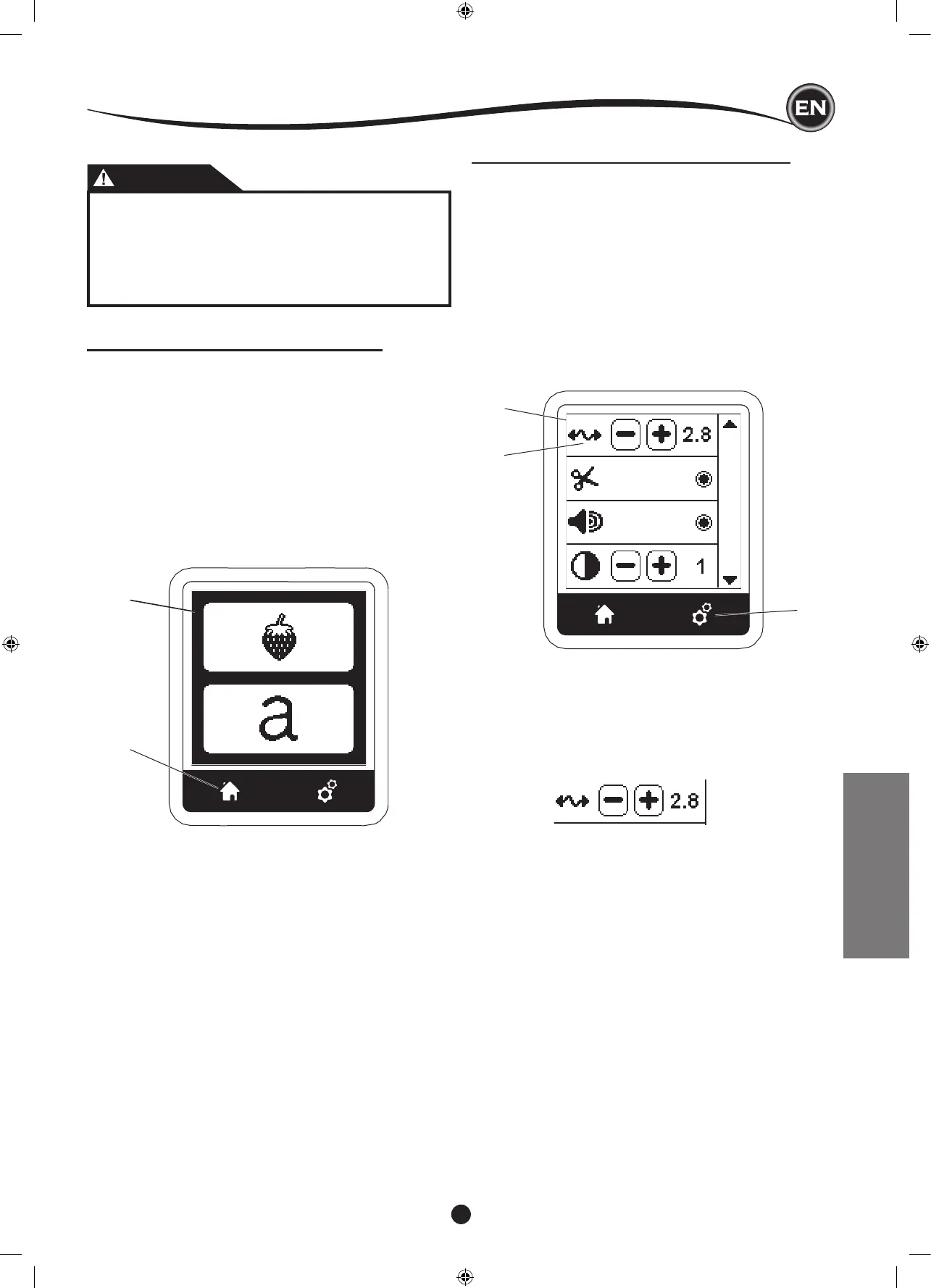
HOME SCREEN / HOME BUTTON
When you have attached the embroidery unit correctly, the
Embroidery Home Screen will appear.
You can start selecting and editing embroidery from this
screen.
You can go back to the Home Screen from anywhere by
pressing the Home Button.
At this time, all selected designs or letters and editing for
embroidery will be cleared.
A
B
EMBROIDERY
C
(a)
D
EMBROIDERY MACHINE SETTINGS
Before or during the embroidery process, you can adjust the
machine settings by pressing the Setting Button.
The Setting Screen will appear. (a)
This screen is scrolled by pressing the right side arrow buttons.
Pressing the Setting Button again, machine will return to
previous screen.
NOTE:
All settings except for thread tension will remain until you
change them. Thread tension will return to pre-set when you
load a design.
This embroidery machine adjusts thread tension automatically.
However, depending on the thread or fabric being used, it
may be necessary to modify the tension setting to achieve the
desired results.
To obtain the desired thread tension, adjust as follows.
i. CORRECT THREAD TENSION
Upper thread appears slightly on the bottom side of fabric.
ii. UPPER THREAD TOO TIGHT
Bobbin thread appears on the top side of fabric.
Decrease the upper thread tension by pressing the “-”
button.
iii. UPPER THREAD TOO LOOSE
Upper thread is loose or makes loops.
Increase the upper thread tension by pressing the “+”
button.
(See illustration top of next page)
CAUTION
To prevent accidents:
1. Do not carry the sewing machine when embroidery
unit is attached. It may fall off.
2. Do not push nor pull the carriage forcefully. It may
break.
3. Do not hold the carriage to move the machine.










 To Next Page