33 Changing Function on "C" Foot Switch Sirona Dental Systems GmbH
59 58 470 D 3370
46 D 3370.031.01.10.02
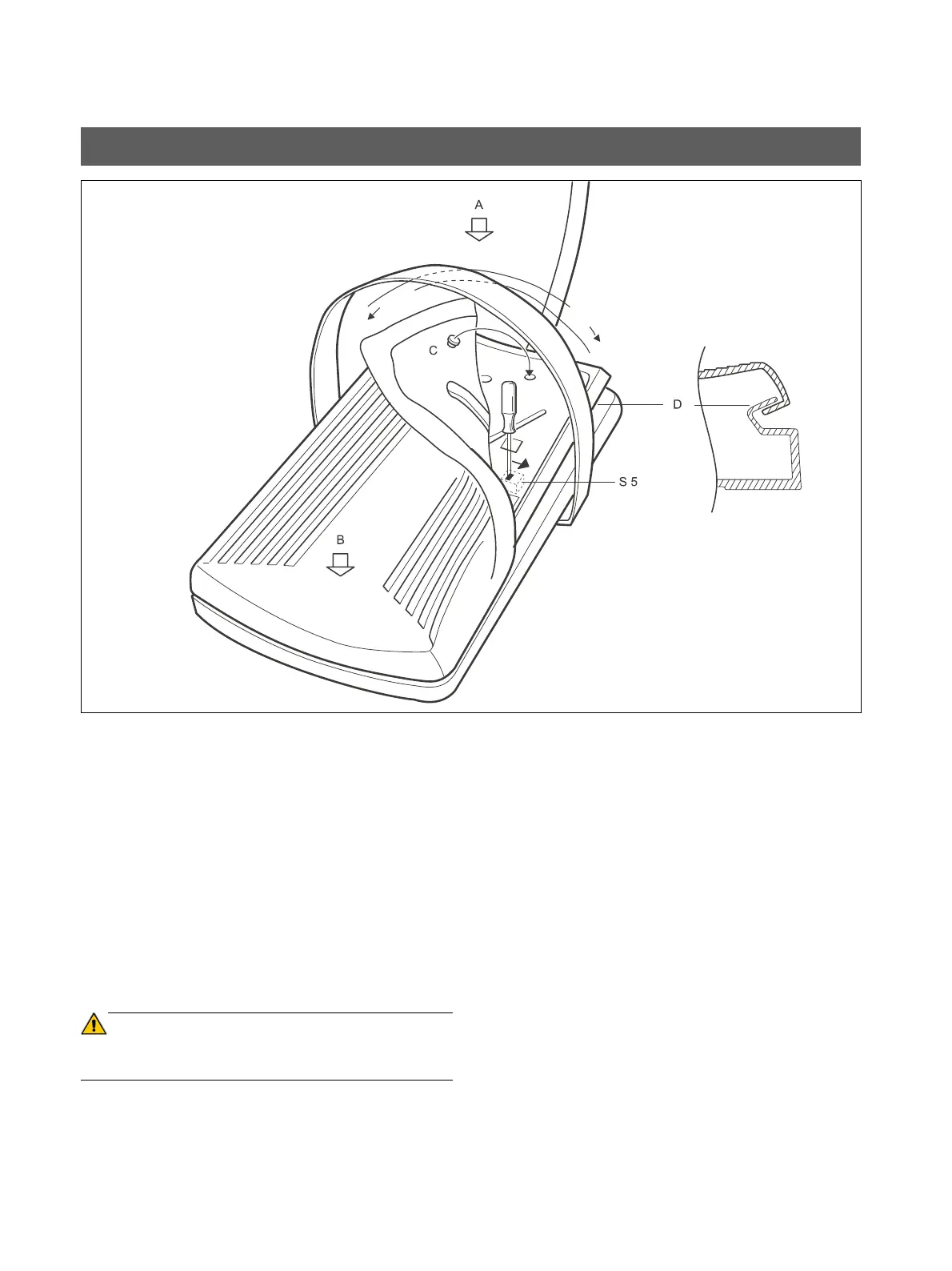
Setting ex factory:
All functions of the foot switch are triggered by operating the
pedal at A (for example, starting of the dental instruments).
If the customer wants to trigger the functions by operating
the pedal at B, the slide switch S5 in the foot switch can be
changed as follows:
1. Fold up the rubber hood at the front right corner of the
pedal.
2. Using a screwdriver, push the slider of switch S5 to the
right (hole in the pedal).
3. Reattach the rubber cover.
Press the knobs C tightly into the holes.
ATTENTION
The complete edge of the rubber hood must be turned over
the sealing lip D of the lower rubber cover.
33 Changing Function on "C" Foot Switch
1.
2.
3.















 To Next Page