63 22 726 D3561
D3561.201.01.03.02 05.2012
181
Sirona Dental Systems GmbH 5 Care, cleaning and maintenance by the practice team
Operating Instructions SINIUS / SINIUS CS 5.3 Instruments and instrument hoses
båÖäáëÜ
Purging water lines
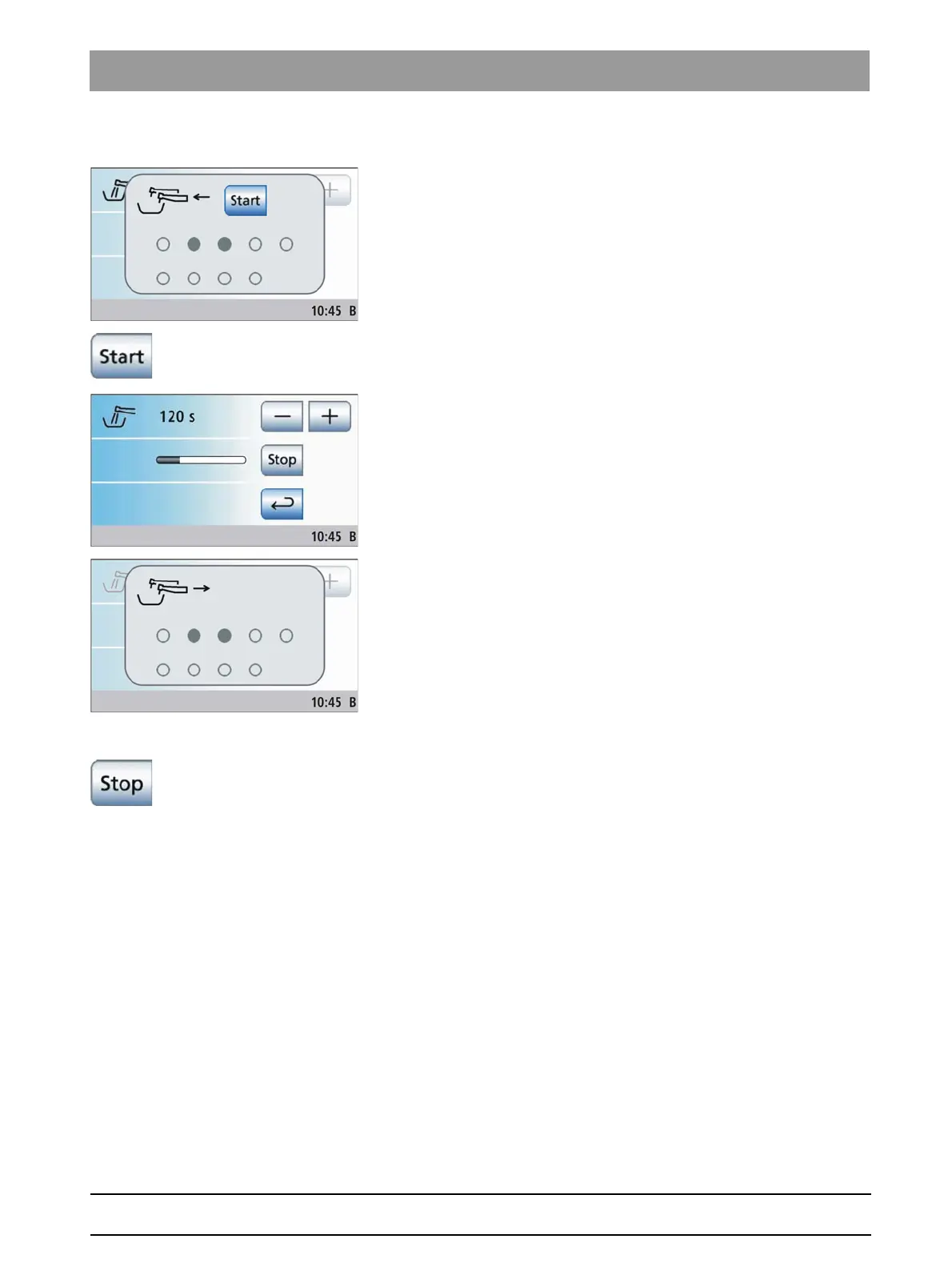
✔ The
Remove instruments
display appears on the touchscreen.
1. Remove the instruments to be purged from the holder. In the case of
SINIUS CS: Move the swivel arms of the instruments to be purged
into their functioning position so that the weight of the instrument
hoses secures them in place.
If an instrument has been removed, this is displayed by a solid
gray circle on the touchscreen.
2. Hold the instruments over the cuspidor bowl and press the
Start
key
on the dentist element. Press the water key on the SPRAYVIT M unit
for purging.
The removed instruments are purged with water for the duration
of the set purge time. The elapsed purge time is displayed by a
progress bar on the touchscreen.
When the purge time has elapsed, the
Set instrument down
display appears.
3. Put the removed instruments back in place. All instruments not
deposited are marked with a solid gray circle on the touchscreen.
When all of the instruments have been deposited, the
Deposit
instruments
display disappears.
The water line purging procedure is finished. The treatment center is
again ready for operation.
Canceling the purge function
In the case of error message
Deposit instruments
or during purging, the
purge function can be canceled.
➢ Touch the
Stop
key on the touchscreen.















 To Next Page