63 22 726 D3561
D3561.201.01.03.02 05.2012
229
Sirona Dental Systems GmbH 10 Overview of all function keys
Operating Instructions SINIUS / SINIUS CS 10.3 Instrument program
båÖäáëÜ
10.3
Instrument program
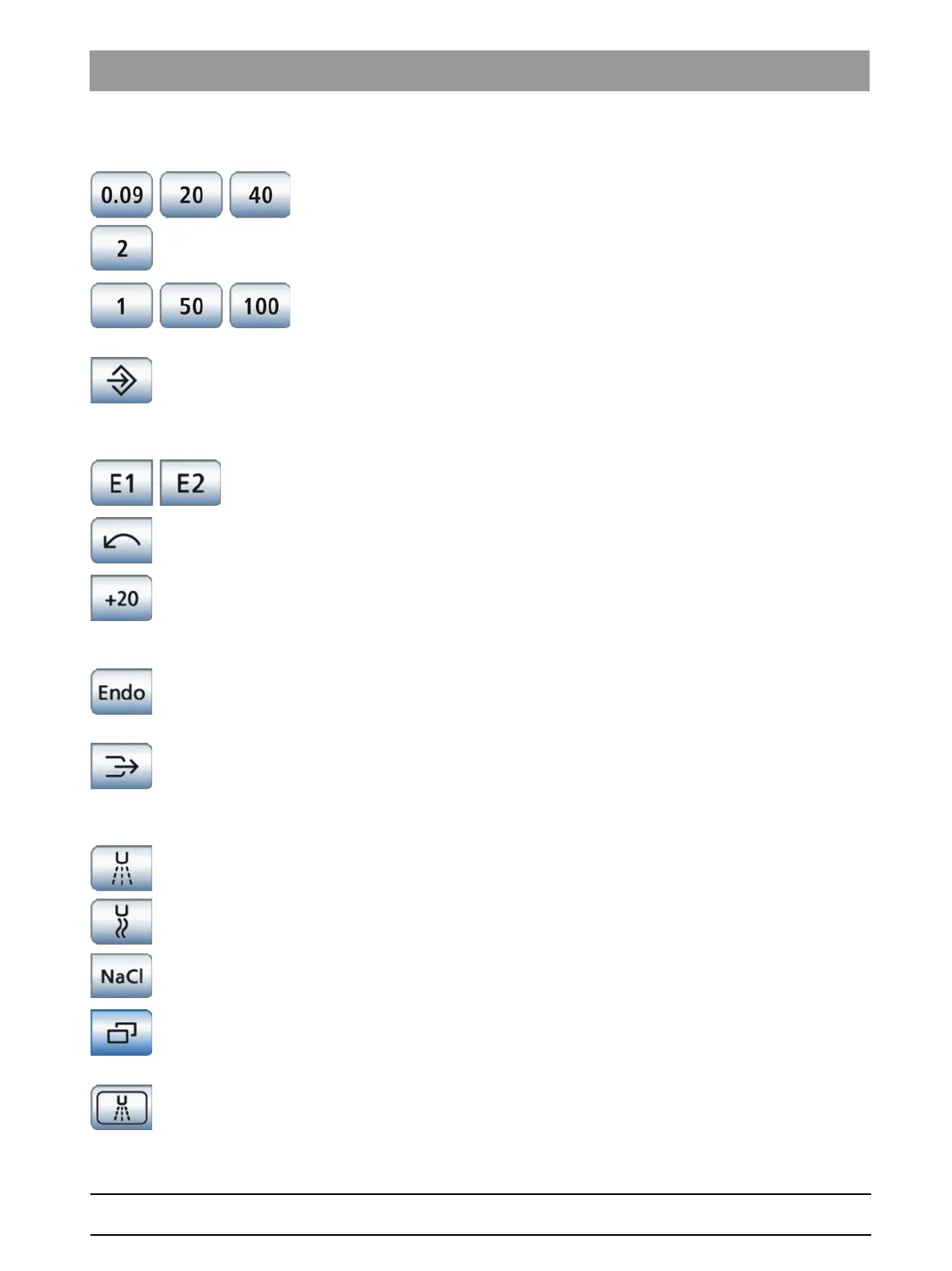
Instrument program
Speed quick setting keys
Used to select preset or intermediate rotational speed settings
BL, BL ISO C and BL Implant motors: min. 90 rpm, max. 40,000 rpm
BL ISO S motor: min. 200 rpm, max. 40,000 rpm
Intensity quick setting keys
Setting preset intensity values or intermediate intensity values for the
SIROSONIC TL scaler
Memory key
Used to save instrument settings
This key is displayed only in the Save mode. Storage occurs
automatically when the instrument is deposited in the Drop mode.
Function levels
Storage and selection of instrument settings at two levels
Direction of rotation
Switches counterclockwise rotation ON/OFF
Boost function
Increases the intensity setting of the SIROSONIC TL scaler in steps of 20,
referenced to the final value during treatment. From an intensity of 80, the
maximum value of 100 is the maximum that can be selected.
Endodontics function
Activation of the endodontics function for the SIROSONIC TL scaler
(power limitation)
Chip blower
Used to dry treatment areas or blow off drilling chips by emitting air blasts
from the treatment instrument
This key is displayed only when cursor control is activated
Activate preselected coolant
The coolants to be available for selection in the instrument program can
be set in the sub-screen of each individual instrument, see below.
Sub-screen
Used to access additional subordinate functions; see the following
function keys:
Preselect spray coolant
Used to cool the treatment area with spray















 To Next Page