System Setup
5-11
proportionality coefficient can be inputted.
5.2.5.10 Fetal Growth Curves Edit
Select Fetal Growth Curves Edit on the calculation setup submenu and press
Enter to
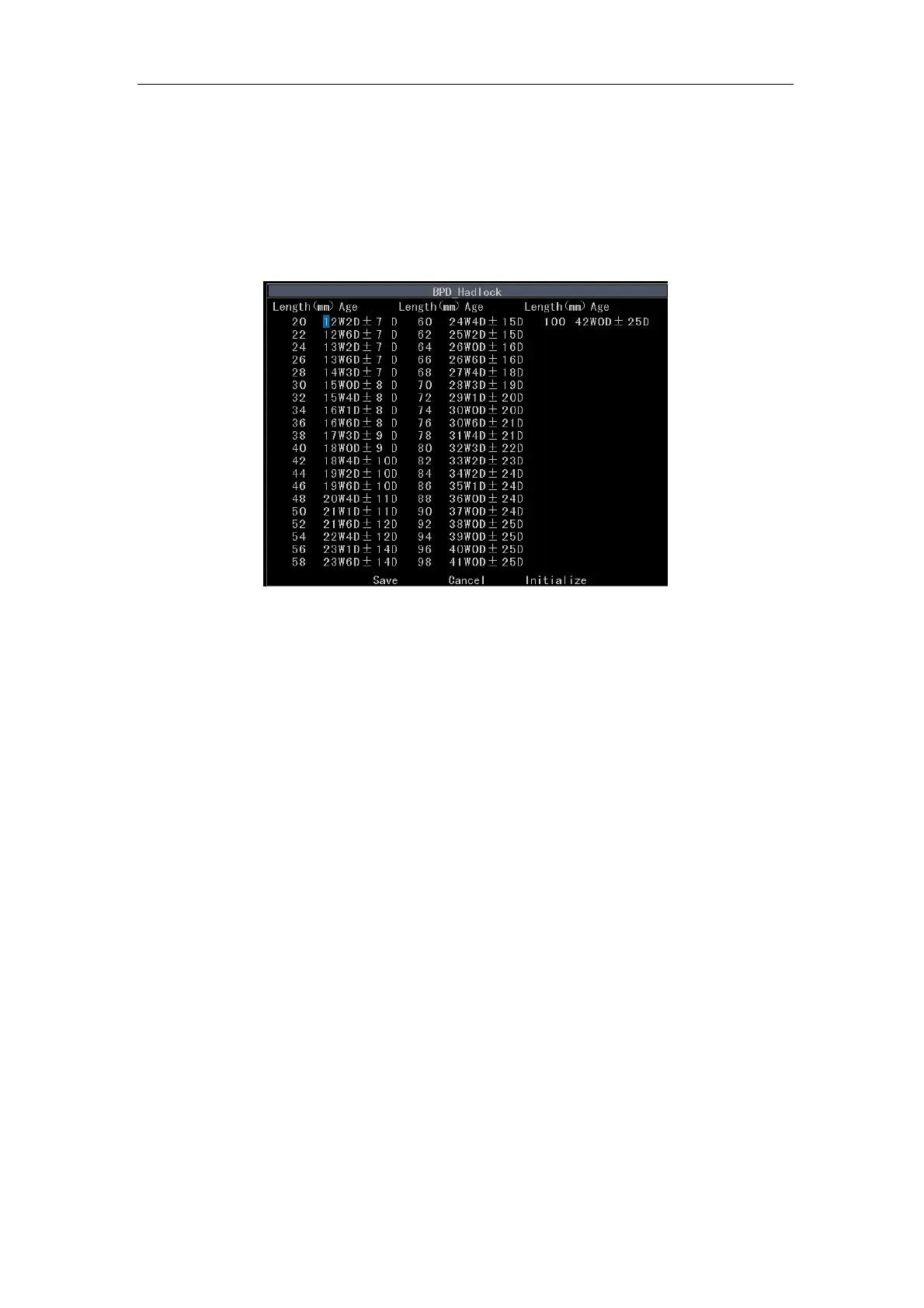
enter the edit screen of BPD Growth Curve Table shown in Fig. 5-4.
Fig. 5-4 Edit Screen of BPD Growth Curve Table
a) To select other types of growth curve tables: press
Value control key.
b) To modify data: use the touchpad to move the cursor over the desired number and
hold
Shift key and then press number keys to replace the original data. You can
press
Backspace key to delete the current data where the cursor stays.
c) To save data: after modification, move the cursor to Save and press Enter to save
the modified data.
d) To cancel: select Cancel to restore the data before modification. If Save is pressed
before, then Cancel is invalid.
e) To initialize: select Initialize and press
Enter. Move the cursor to Save and press
Enter.
f) To exit: press
Esc.
5.2.5.11 Fetal Age Estimating
Select Fetal Age Estimating on the calculation setup submenu and press
Enter to enter
a submenu shown in Table 5-7. Select a certain menu item and press
Enter, and the



 To Next Page