System Setup
5-13
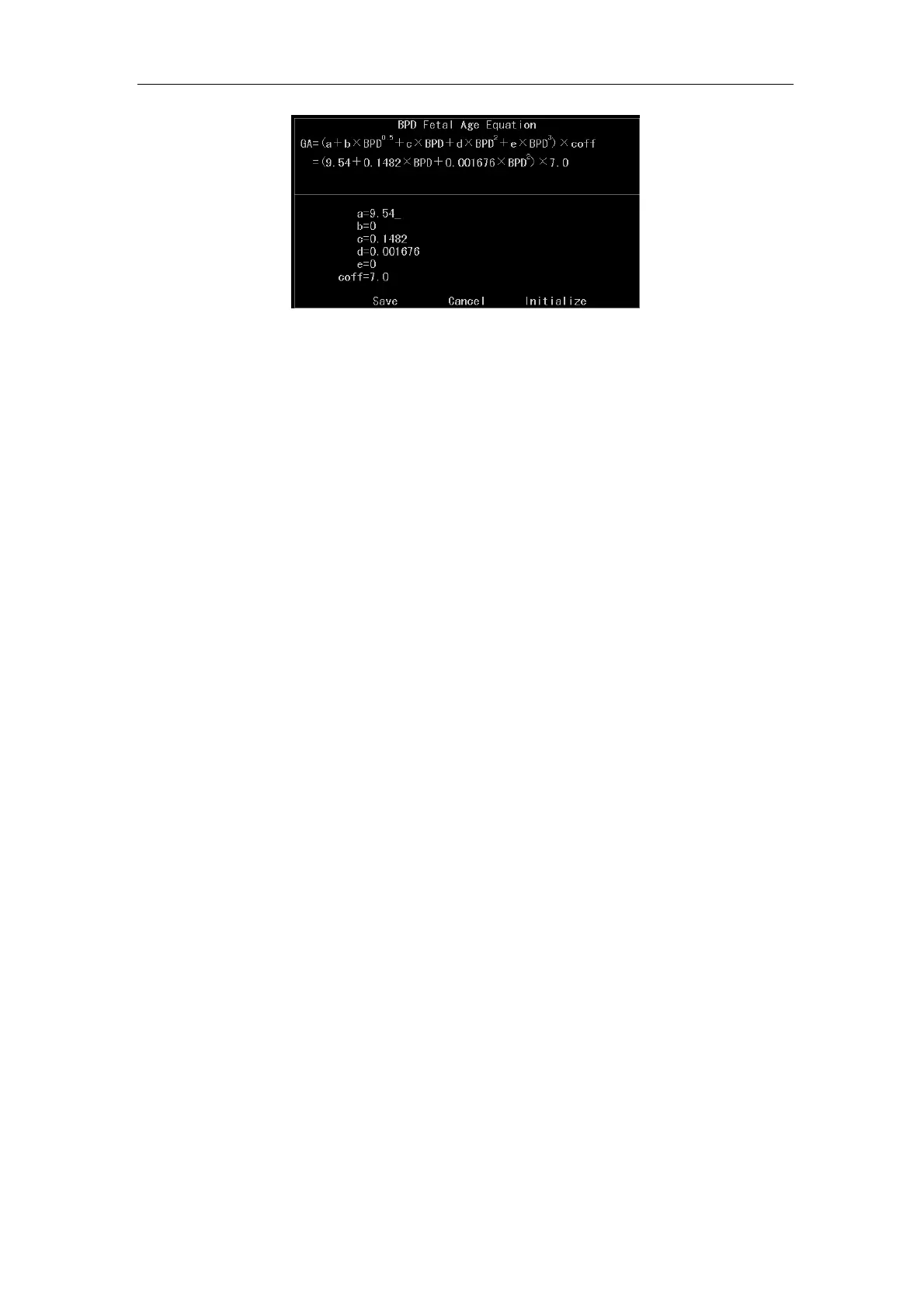
Fig. 5-5 Edit Screen of BPD Fetal Age Estimating Edit
The default equation displayed is BPD Fetal Age Equation. Other fetal age equations can
be selected by rotating
Value control key.
The value of a~e and Coff is changeable and the equations in Fig.5-5 will be changed
accordingly.
After editing, press
Enter key, the cursor will place over Save automatically. Press Enter
key again, if the calculation is made with equation, the calculation result will change
accordingly.
Select Initialize and press
Enter key; Move the cursor over Save and press Enter to
restore the system to its default parameter value.
Select Cancel to restore the data before modification. If Save is pressed before, then
Cancel is invalid;
Press
Esc to return to calculation setup submenu.
5.2.5.13 Measurement Line Type
It is used to set up the display type for the line between two points in measurement. There
are three types for selection: Solid, Dot and None.
a) When the line type is Solid, the displayed line section between two points in
measurement is solid.
b) When the line type is Dot, the displayed line section between two points in
measurement is dotted.
c) When the line type is None, there is no line section displayed between two points in
measurement.



 To Next Page