Measurement and Calculation
8-18
In B, 2B, 4B or B/M mode, press Meas key and a menu will appear. Select Ellipse-area
in the menu to enter ellipse method area measurement screen. A + cursor will appear on
the screen. Use the touchpad and press
Enter key to fix the start point of the long axis.
“aP: 0.00cm, aArea: 0.00cm
2
” is displayed in 2 lines in result area. Use the touchpad to
move the long axis to desired position and press
Enter key to fix the long axis. The
circumference of the ellipse is displayed in the result area. And then use the touchpad to
adjust the short axis to proper position. The length value of short axis and the value of the
area change as the cursor moves. Press
Enter again and the + cursor goes to the first
fixed point. Move this point to desired position and press
Enter to fix it. The + cursor
goes to the second fixed point which is movable. Press Enter and the long axis will be
fixed. Press
Enter key and use the touchpad to toggle movable and fixed states
between two points and the length of long axis and short axis. Press Esc to finish
measurement.
8.3.3 Volume
8.3.3.1 Ellipse-vol.
In B, 2B, 4B and B/M mode, press
Meas key and a menu will appear. Select Ellipse-vol.
to enter ellipse method volume measurement screen. A + cursor will appear on the center
of the image. “aVolume: 0.00cm
3
, aDL: 0.00cm, aSL: 0.00cm“ is displayed in three lines
in the result area. For other operation method, please refer to that of Ellipse-area.
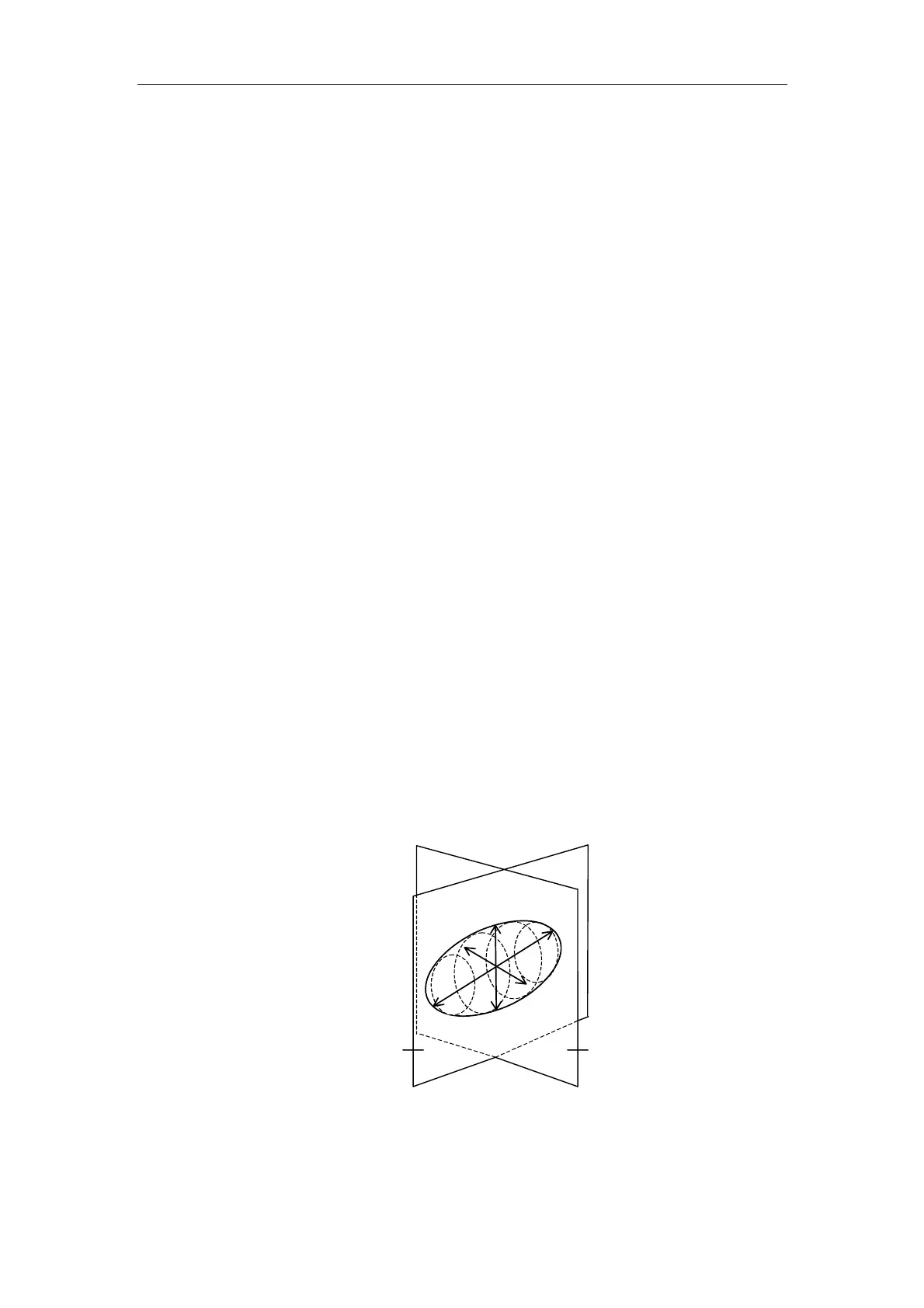
8.3.3.2 Biplane-vol. (reserved for future use)
Fig.8-4 Diagram of Biplane-vol. Measurement
2B mode: In 2B mode unfrozen state, acquire the max. longitudinal plane in one of the
Max. transversal
Diameter plane L
D1
D2
D3
Max. longitudinal
diameter plane R



 To Next Page