Measurement and Calculation
8-22
In M or B/M mode, press Meas and select Heart Rate to enter heart rate measurement
screen. “aBeat number:
×
, aHR: 0.00bpm“ is displayed in result area. Other operation is
the same as Time measurement.
8.3.7 Slope
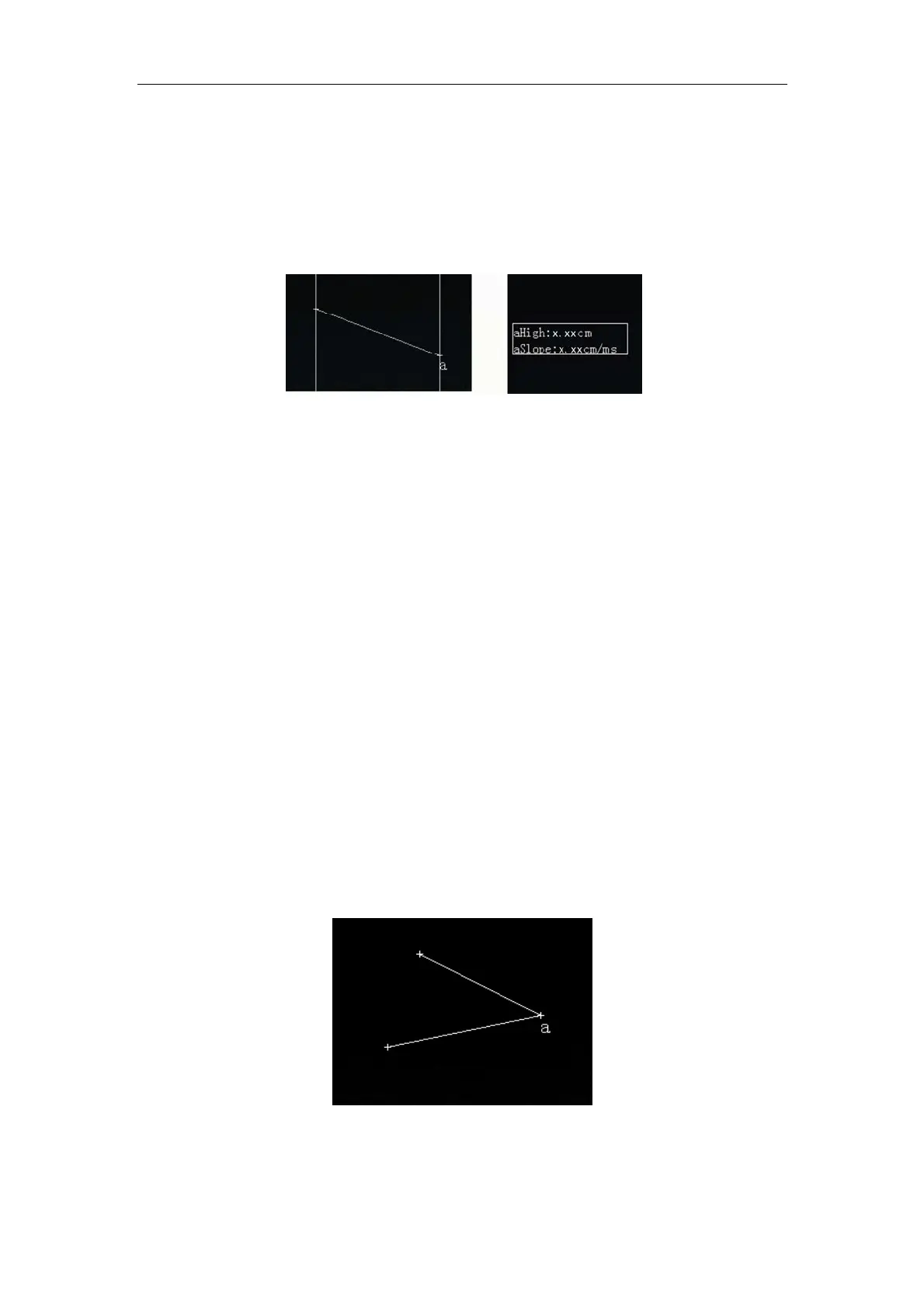
Fig. 8-8 Slope Measurement and Result
In M and B/M mode, slope (velocity) of any two points on the image in M mode can be
measured after freezing. Press
Meas and select Slope to enter slope measurement screen.
A vertical calipers with a +cursor will appear on the image. Use the touchpad to place the +
cursor of the first vertical calipers on the first point to be measured and press
Enter to fix
the first vertical calipers and its + cursor. “aHigh: 0.00cm, aSlope: 0.00cm/ms“ (High is the
depth difference between two points) will be displayed in result area. Move the touchpad, the
second vertical calipers with a +cursor will appear. High and Slope (velocity) in the result
area change with the moving of the cursor. Move the + cursor of the second vertical calipers
to the second point to be measured. Press
Enter, the second vertical calipers and its +
cursor are fixed while the first vertical calipers and its + cursor are movable. Pressing
Enter
to toggle the two vertical calipers and their + cursors between the states of being fixed or
movable. Press
Esc to save and exit calculation and measurement.
8.3.8 Angle
Fig. 8-9 Angle Measurement Screen
Angle can be measured in B, 2B, 4B and B/M mode. 9 angles can be measured in the same
×



 To Next Page