EasyManua.ls Logo

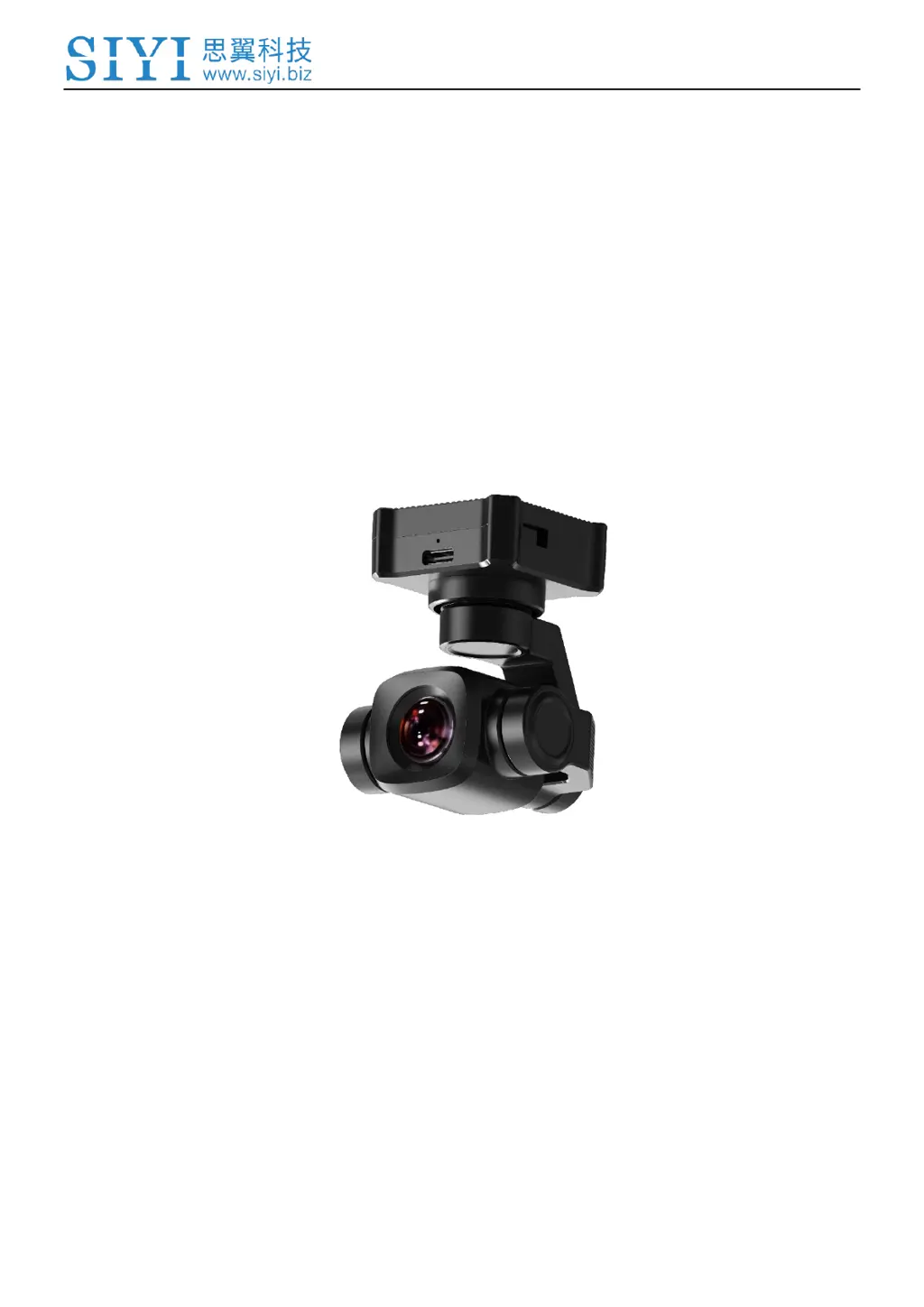
SIYI A8 mini - User Manual

SIYI A8 mini
107 pages
Print Icon
To Next Page IconTo Next Page
Loading...
A8 mini User Manual v1.5
1
2023 SIYI Technology Copyright
A8 mini
4K AI MINI ZOOM
GIMBAL CAMERA
USER MANUAL
V1.5
Aug 2023

Table of Contents

Questions and Answers

Summary

READ TIPS

Safety

General safety precautions for operating the gimbal camera.

1 Introduction

1.1 Product Features

Details on imaging system, night vision, HDR, and AI tracking capabilities.

1.3 Technical Specification

3 Gimbal Control

3.1 Control via SIYI FPV;QGC App

How to control the gimbal using SIYI FPV or QGC apps.

3.2 Control via S.Bus Signal

How to control the gimbal using S.Bus signal from a remote controller.

3.3 UART;UDP Control via SDK

3.3.1 SDK Protocol Format

Defines the structure and fields of the SDK communication protocol.

3.3.2 SDK Communication Commands

Lists and explains commands for interacting with the gimbal via SDK.

Photo and Video Commands

Commands for controlling camera functions like taking photos and recording video.

Acquire Gimbal Attitude

Command to retrieve the current attitude data (yaw, pitch, roll) of the gimbal.

Set Gimbal Control Angle

Command to set the target yaw and pitch angles for the gimbal.

3.3.3 SDK Communication Interface

Details on TTL serial, UDP, and TCP communication interfaces for the SDK.

3.3.4 SDK Communication Code Examples

Provides example code snippets for common SDK commands.

3.3.6 Advanced SDK Integration Guide

Guide for developers integrating SIYI gimbal SDK, focusing on Linux platforms.

3.4 Control via SIYI QGC & HM30 System

3.4.1 Preparation

Lists required tools, firmware, and software for controlling the gimbal via SIYI QGC.

3.4.2 Gimbal Pitch and Yaw Rotation

How to control gimbal pitch and yaw using the mouse in SIYI QGC.

3.4.3 Zoom Control

How to control the zoom function using icons in SIYI QGC.

3.4.4 Take Pictures and Record Video

How to take photos and record videos using SIYI QGC.

3.5 Control via Ardupilot Driver through UART

3.6 Control via Mavlink Protocol through UART

Preparation

Lists required tools and firmware for Mavlink UART control.

3.7 Integrate Mavlink Attitude for Performance

3.8 Troubleshooting Abnormal Gimbal Attitude

4 Video Output

4.1 Output to SIYI Ground Station

How to output and display video streams on the SIYI ground station.

4.2 Output to Android via HM30

Steps to output video to an Android device using HM30.

4.3 Output to Windows via HM30

How to output video to Windows via HM30.

4.8 Solutions to No Image

5 SIYI FPV App

6 Firmware Upgrade and Configuration

7 After-sale Service

7.2 Warranty

Details on SIYI product warranty terms and conditions.

Summary

READ TIPS

Safety

General safety precautions for operating the gimbal camera.

1 Introduction

1.1 Product Features

Details on imaging system, night vision, HDR, and AI tracking capabilities.

1.3 Technical Specification

3 Gimbal Control

3.1 Control via SIYI FPV;QGC App

How to control the gimbal using SIYI FPV or QGC apps.

3.2 Control via S.Bus Signal

How to control the gimbal using S.Bus signal from a remote controller.

3.3 UART;UDP Control via SDK

3.3.1 SDK Protocol Format

Defines the structure and fields of the SDK communication protocol.

3.3.2 SDK Communication Commands

Lists and explains commands for interacting with the gimbal via SDK.

Photo and Video Commands

Commands for controlling camera functions like taking photos and recording video.

Acquire Gimbal Attitude

Command to retrieve the current attitude data (yaw, pitch, roll) of the gimbal.

Set Gimbal Control Angle

Command to set the target yaw and pitch angles for the gimbal.

3.3.3 SDK Communication Interface

Details on TTL serial, UDP, and TCP communication interfaces for the SDK.

3.3.4 SDK Communication Code Examples

Provides example code snippets for common SDK commands.

3.3.6 Advanced SDK Integration Guide

Guide for developers integrating SIYI gimbal SDK, focusing on Linux platforms.

3.4 Control via SIYI QGC & HM30 System

3.4.1 Preparation

Lists required tools, firmware, and software for controlling the gimbal via SIYI QGC.

3.4.2 Gimbal Pitch and Yaw Rotation

How to control gimbal pitch and yaw using the mouse in SIYI QGC.

3.4.3 Zoom Control

How to control the zoom function using icons in SIYI QGC.

3.4.4 Take Pictures and Record Video

How to take photos and record videos using SIYI QGC.

3.5 Control via Ardupilot Driver through UART

3.6 Control via Mavlink Protocol through UART

Preparation

Lists required tools and firmware for Mavlink UART control.

3.7 Integrate Mavlink Attitude for Performance

3.8 Troubleshooting Abnormal Gimbal Attitude

4 Video Output

4.1 Output to SIYI Ground Station

How to output and display video streams on the SIYI ground station.

4.2 Output to Android via HM30

Steps to output video to an Android device using HM30.

4.3 Output to Windows via HM30

How to output video to Windows via HM30.

4.8 Solutions to No Image

5 SIYI FPV App

6 Firmware Upgrade and Configuration

7 After-sale Service

7.2 Warranty

Details on SIYI product warranty terms and conditions.

SIYI A8 mini Specifications

General IconGeneral
Digital Zoom4x
Video FormatMP4
ISO Range100-3200
Photo FormatJPEG
StorageMicroSD card

Related product manuals