FT24 User Manual V1.1
37
2020 SIYI Tech All Rights Reserved
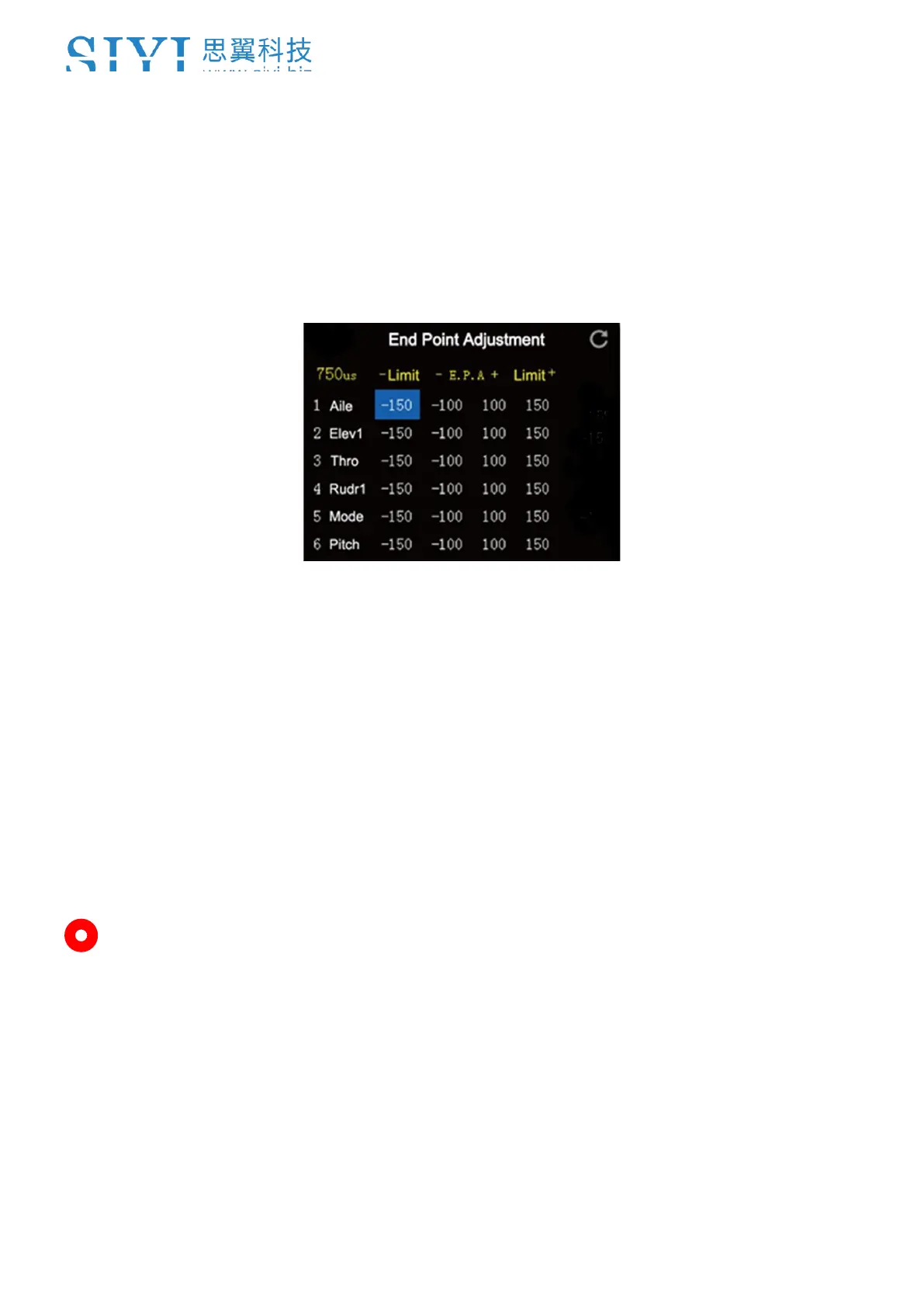
1. Go to “Model” page, enter “End Point”.
2. The page displays information as in the picture below. “- E. P. A +” stands for
the channel value, “-limit / limit+” stands for the minimum/maximum limit
value);
3. Select a channel and its output value, press the “+” or “-” button on transmitter
to adjust value or limit (-150 ~ 150).
4. After configuring, channel output value does exceed the limit even under
“Programing and Mixing*” mode, which protects servo and other external
devices.
Mark: In “End Point” page, the icon at up-right corner is for resetting all channel
values.


 To Next Page