FT24 User Manual V1.1
72
2020 SIYI Tech All Rights Reserved
6.6 Export/Import Setting Data
The function supports users for exporting their FT24 transmitter settings to an SD
card to be copied to other FT24 transmitters.
Steps to Export
1. Insert an SD card into FT24 transmitter (ignore this step if an SD card was
already there).
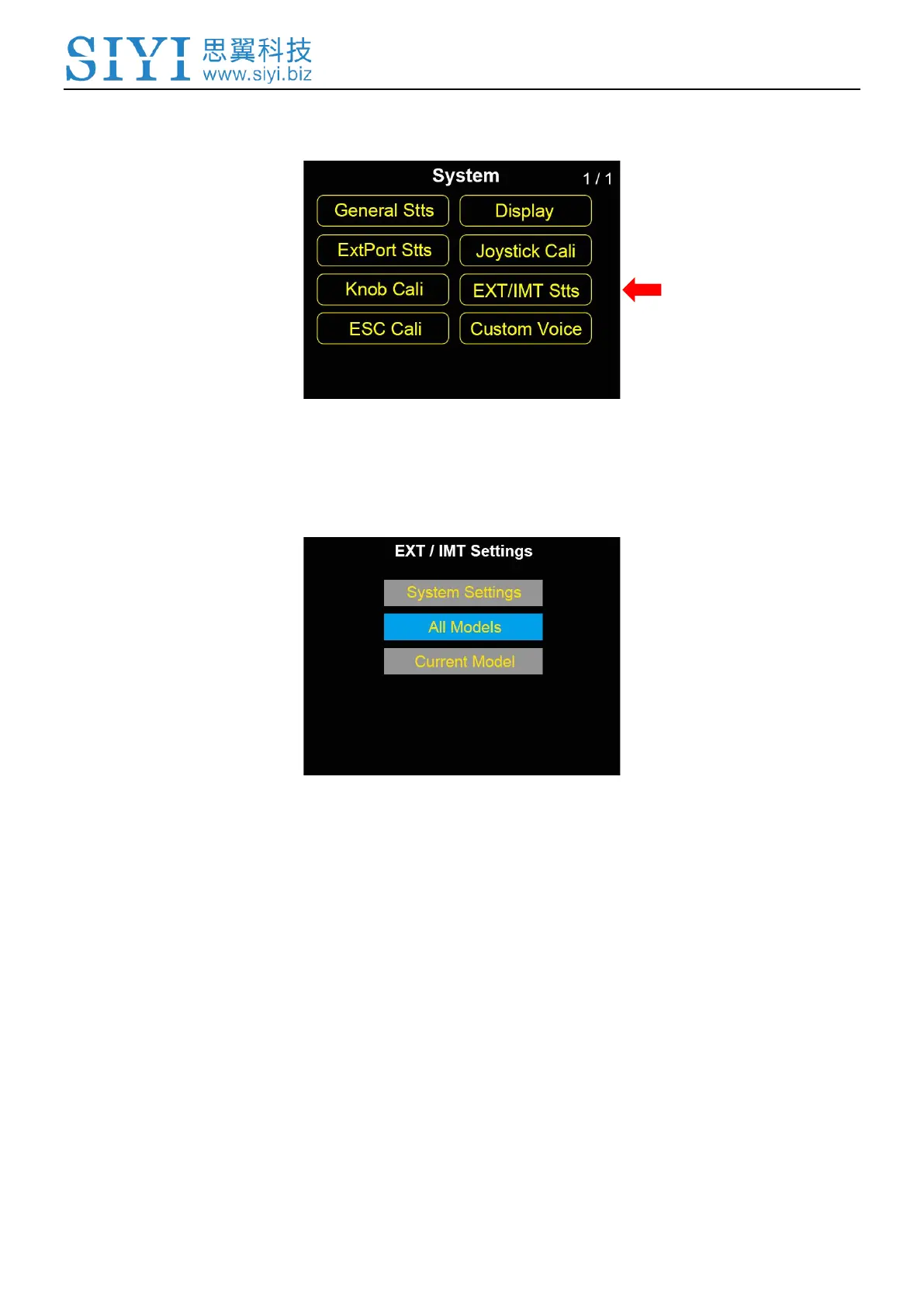
2. Go to “EXT/IMT Settings” page.
3. “System Settings” to export FT24 transmitter’s system setting data. “All Models”
to export all model settings data saved in FT24 transmitter. “Current Model” to
export setting data of the current model.



 To Next Page