FT24 User Manual V1.1
22
2020 SIYI Tech All Rights Reserved
1. Power on the receiver. After 5 seconds, plug in and out power wire for 3 times
(with power connected for
at least 1 second each time). Receiver indicator turns to blink red fast, receiver
ready for binding.
2. Go to “Transmitter Settings - System Settings - General – Bind (Start)”
3. Receiver/transmitter turns to blink green; communication is normal, binding is
successful.
WARNING
Before binding, please make sure motors are not powered (E.S.C are off connection).
Reboot receiver when binding is finished, and try to manipulate on transmitter to confirm if
binding is successful.
3.3 Throttle Joystick Type
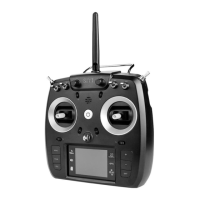
FT24 transmitter supports both “Thumb-slide” and “Self-centering” throttle joysticks.
Users decide which type to use according to their preference. Generally, if your
transmitter has been set up as “Thumb-slide” throttle joystick, then the throttle type
in “System Settings” should be “Thumb-slide” as well.
Thumb-slide Joystick


 To Next Page