FT24 User Manual V1.1
43
2020 SIYI Tech All Rights Reserved
That is, when Sub-Trim value increases/decreases 5 units, Trim Setting value
increases/decreases 1 unit.
FT24 transmitter’s default Sub-Trim value is 5. Minimum limit is 0, maximum limit 100.
Minimum limit of Trim Setting value is 0, maximum limit is 20.
Steps
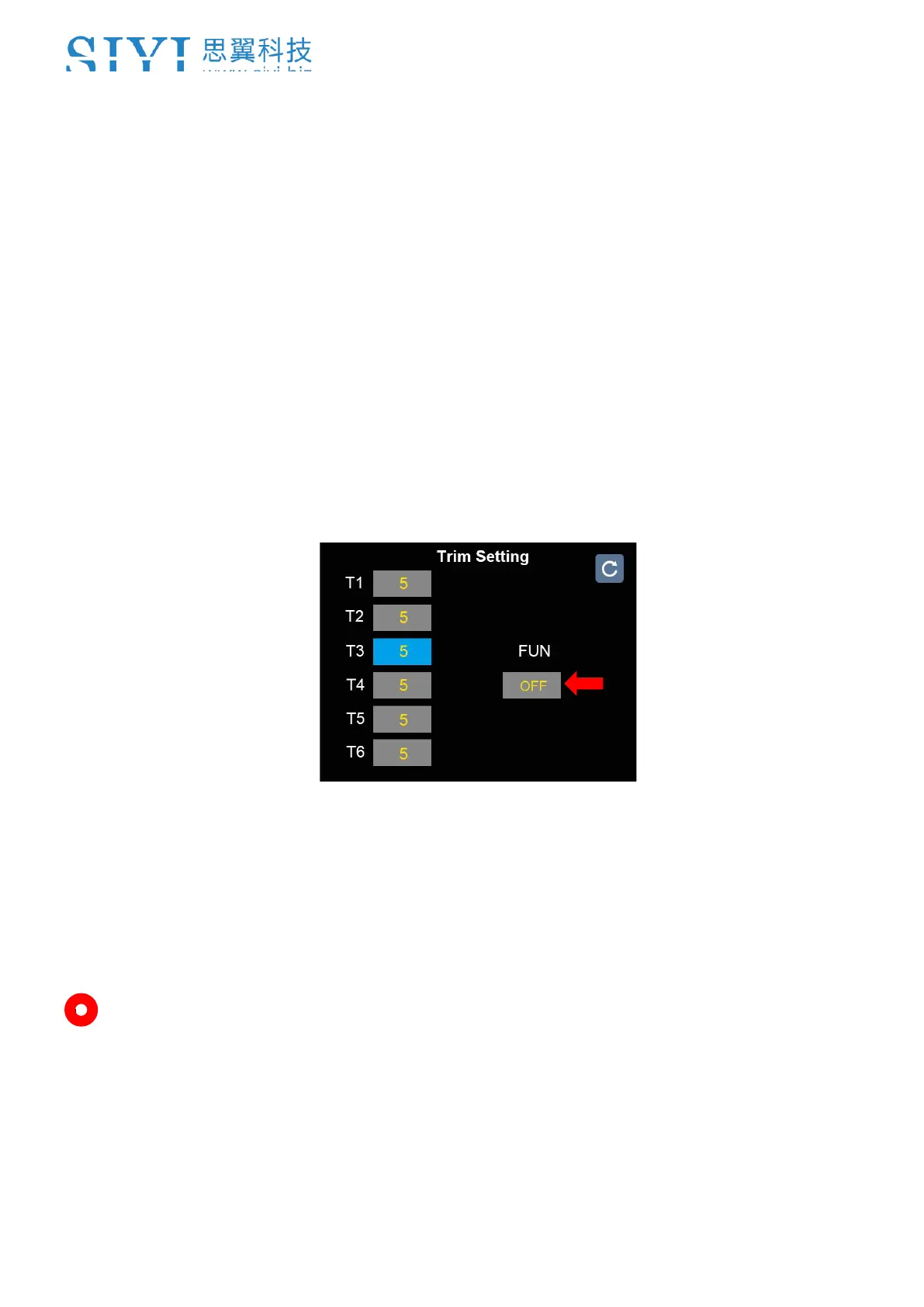
1. Go to “Model” page, enter “Trim Setting”.
2. The page displays information as in the picture below.
3. Trim Setting configures all 4 Sub-Trim channels. Enter a channel to change its
stepping value.
6. Mark: Enter “Reset” to reset all channels. “FUN” is for turning on/off “Trim Setting”
function.



 To Next Page